 Xtrable
Real domains are made of connected things: an order belongs to a customer, an invoice to an account. In NeoArc you connect entities with a foreign key: a property on one entity that points at the primary key of another. This guide wires an `Order` to a `Customer` and shows the relationship on the ERD (the entity-relationship diagram).
Before you start
You need two entities in a model, and the one you point at needs a primary key. Following [Model your first entity](../01-model-your-first-entity), build:
- `Customer` with an `id` (type `uuid`, tick PK).
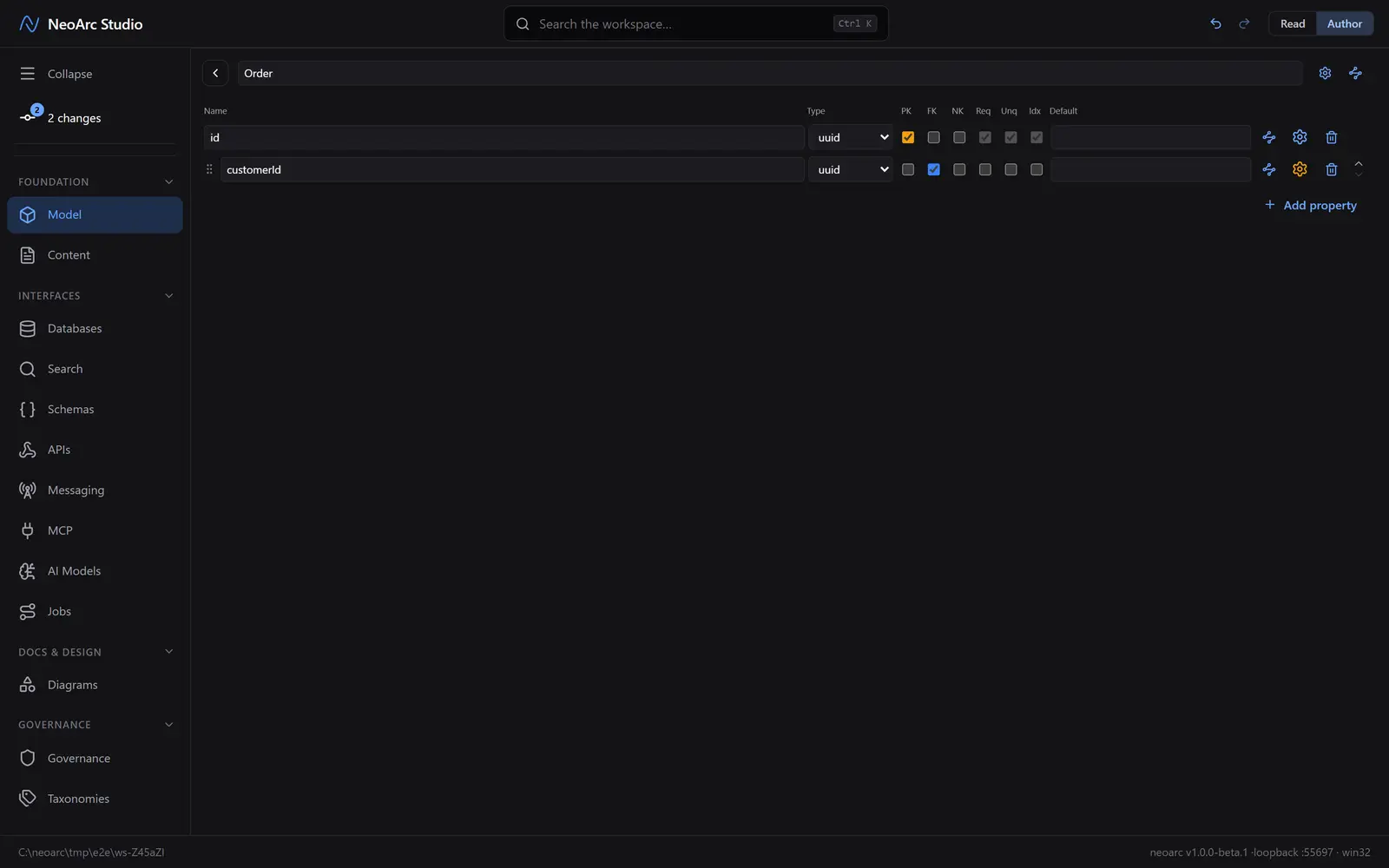
- `Order` with its own `id` (uuid, PK) and a second property, `customerId` (uuid), to hold the link.
Mark the foreign key
In the **Model** surface, open `Order` and find the `customerId` row. Tick the FK column (second of the small flag columns). It marks the value as a key borrowed from another entity. It does not yet say which one.
Point it at the target
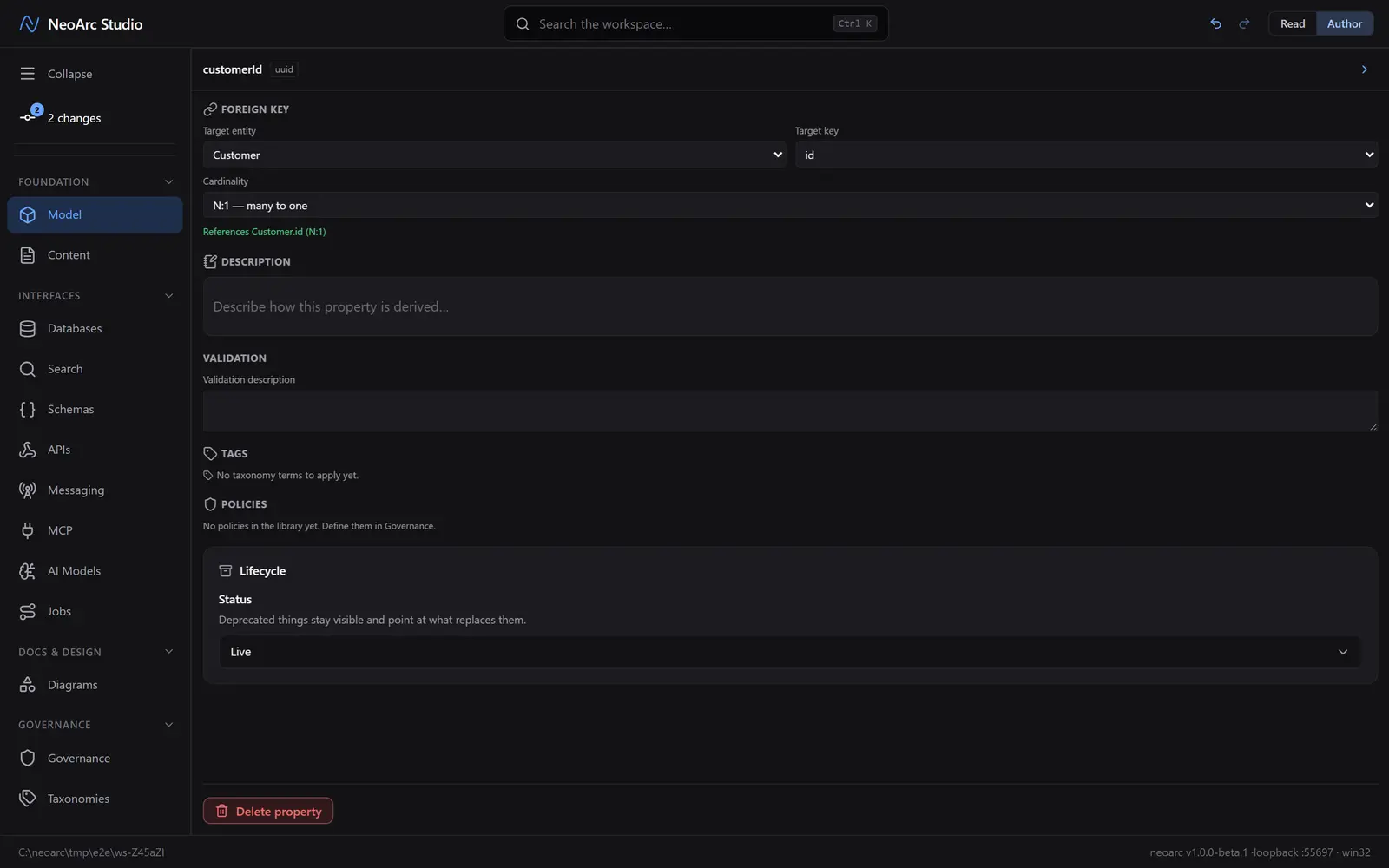
Open the row's detail panel: the amber cog at the end of the `customerId` row (not the cog in the top-right corner). It is amber because the foreign key is unresolved, the app nudging you to finish the job. In the Foreign key section, fill in three things:
1. Target entity: `Customer`.
2. Target key: `id`.
3. Cardinality: `N:1` (many to one).
Confirmed in green underneath: References Customer.id (N:1).
See the relationship
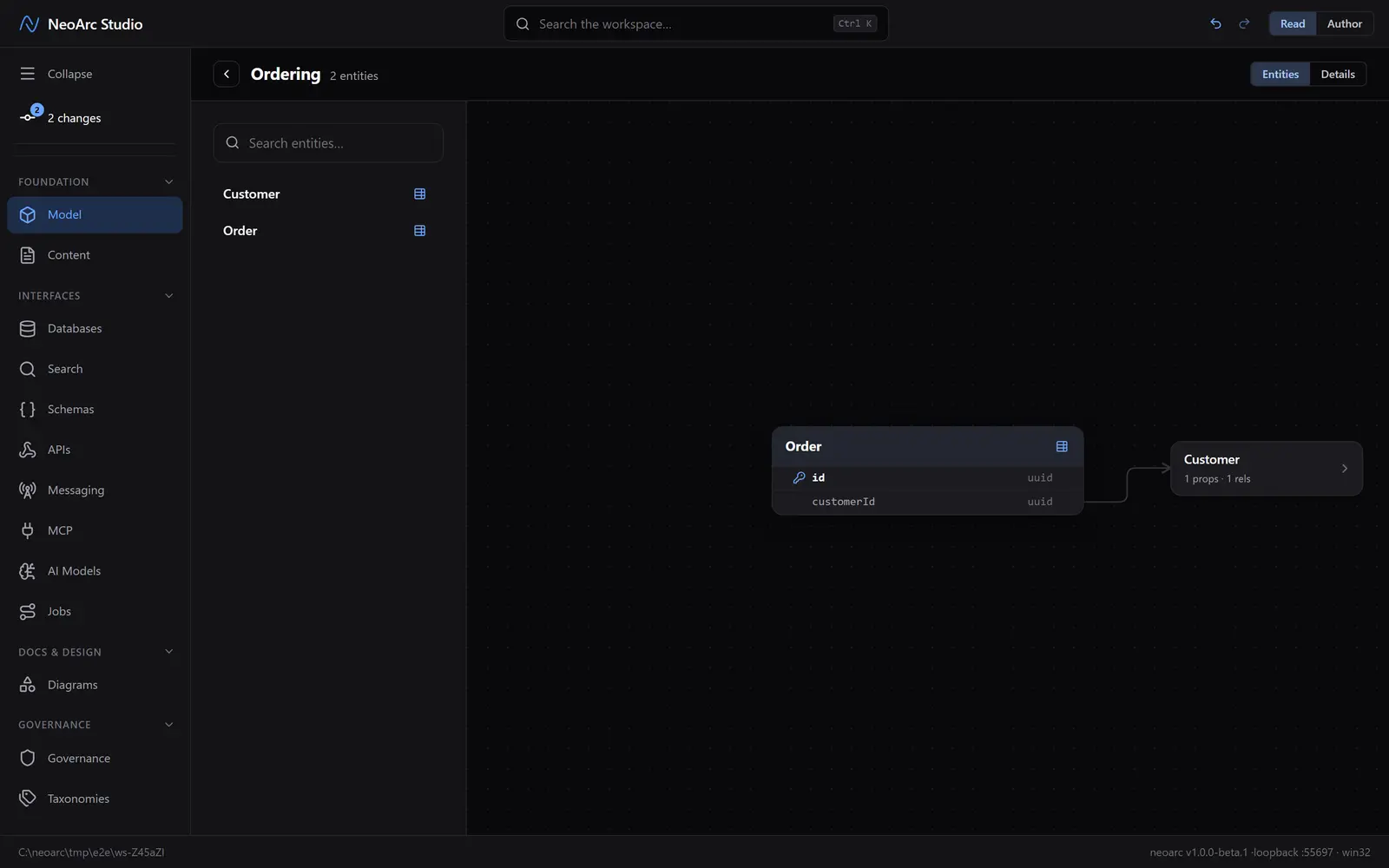
Head back to the entity list: click Back to properties, then the back arrow at the top-left to leave the entity. Switch the top-right toggle to Read and select `Order`. The ERD centres on it and draws a connector to `Customer`: the relationship you just made, now part of the model.
What next
Relationships are more than a diagram. Because the link is real:
- Projecting `Order` onto a database carries the foreign key down to the table, no re-drawing.
- Lineage can follow the connection from a customer field to wherever an order exposes it.
- The architecture map uses these links to show how your whole system hangs together.