 Xtrable
Reports are the state of your architecture, scored. NeoArc runs a set of checks over the whole project (lineage drift, coverage gaps, governance, lifecycle, structural health, and more) and lays the results out as a scorecard you can drill into. Most findings link straight to where they are fixed, so a review turns into a worklist rather than a document.
Before you start
Open Reports in the left sidebar (under Operations). Reports are read-only, so you can stay in either Read or Author view. The sidebar entry carries a badge with the current total finding count.
The scorecard
The By report lens scores the whole project. A summary strip up top gives the one-line verdict (all clear, or how many findings need review), then a card per report shows what it checks and its worst severity: critical, warning, info, or a green Clear.
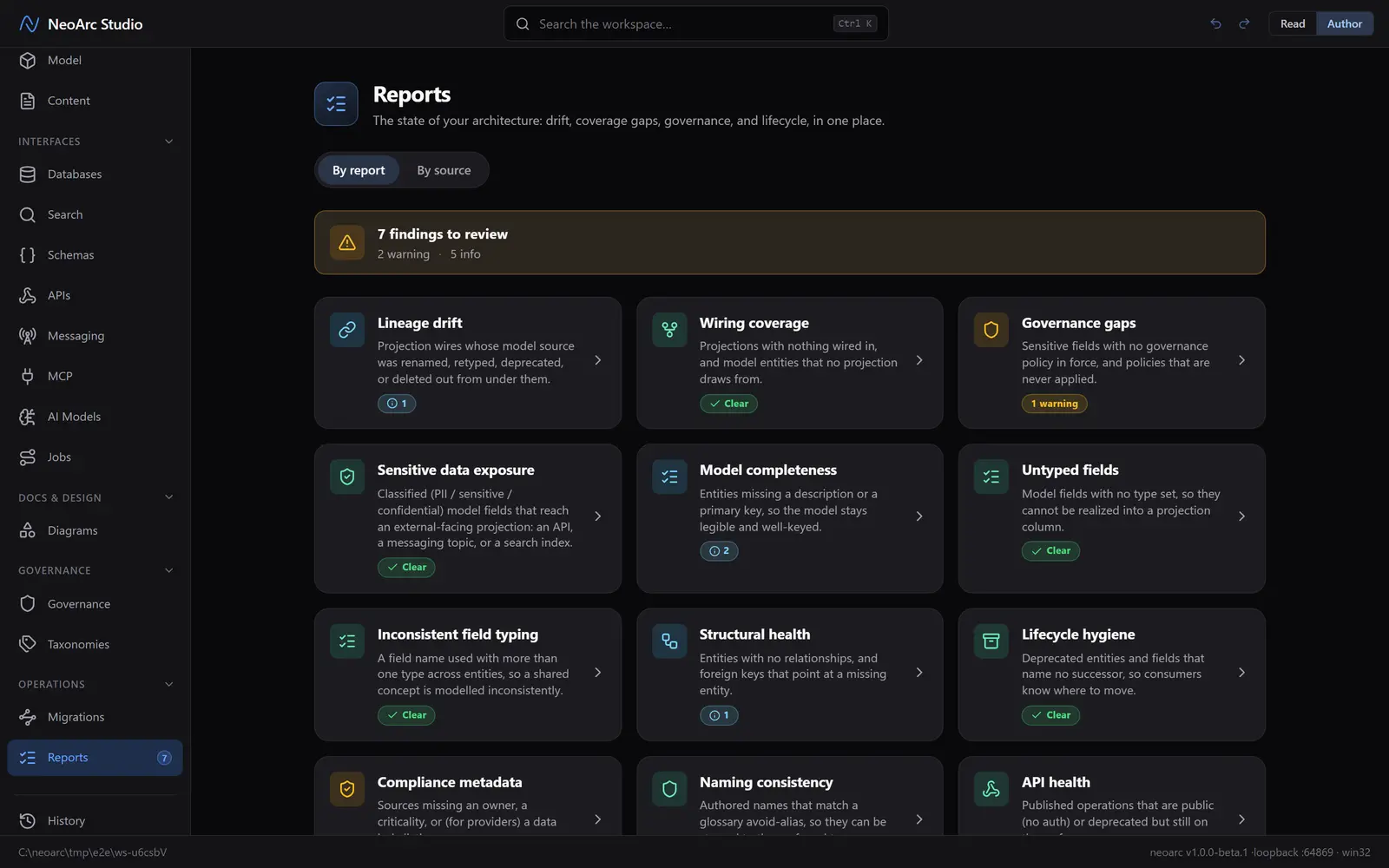
Drill into a report
Open a card to see its findings. Each names what tripped it (an entity with no primary key, a wire whose model source was renamed, a PII field with no policy in force). Most carry a chevron: click it to jump straight to where that finding is fixed, in the model or a projection. A few project-wide findings that have no single home carry no link. Use All reports to return to the scorecard.
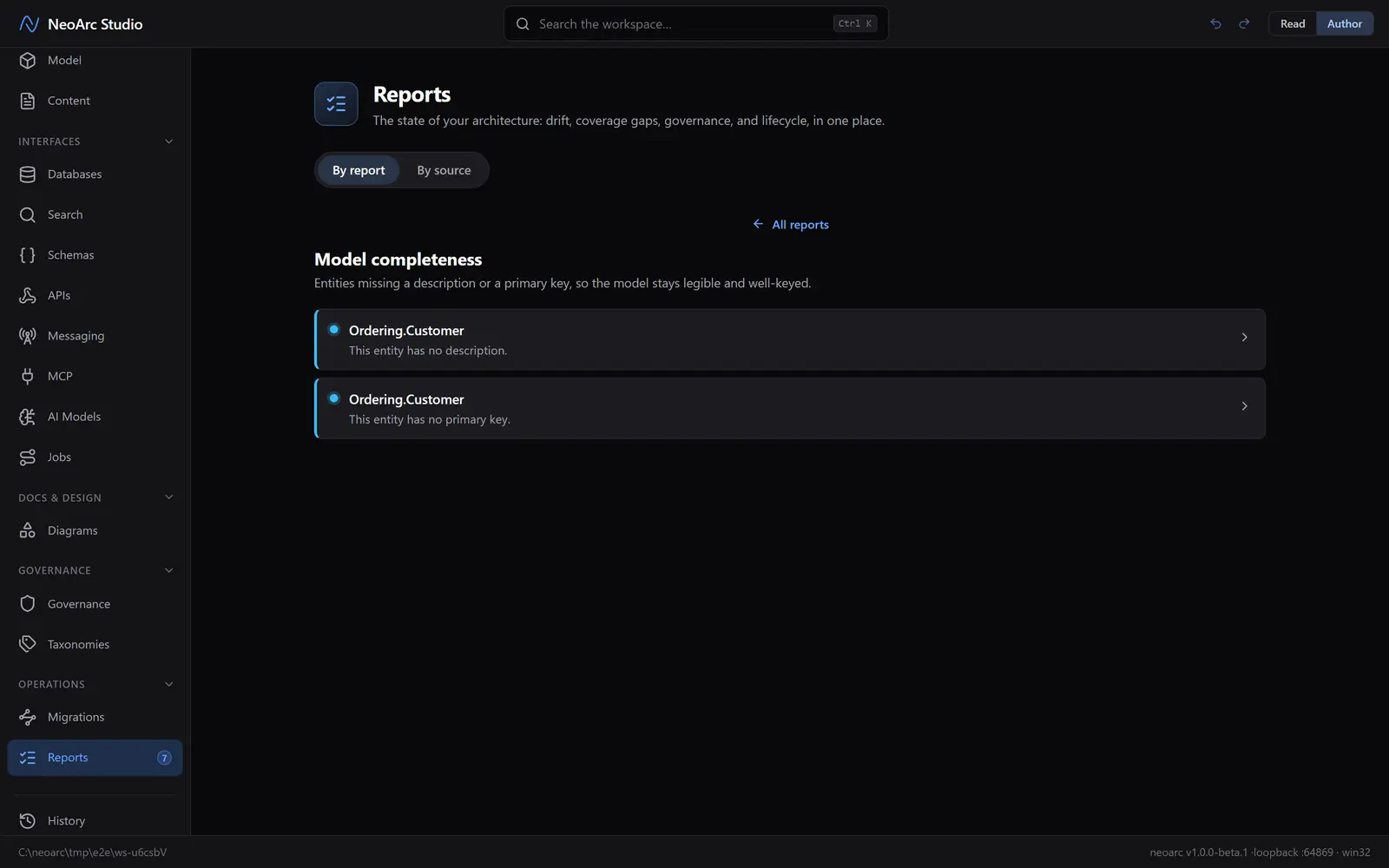
Score by source
Switch to the By source lens for a lead's view. Each contributing source (an authored model or a provider) gets its own card with a health score out of 100, weighted by severity so criticals pull it down hardest, and a verdict, worst first, so you can rank them by risk. Open one to see the same reports scoped to just that source.
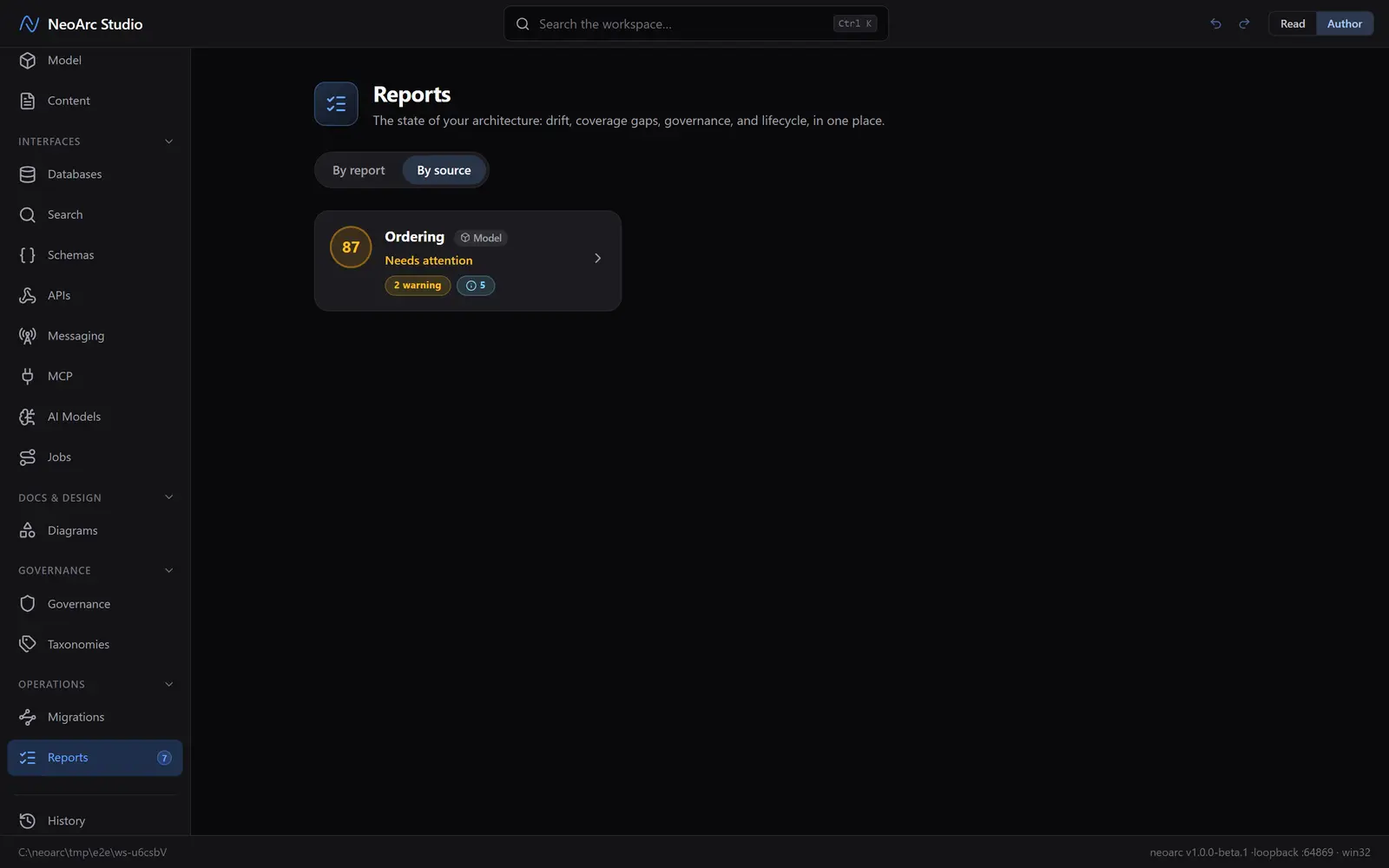
What next
- Work the criticals first: the summary strip and the sidebar badge both count down as you clear findings.
- A finding's link lands where the fix is made: a drift finding on the projection column to reconcile, a PII gap on the model field to classify or protect.
- Reports live in the app; the health view is not exported as a loose file.