 Xtrable
As you project your model onto databases, APIs, search indices, and jobs, your system grows into a web of connected pieces. NeoArc draws that web for you. The architecture map is a live picture of everything derived from your model, and the fastest way to trace any piece back to its source.
Before you start
You need a model with at least one projection. Following guides [01](../01-model-your-first-entity) to [03](../03-project-onto-a-database), you will have Ordering feeding Orders DB. The map below shows a fuller example, a model feeding a database, a schema, an API, a search index, and a nightly job, so you can see how it looks as your system fills out.
Open the map
The architecture map is your home surface, the first thing you see when NeoArc opens. To return to it at any time, click NeoArc Studio in the top-left.
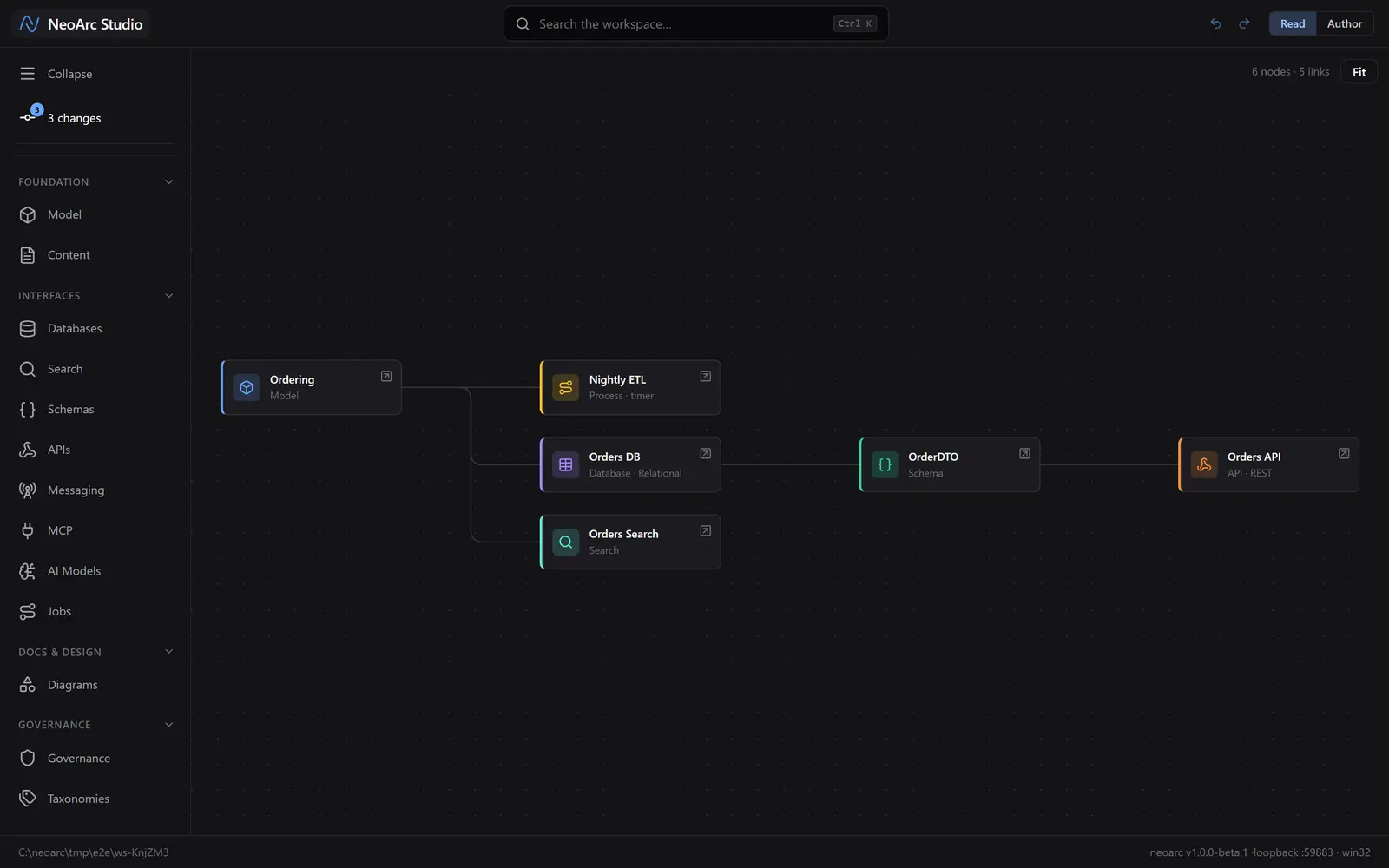
Every node is your model or something drawn from it. The colour marks the kind: model, database, schema, API, search, job. The lines are data flow: each interface is fed from the model, directly or through another interface.
Trace a piece end to end
Click any node to isolate its lineage. Here, clicking Orders API hides everything unrelated and lights the chain that feeds it: the API is built from the OrderDTO schema, which is drawn from the Ordering model. That is the full path, source to surface, in one click.
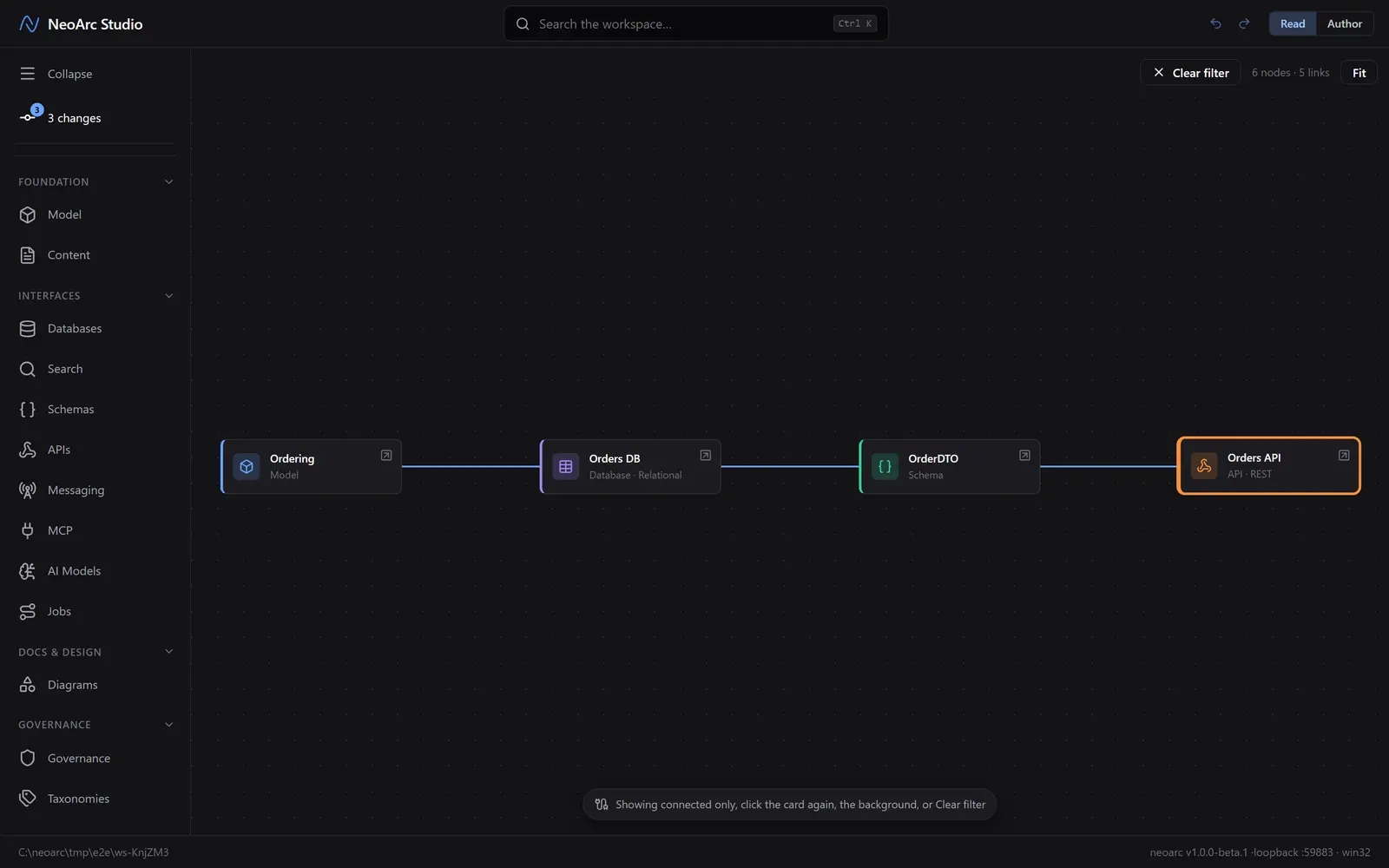
Click the node again, the background, or Clear filter to return to the whole map.
Why it matters
- Before you change a model field, the map (and the reports built on it) show you everything downstream that depends on it, so nothing breaks by surprise.
- A new engineer can grasp the whole system, and how data moves through it, in one screen.
- Nothing here is drawn by hand. The map is derived from what you have built, so it is always current.