 Xtrable
Rename a field, change its type, tighten a constraint, or delete it, and if anything downstream depends on it NeoArc stops to show you what you are about to disturb. This is the change checkpoint: a single decision point that turns a quiet edit into a deliberate one. Here you rename a model field that a database projects, and choose how to reconcile.
Before you start
Open Model in the left sidebar and make sure the top-right toggle is on Author. You will need an entity with a property that a database already projects: the checkpoint only appears when there is real downstream impact. The foundations guides [Model your first entity](../../../01-foundations/01-model-your-first-entity) through [Project onto a database](../../../01-foundations/03-project-onto-a-database) build exactly that.
Make the change
On the Model screen, open your model and then the entity (here Customer) to reach its property grid. Find the field, and rename it: here Customer.email becomes email_address. The edit commits as soon as you move off the field.
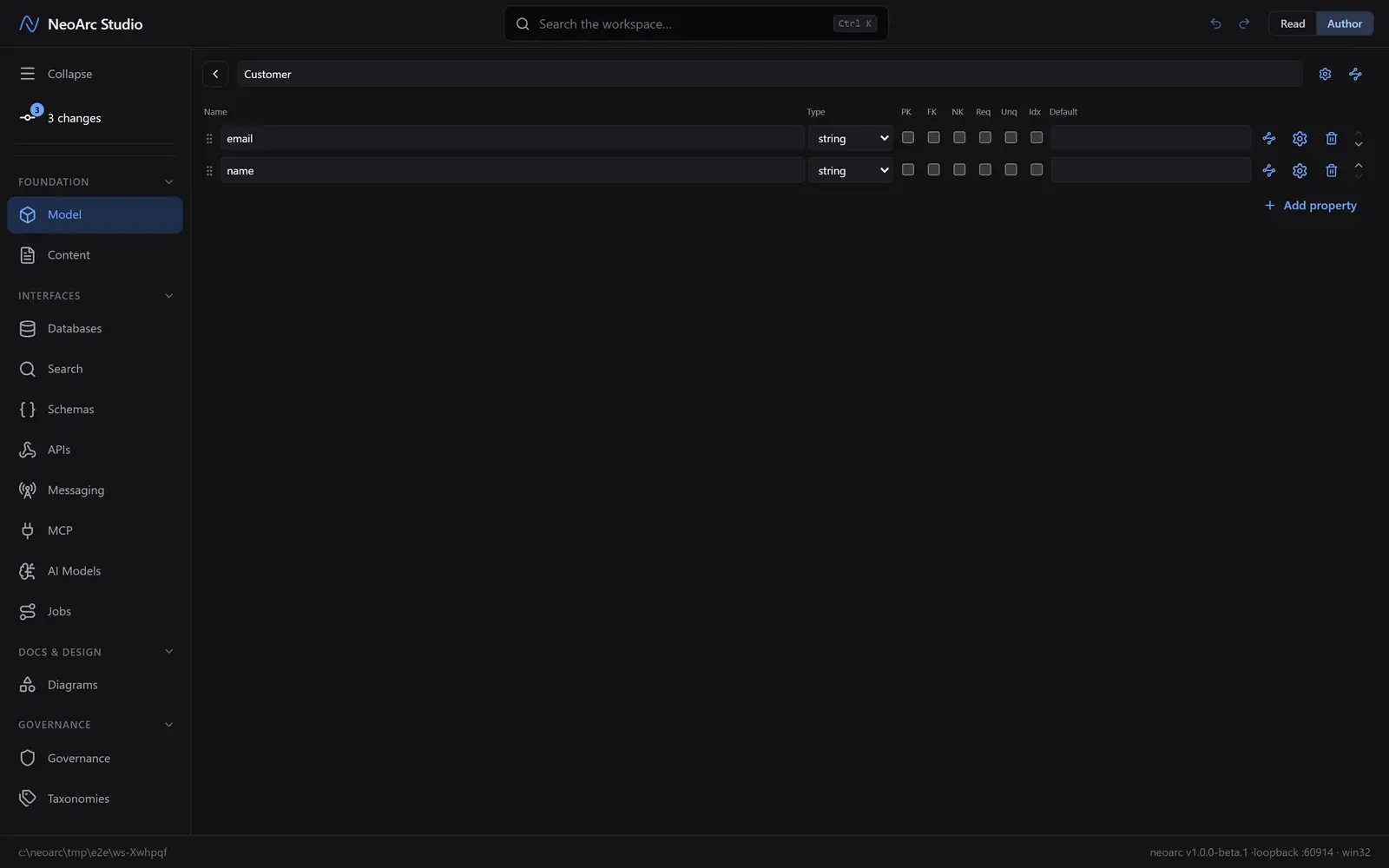
Read the impact
Because a database column is wired to that field, the checkpoint opens. It names the change, shows the old and new value, and lays out the blast radius: which columns, in which projections, this touches. A rename or retype reads amber, a tension to reconcile, and the lineage stays intact. Tightening a constraint reads amber too, with its own warning that existing data may no longer fit. A delete reads red, because it breaks the link rather than bending it.
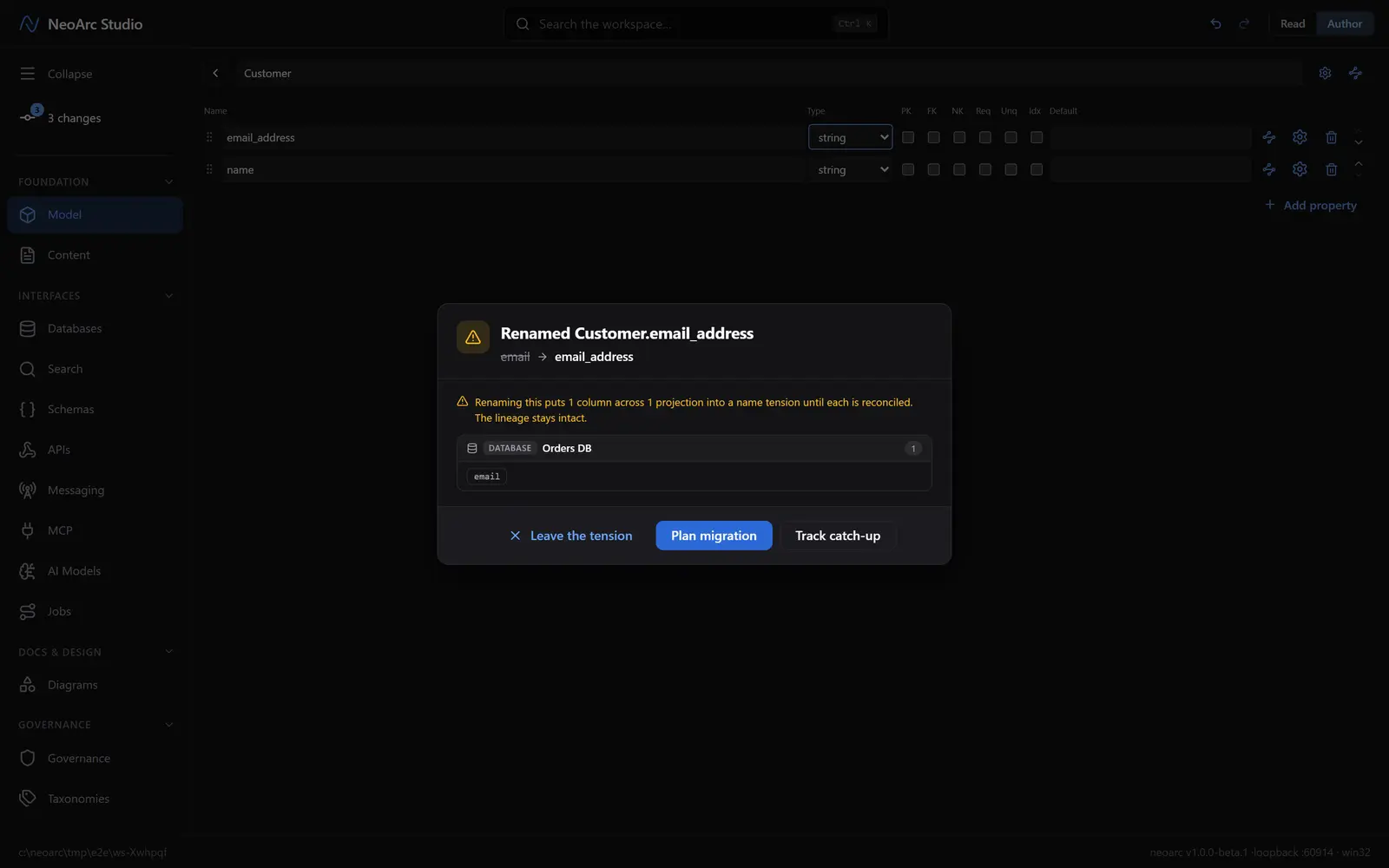
Then it offers three moves:
- Plan migration. Create a migration: a tracked card, seeded with one step per affected column, so the reconciliation work is scheduled and visible. This is the considered default.
- Track catch-up. Accept the change now and record an eventual-consistency path, letting the downstream columns catch up in their own time while the gap stays tracked.
- Leave the tension. Keep the edit but plan nothing. The model and its projections sit out of sync until you deal with it, which the app keeps flagging.
A delete offers the same three moves, though because nothing has been applied yet they read Cancel, Plan migration, and Apply and track. It also adds a tucked-away option to delete without tracking: the escape hatch for a bulk change where a formal migration would be noise.
What next
- Choose Plan migration and the card lands in the migrations queue: see [The migrations queue](../02-the-migrations-queue).
- The impact list is computed from the lineage you have already recorded, so it is exact, not guessed.
- Some dependencies, such as a process step bound to the target, are flagged for your attention rather than turned into migration steps, since they carry no field-level lineage to reconcile.