 Xtrable
Phases are how you hold several roadmap states of your architecture at once. Each is a full snapshot you can open, edit, and compare. This guide covers the day-to-day: saving your work, creating a phase, and moving between them. NeoArc runs git underneath, so you never have to.
Before you start
Phases need a git-backed workspace: NeoArc sets one up for you, and the phase controls appear once it has. They live at the top left, next to the app name, with the commit control in the left sidebar. To use the author actions (reorder, hide, archive, set the current phase), set the top-right toggle to Author.
Commit your changes
NeoArc saves your edits to disk as you work, but committing is deliberate: a commit is a meaningful, named step in your history, not autosave noise. The sidebar shows how many changes are uncommitted, with related files rolled up into one change rather than listed one by one. Open it, review the list, write a message, and commit.
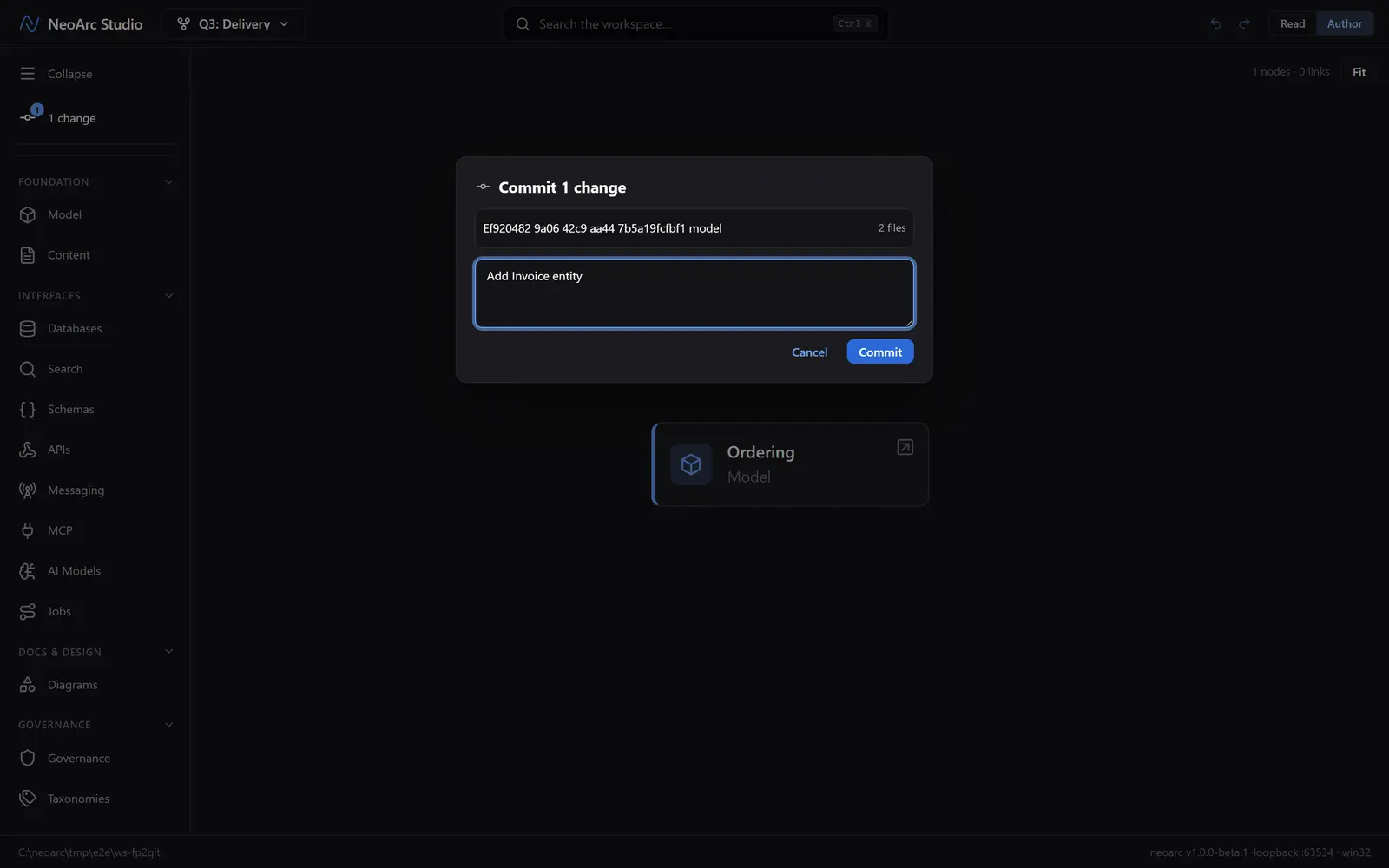
When you commit, NeoArc also syncs for you: if the project has a remote, it pushes your work and pulls in anything new, so your team stays in step.
Create and switch phases
Open the switcher at the top left. New phase branches a fresh phase off the current state and moves you onto it; name it in the box that appears for the roadmap point it captures, such as Q3: Delivery. To move between phases, pick one from the list: the whole project reloads onto that state, so every screen now reflects the phase you chose.
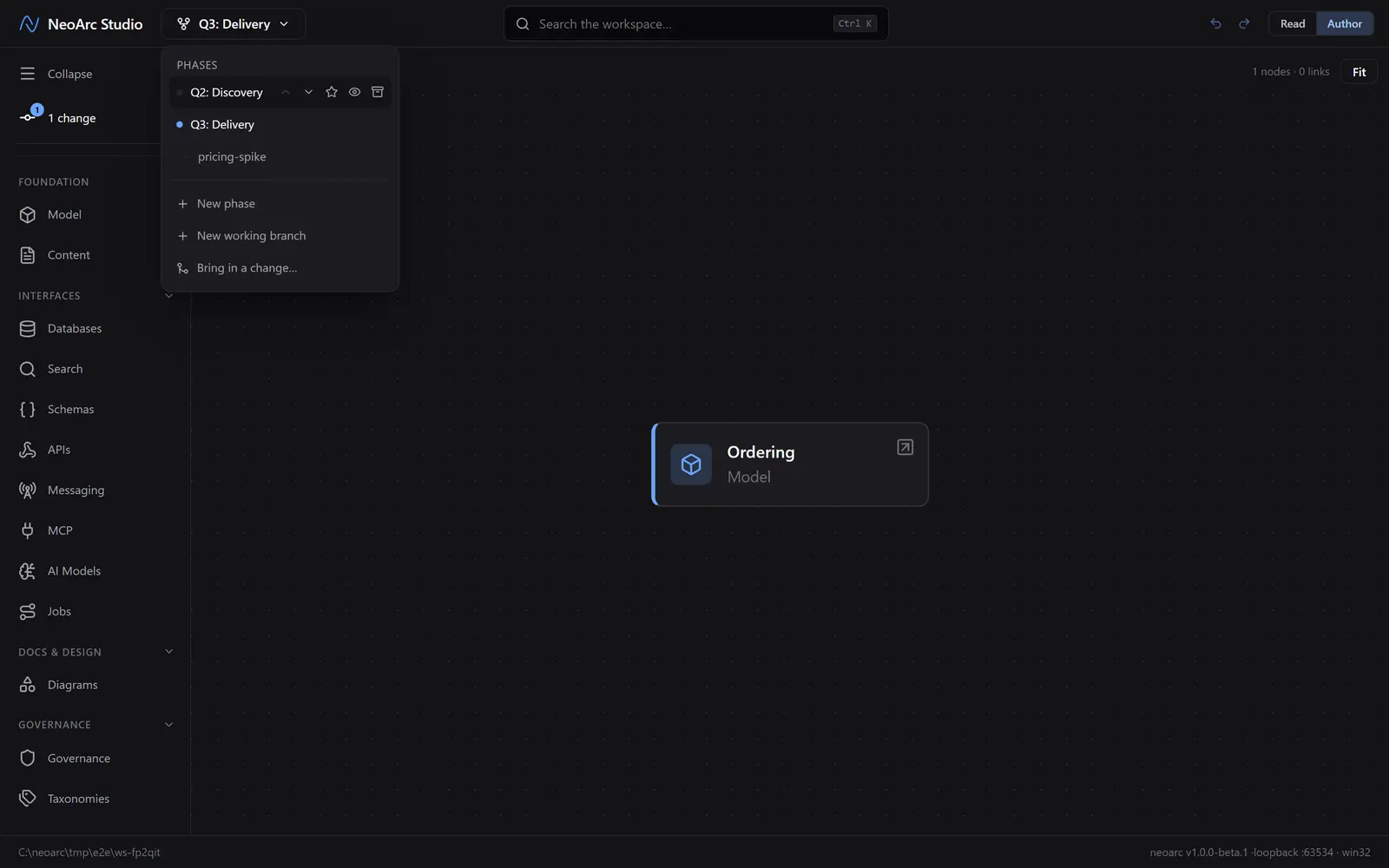
Creating or switching phases needs a clean state, so commit any open changes first; NeoArc will prompt you if you have not. For in-progress work or a hypothesis you are not ready to fold into a phase, use New working branch. It forks off the current phase and appears indented beneath it in the list (like pricing-spike here), yours to develop and later merge back or discard (see [Move changes between phases](../02-move-changes-between-phases)).
Order, hide, and archive
In Author view, hover a phase in the list to reveal its controls. Reorder phases to match your roadmap, mark one as the current phase (the star: the state readers open by default), hide a phase from readers while it is still taking shape, or archive one that is done.
What next
- Made a change on one phase that another phase needs too? [Move changes between phases](../02-move-changes-between-phases).
- A phase is a full state, not a diff: switching to one shows your whole architecture as it stands there.