 Xtrable
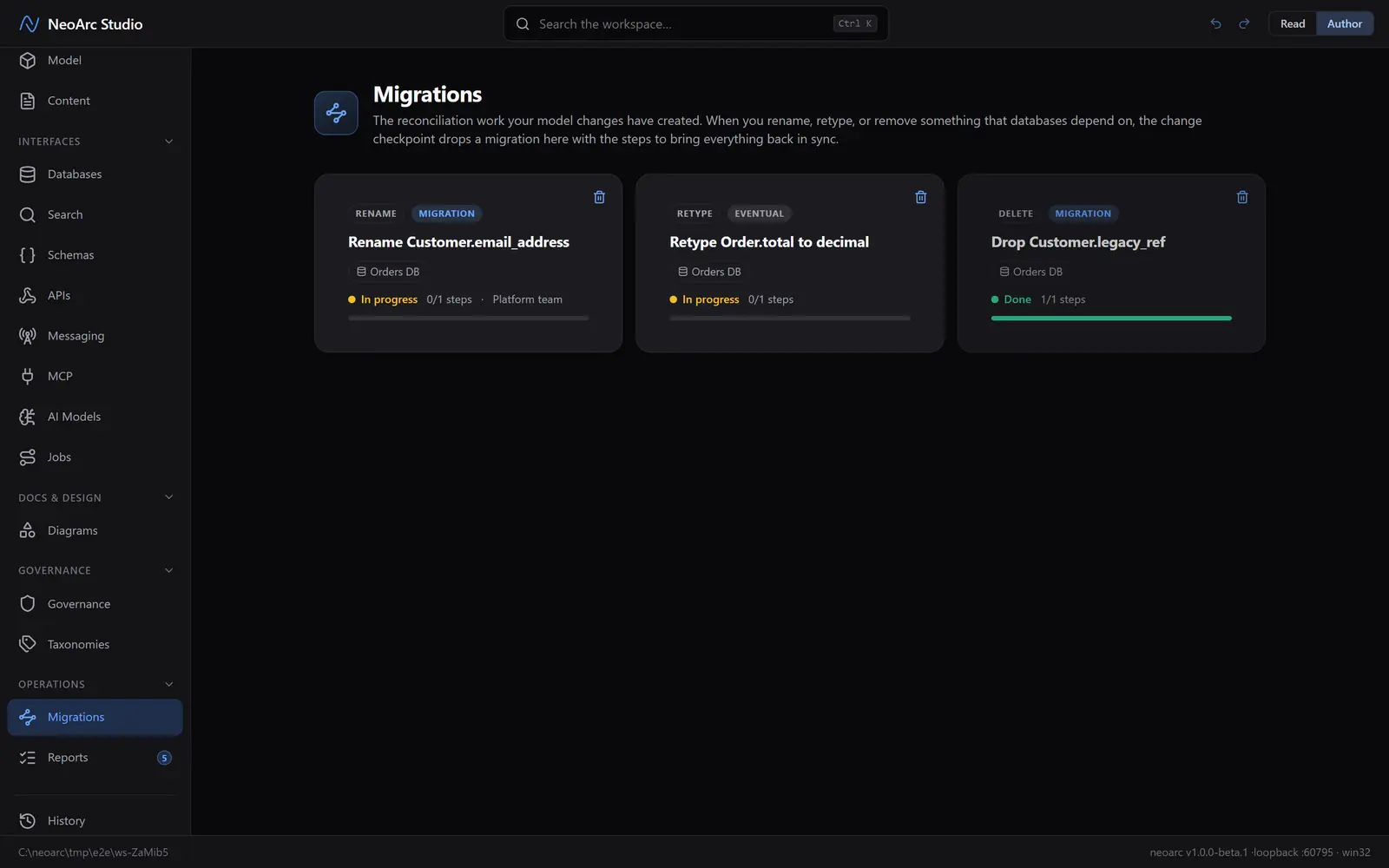
Every migration you plan at the checkpoint lands here as a card. The queue is the running backlog of reconciliation work your model changes have created: what is changing, which databases it reaches, and how far along each one is. Open a card to work it.
Before you start
Open Migrations in the left sidebar (under Operations) and make sure the top-right toggle is on Author, since working a migration is an authoring action. If the queue is empty, you have nothing outstanding: plan a change at the checkpoint first (see [The change checkpoint](../01-the-change-checkpoint)).
The queue
Each card is one migration. It carries the kind of change (rename, retype, delete), whether it is a coordinated Migration or an Eventual consistency path, the databases it touches, and a progress bar over its steps. In-progress work sorts to the front; completed cards settle to the back.
Work a migration
Click a card and its detail panel opens. Give it an owner and a Due date, then work the steps. There is one step per downstream column the change affects, each seeded from the impact analysis, each linking straight to the exact column it reconciles. Click a step's status to cycle it through to do, in progress, and done; the card's progress follows.
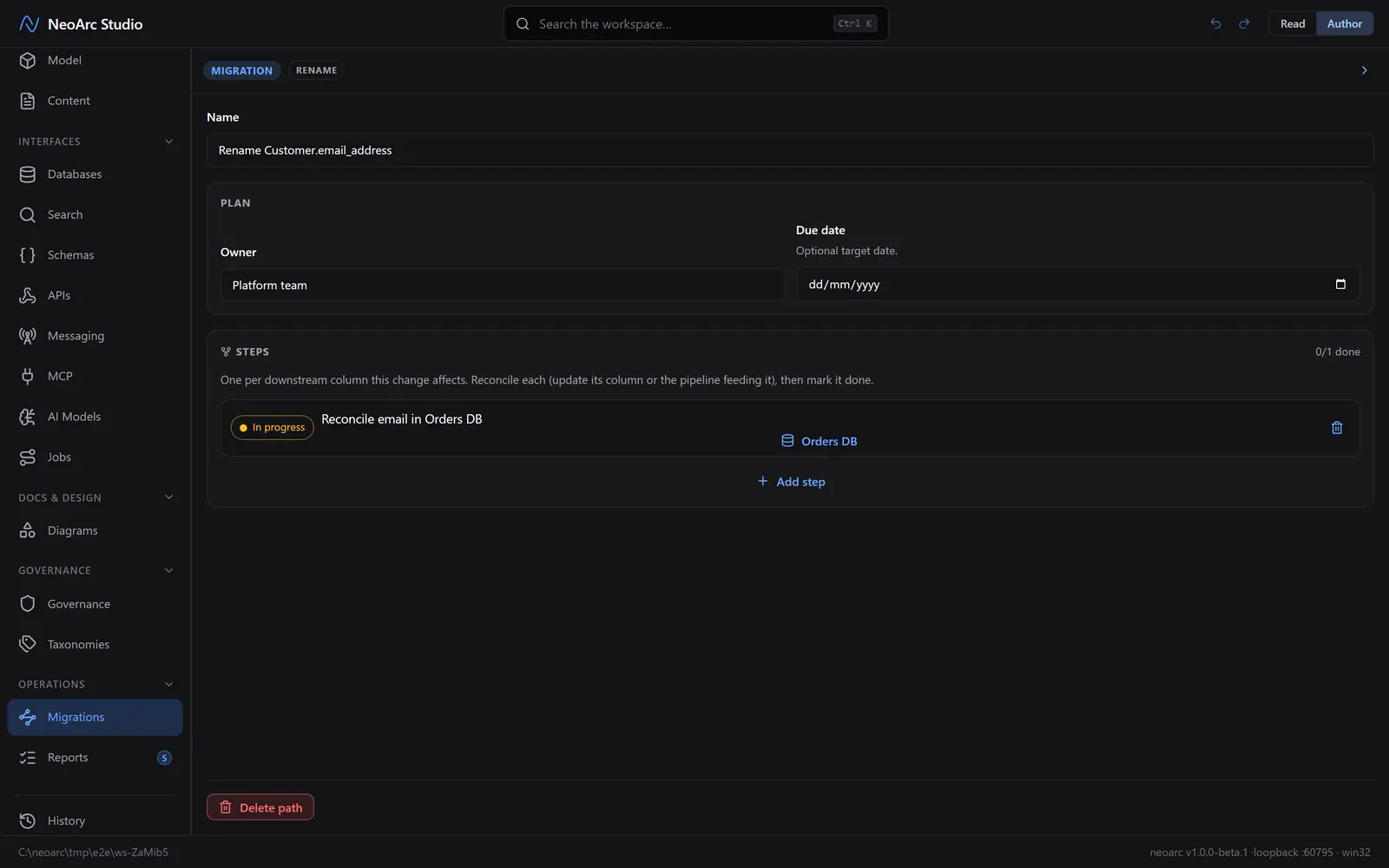
A step is done when its column (or the pipeline feeding it) matches the model again. Clear every step and the migration reads complete: the change is fully absorbed and the queue is quiet.
What next
- Follow a step's database link to land on the exact column, reconcile it, then come back and mark the step done.
- Add your own steps for work the impact analysis cannot see, such as a data backfill or a consumer to notify.
- A migration is a piece of work, not a release: when you need changes staged and merged as a unit, reach for [Phases](../../02-phases).