 Xtrable
A live-data document is a normal rich-text page with one difference that matters: the numbers, tables, and charts inside it read straight from the model and its projections. Nobody types the figure in, so nobody has to remember to update it. Add an entity, tighten a policy, or let a wire drift, and every page that reports on it moves with the design.
Before you start
Open Content in the left-hand sidebar (the Foundation group), and make sure the top-right toggle is on Author. Open a page, or create one with the new-page icon at the top of the Content tree, and click into the body.
Open the catalogue
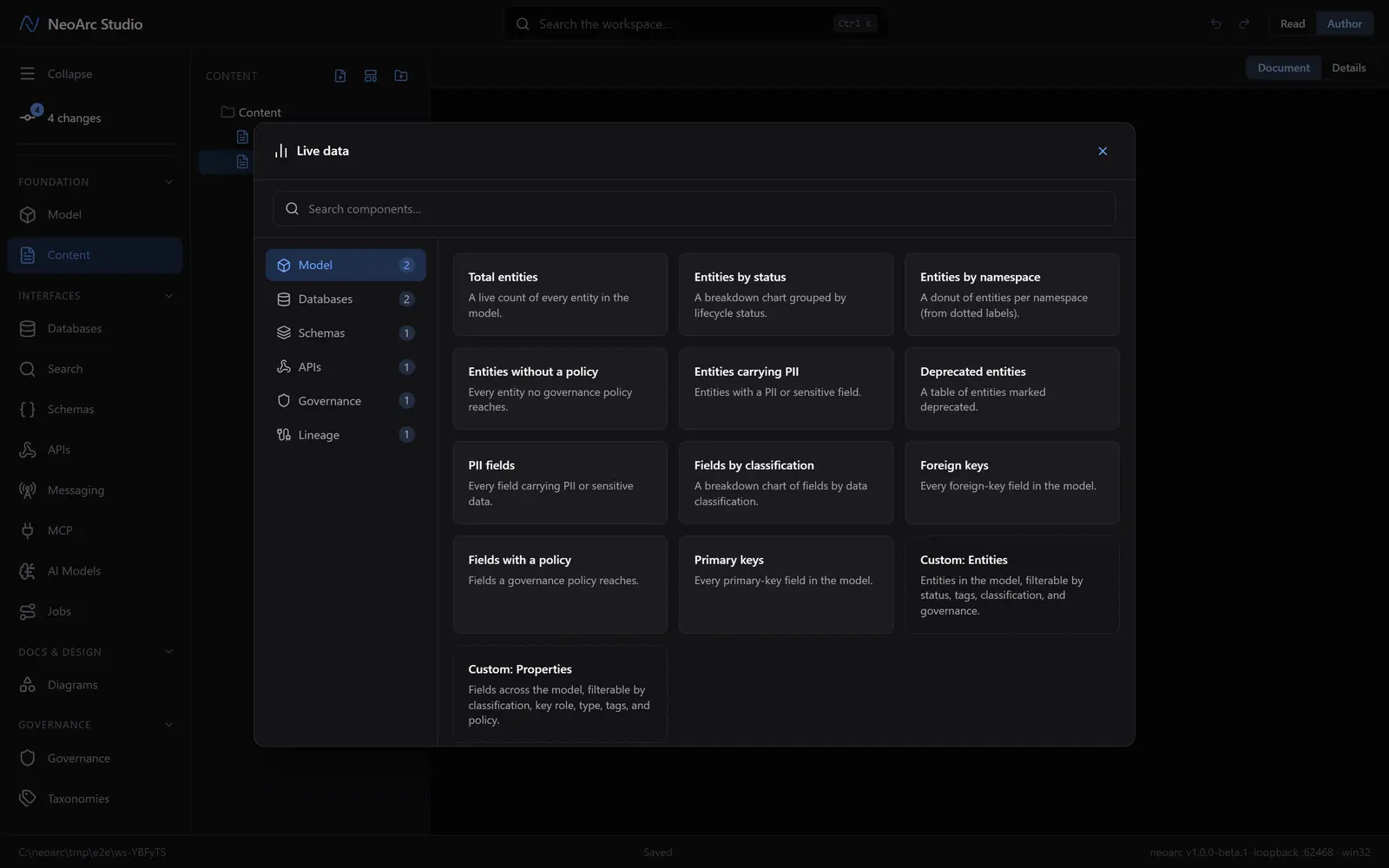
Right-click in the page (or press Ctrl/Cmd + /) and choose Live data. The catalogue opens, grouped by where the data comes from: Model, Databases, Schemas, APIs, Governance, Lineage. Each tab offers ready-made components ("Total entities", "PII fields", "Open drift findings", and so on), or you can search across the lot. Pick the one that answers your question.
Shape the component
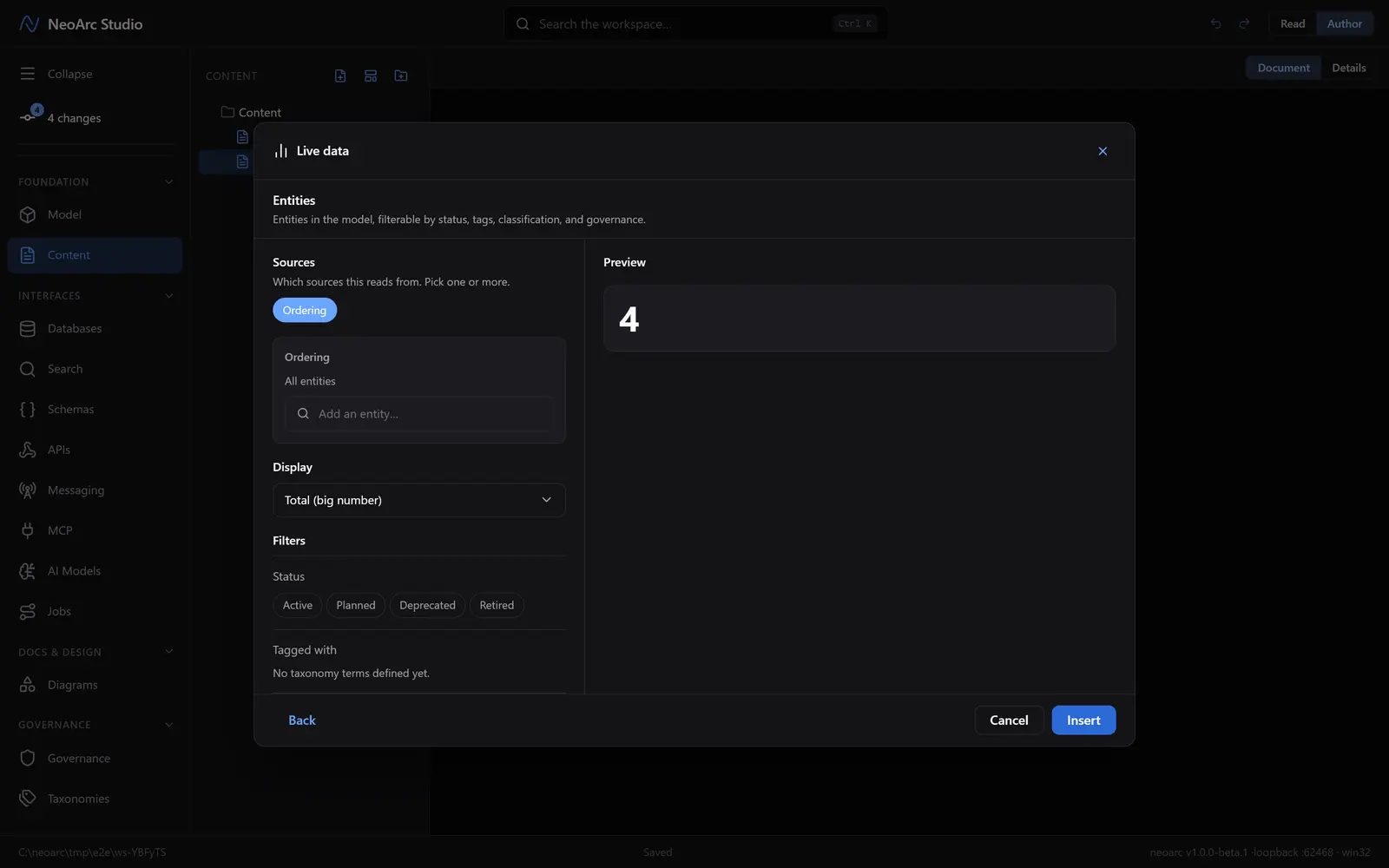
Picking a preset drops you into its configuration. Choose the sources it reads from (a set of entities, one or more databases, whatever the component allows), a display (a big number, an inline number, a table, a list, or a bar, pie, or donut chart), and any filters that narrow it. A live Preview on the right resolves as you go, so you see the real answer before you commit. Insert places it in the page.
The page stays true
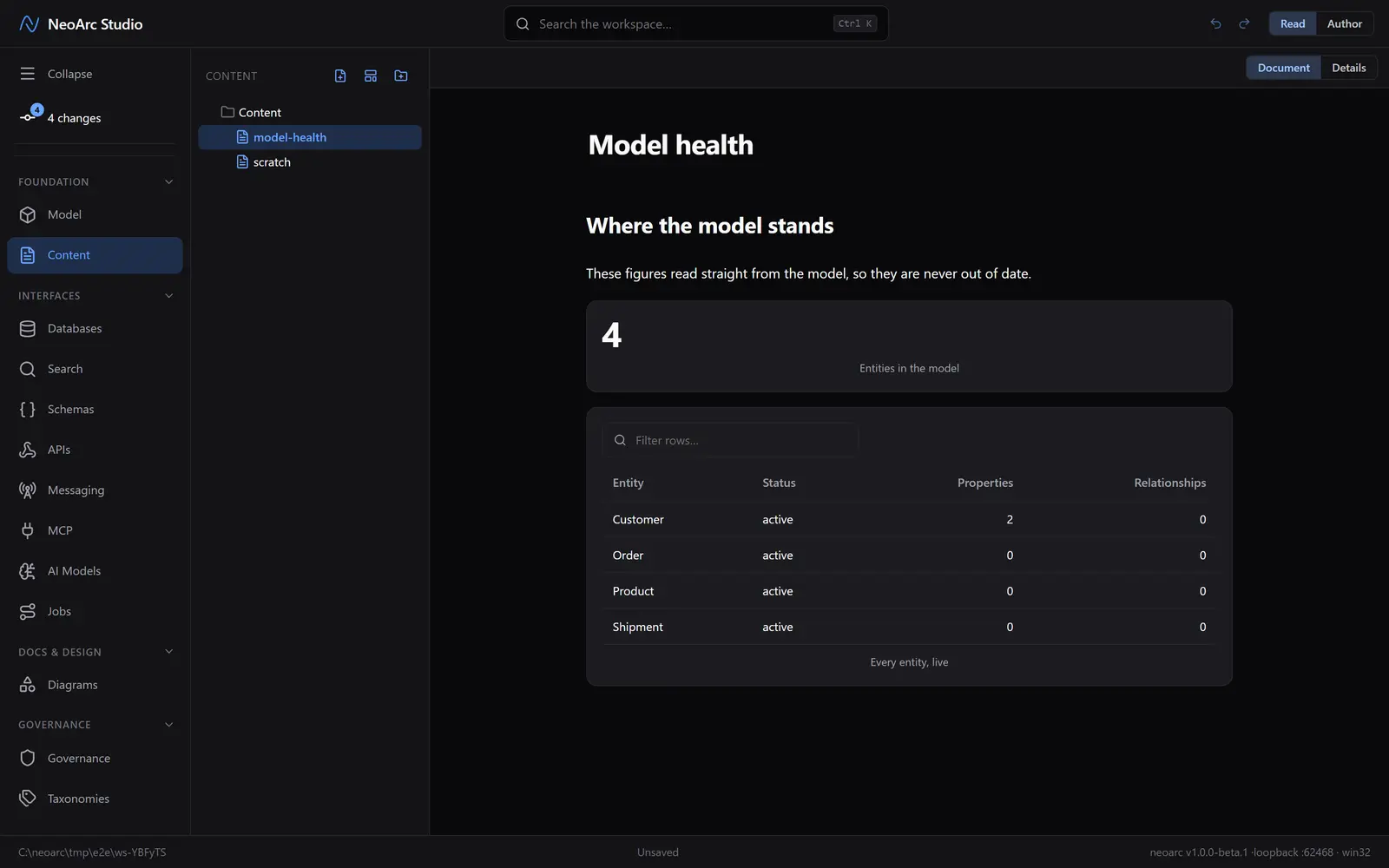
Back in the document the component renders its current value inline, and a reader sees exactly that: a headline count, a live table of every entity, whatever you chose, resolved against the model as it stands right now. There is nothing to refresh and nothing to maintain. Switch to Read to see the page as a reader would, with no authoring controls in the way.
What next
- Reach for an inline number when a sentence needs one ("we model N entities"); it reads as prose but stays live.
- A component whose source is later deleted degrades to an empty result, never a broken page.
- Combine live data with [templates and variables](../02-templates-and-variables) to stamp out consistent, self-maintaining reports.