 Xtrable
Two tools keep a set of pages consistent without copy and paste. Project variables are shared values (a client name, a region, a project name) you set once and splice into any page. Templates are pages you author ahead of time, complete with guides (actionable placeholders) and variable slots, so creating the next one is a fill-in-the-blanks job rather than a blank page.
Before you start
Open Content in the left-hand sidebar, set the top-right toggle to Author, and click the Content root in the tree so no page is open. That shows the hub.
The content hub
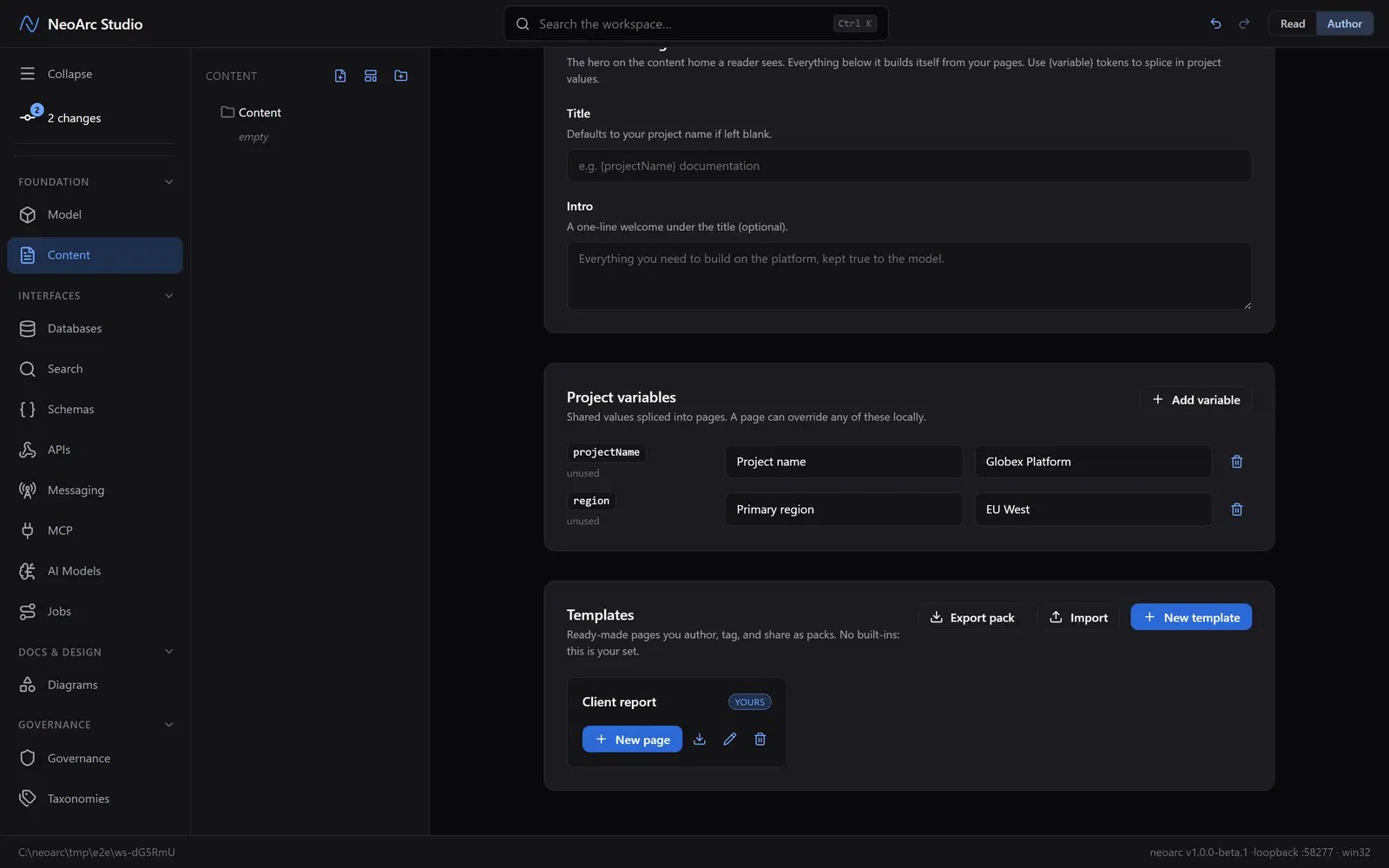
The hub has three panels. Reader landing is the page a reader arrives on. Project variables is the shared registry: each variable has a key, a label, and a value, and any page can override one locally. Templates is your gallery: author them, tag them, and share them as packs. There are no built-ins: the set is yours.
A template scaffolds a page
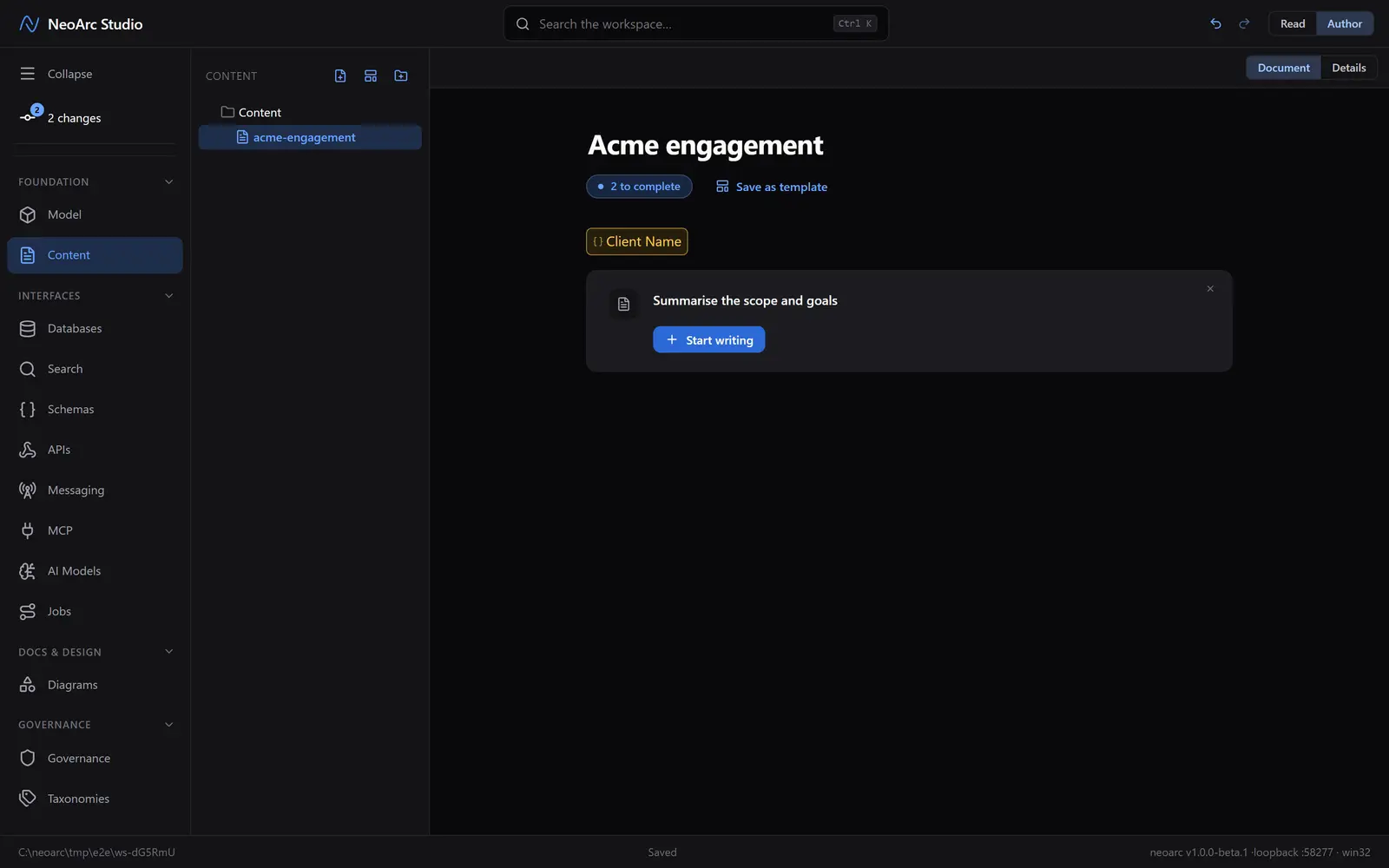
Click New template in the Templates panel to start one, then author it like any page. Right-click (or press Ctrl/Cmd + /) and choose Variable where a value belongs, or Guide wherever the author needs a prompt (a paragraph to write, a diagram to draw, a file to attach). Back in the hub, New page on that template's card creates a page from the scaffold (it asks for a title). In Author view an unfilled variable shows as an amber chip, each guide is an actionable callout, and a to complete counter tracks what is left. Click the chip to fill it, act on each guide, and the counter falls to zero.
It reads clean
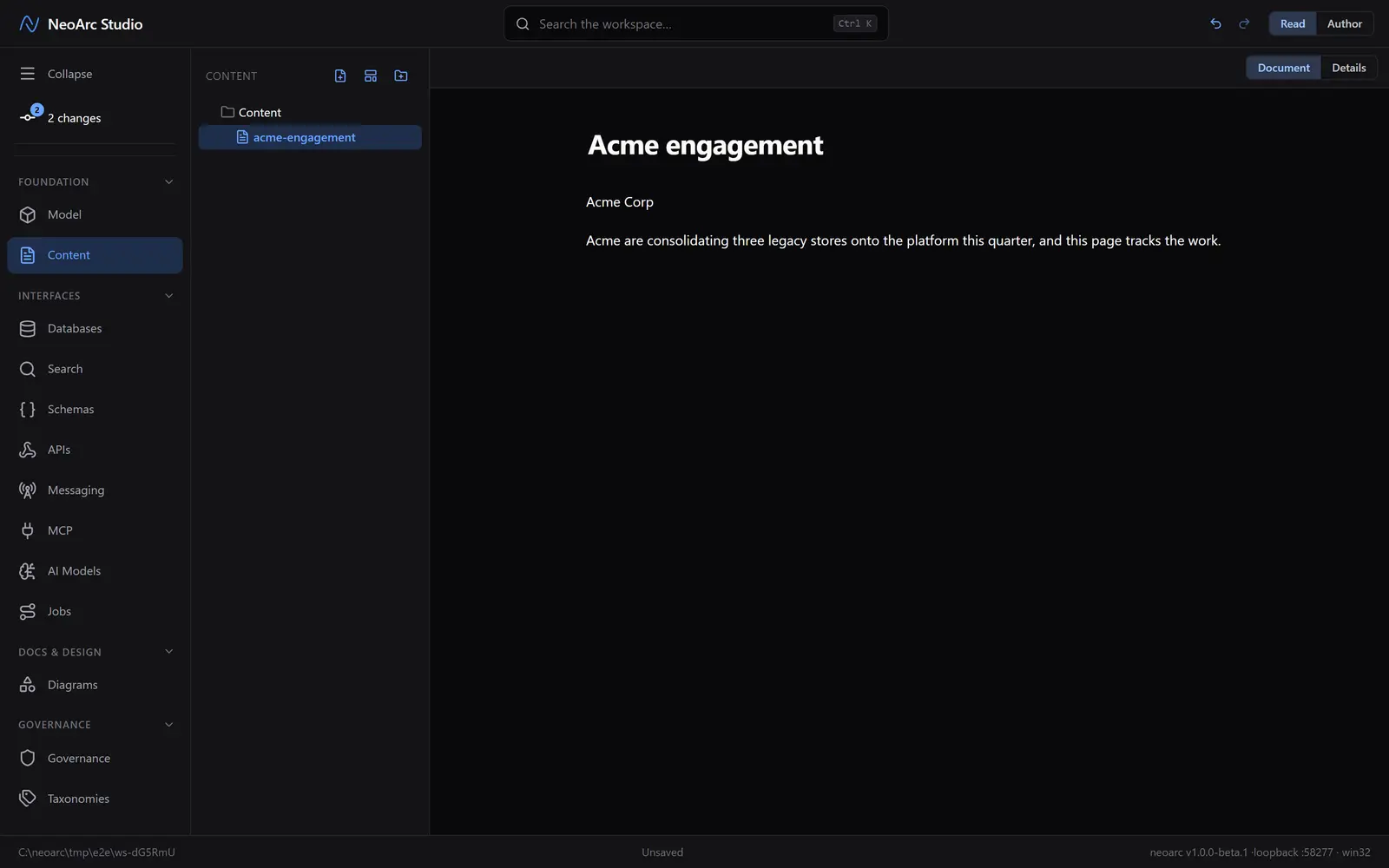
The scaffolding only ever shows to the author. Switch to Read and the page is plain prose: filled variables read as their values, and any guide you did not act on renders nothing at all, so a reader never sees a stray placeholder or a broken slot.
What next
- Declare a variable once in the hub; a page that references it inherits the value, and can still override it for one page.
- Save any finished page as a template ("Save as template"); its live blocks become guides and its variables become empty slots.
- Export a template pack to carry your house standard between projects.