 Xtrable
An architectural decision record captures a significant choice, its status, and the reasoning behind it, so the "why" survives the people who were in the room. In NeoArc each ADR is a real document you can link to and cross-reference, and the template comes in three depths that map onto formats architects already know.
Before you start
Open Governance in the left sidebar, choose the Decision records card, and make sure the top-right toggle is on Author.
Write a decision
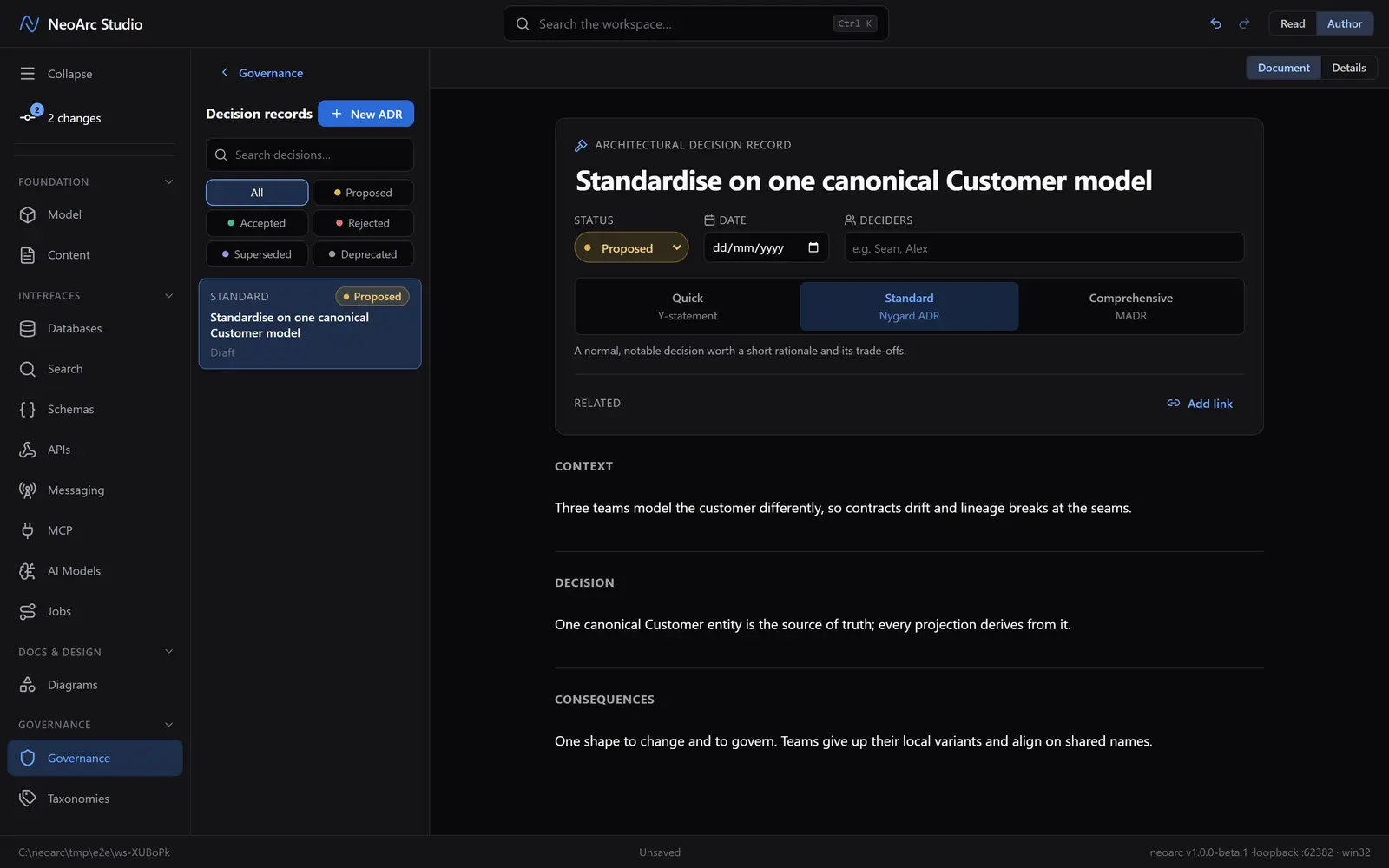
Choose New ADR and give it a title. It opens with a status (proposed, accepted, rejected, superseded, deprecated), a date, the deciders, and the sections to fill in. Write the context that forced the decision, the decision itself, and the consequences that follow. Accepting one stamps today's date if you have not set one, and the Related row links it to other ADRs, documents, or diagrams.
Pick the right depth
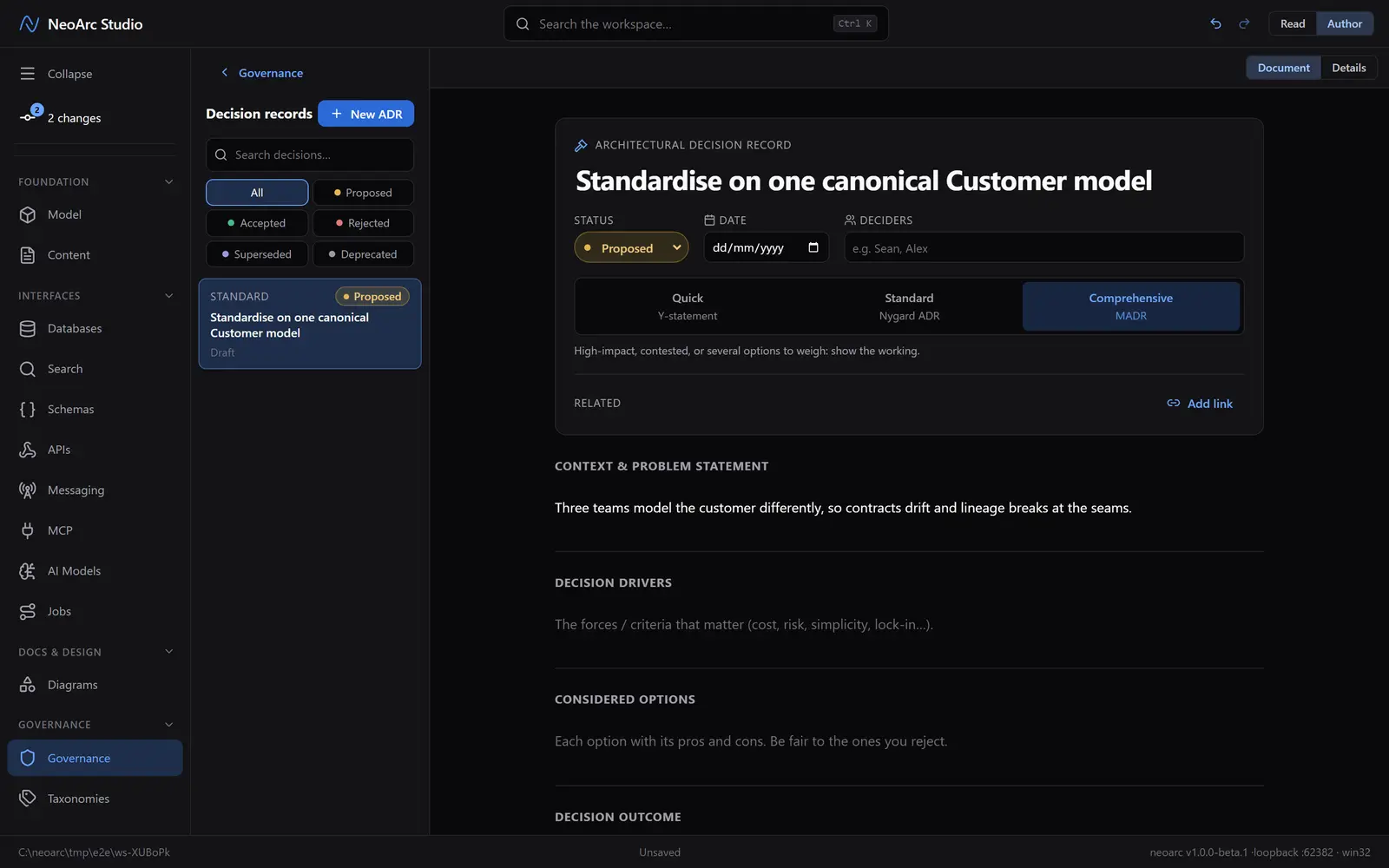
The tier ladder sets how much structure the record carries. Quick is a one-line Y-statement for a small call. Standard is the classic Nygard shape (context, decision, consequences). Comprehensive is the fuller MADR layout, adding decision drivers and considered options for a weighty choice. Switch tiers freely: anything you have written is kept, so moving up or down only changes which sections show.
What next
- Start at Standard and move up only if a decision earns it; most do not.
- Link an ADR from the policy or model change it justifies, so the reasoning is one click away.
- Set the status to superseded and link the record that replaces it, keeping the trail intact.