 Xtrable
A glossary is a controlled naming vocabulary: the preferred word for each concept, the aliases that should steer to it, and a short definition. Unlike a taxonomy, which you tag, a glossary works by suggestion. As you name entities and properties, matching terms are offered quietly. It is assistive, never enforced, so it nudges names towards a house standard without ever blocking you.
Before you start
Open Governance in the left sidebar, choose the Glossaries card, and make sure the top-right toggle is on Author.
Author a glossary
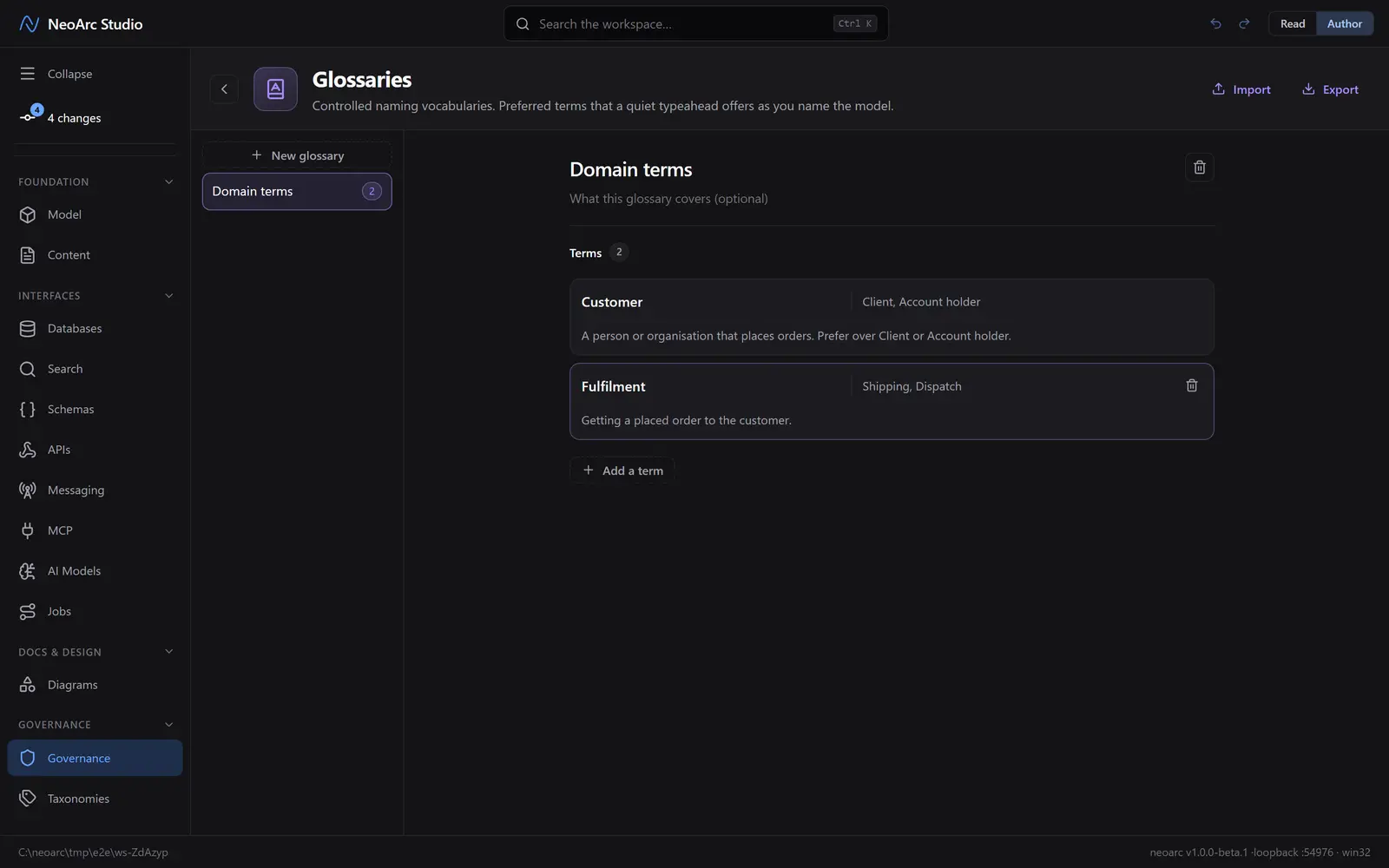
Create a glossary, name it, and add terms. Each term carries a preferred term, its aliases (the synonyms that should point back to it), and an optional definition. Import and export let you share a vocabulary between projects.
The quiet typeahead
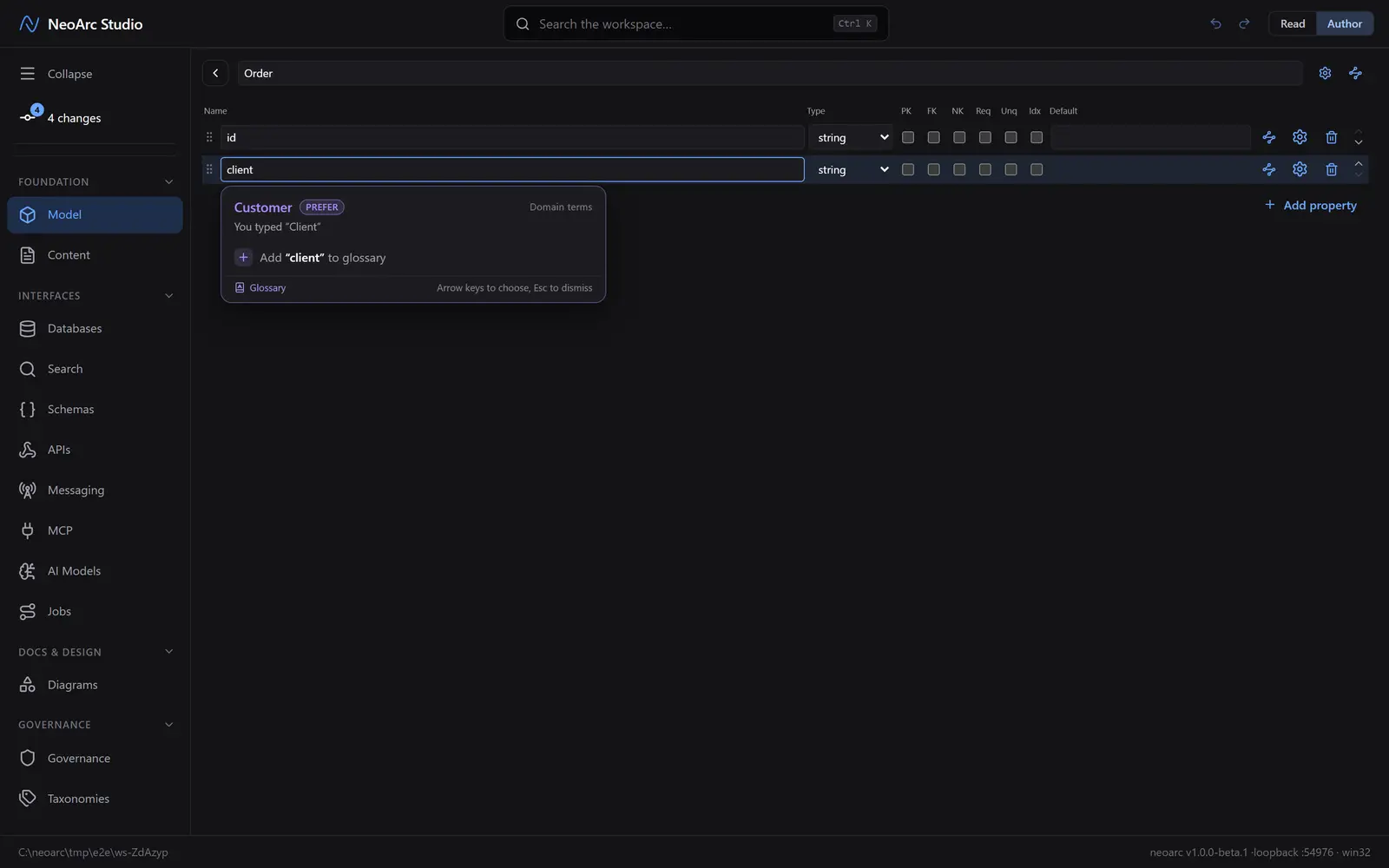
Now the payoff. Open an entity in Model and add or rename a property: as you type, matching terms appear beneath the field. Type an alias and the glossary steers you to the preferred term instead, with a prefer hint, naming the glossary it came from. Choose one to accept it, or keep typing to ignore it. You can also add what you just typed to a glossary on the spot.
What next
- Add the aliases your teams actually use, so the wrong word always steers to the right one.
- A glossary only suggests; to tag and govern by vocabulary, use [Taxonomies](../01-taxonomies) instead.
- Export a glossary to reuse the same naming standard across projects.