 Xtrable
A policy is a reusable governance control (retention, masking, access, residency) that you define once and bind to the model. The binding is the single source of truth, so every projection that draws from the bound part inherits the policy automatically. Classifications work the same way in reverse: a taxonomy tag on a model field flows down the lineage to every projection it feeds. Here you define a policy and see a classification travel.
Before you start
Open Governance in the left sidebar, choose the Policies card, and make sure the top-right toggle is on Author.
Define a policy
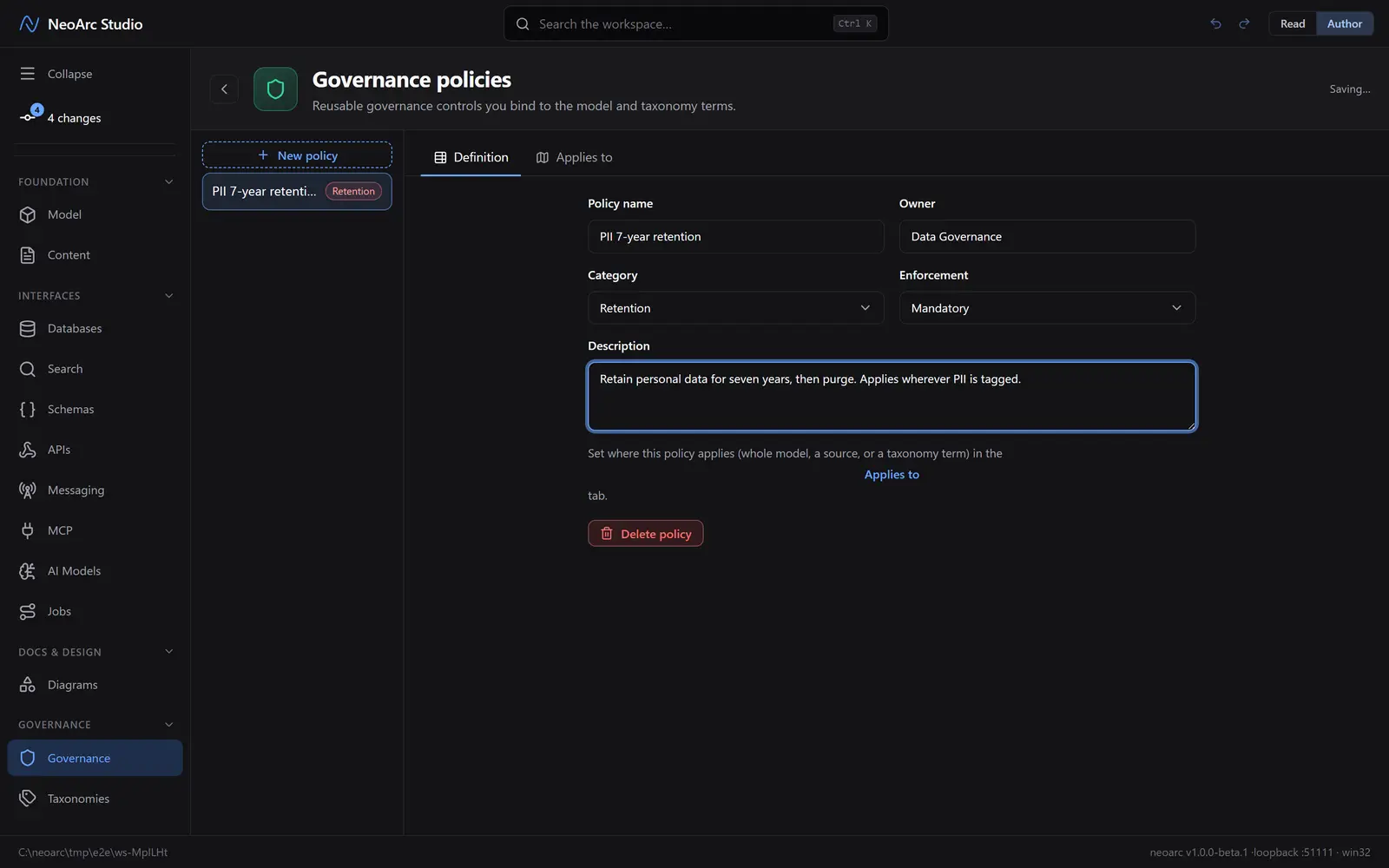
Create a policy and describe it: a name, an owner, a category (the kind of control), and an enforcement level (mandatory, recommended, advisory). The category shapes what the policy means without changing the form.
Bind it to the model
Switch to the Applies to tab. This is where a policy earns its keep. Bind it to the whole model for a blanket rule, to specific sources (a provider or an authored model), or to taxonomy terms. Binding to a taxonomy term is the most powerful: every field tagged with that term (and its child terms) inherits the policy, wherever it lands. You can also bind to a single entity or property from the model editor, for when a control belongs to one field rather than a whole class of data.
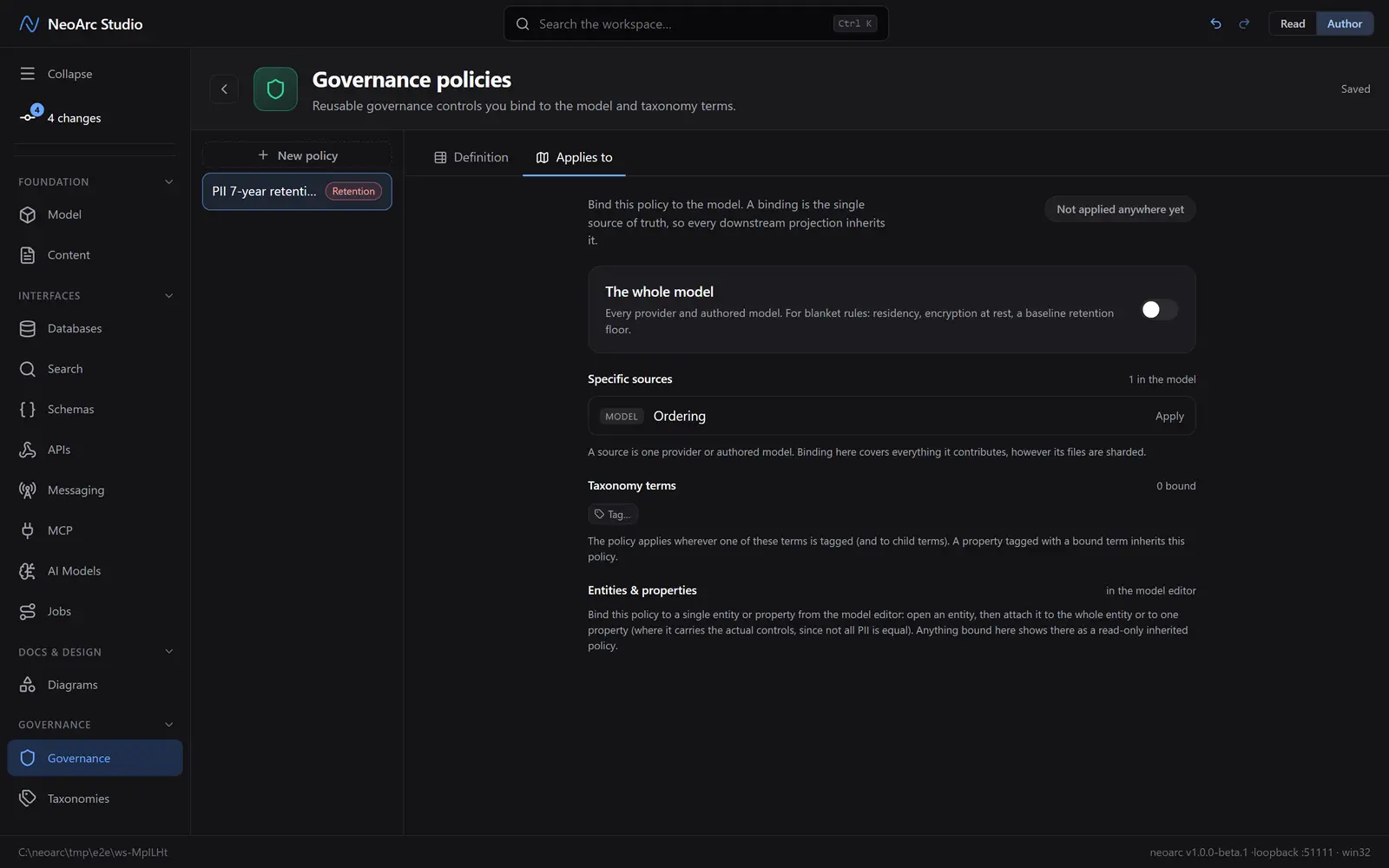
Because a binding lives on the model, not on any one projection, you set a control once and it reaches every database, schema, and API that field feeds.
Classifications flow down
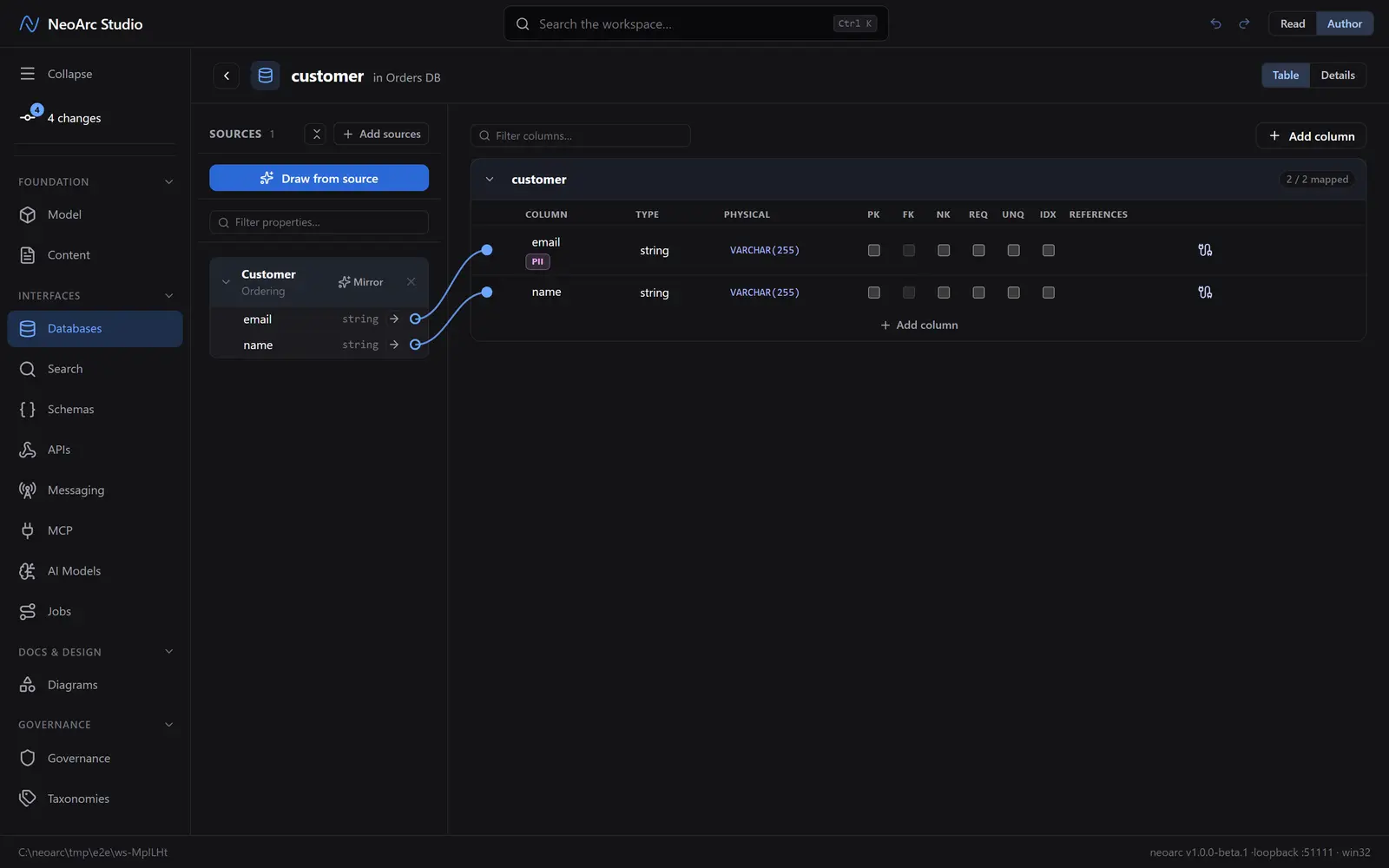
A taxonomy tag on a model field is a classification, and it travels the same lineage. Tag a field as PII on the model (from the model editor or a property's detail, using a taxonomy: see [Taxonomies](../01-taxonomies)), and every projection drawing from it shows that classification, read-only, on the matching column. Here the model's email field is tagged PII, so the database column that mirrors it carries the badge without anyone tagging it again.
What next
- Bind a policy to a taxonomy term, then tag fields with that term: see [Taxonomies](../01-taxonomies).
- Open a projection's wiring to see which classifications and policies it has inherited.
- Record why a policy exists as a decision: see [Decision records](../04-decision-records).