 Xtrable
An empty project offers two starting points: a curated Data classification scheme (PII, PHI, PCI, and so on, already marked for governance) or a Blank taxonomy. Take the Data classification starter to see a full one.

Build the outline
A taxonomy is an outline, so you author it like one: type a term, press Enter for the next, Tab to nest one under the term above, Shift+Tab to promote it back out. Drag a term to move it, or paste a whole indented list at once. Select any term to give it a description, aliases, and a colour on the right.
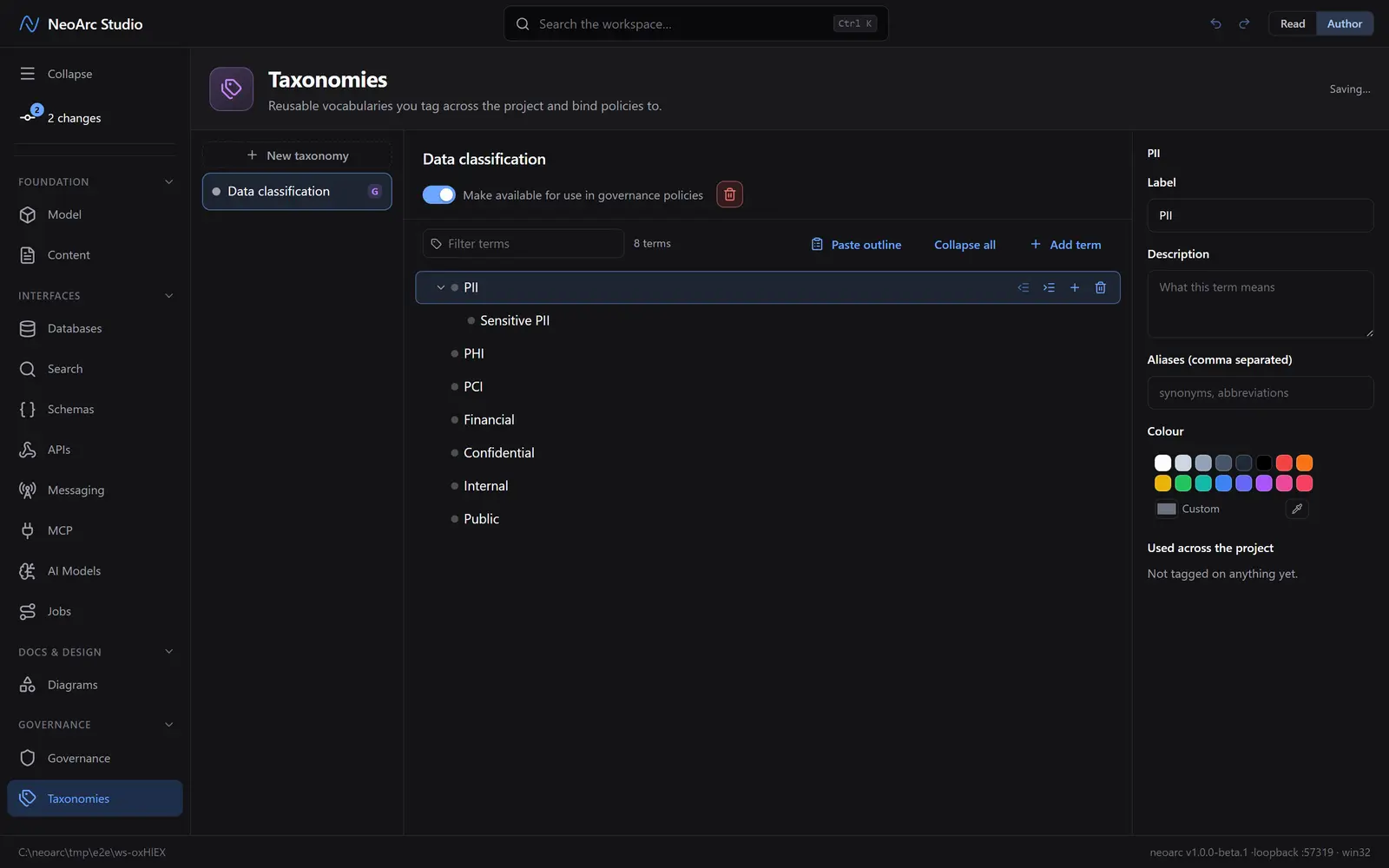
The switch at the top, Make available for use in governance policies, is the important one for architects: with it on, a policy can bind to any term here, so tagging a field with that term brings the policy with it.
What next
- Tag a field with a term from the model editor or a property's detail; the term's use count goes up.
- A classification you tag on a model field rides the lineage down to every projection: see [Policies and classifications](../03-policies-and-classifications).
- Bind a policy to a term so everything carrying it inherits the control (same guide).