 Xtrable
In NeoArc, training, evaluation, and inference are process drawings. The thing that lives in your architecture is the trained model itself, a first-class node with lineage: a feature store wires in as one coarse wire (the whole store, no field mapping), and the prediction fields it produces flow on to a predictions database, field by field. Everything upstream and downstream stays traceable. Here you add a Churn predictor fed by a feature store.
Before you start
You need a feature-store database to feed the model. Following [Project onto a database](../../01-foundations/03-project-onto-a-database), add a database named Featurizer and choose the feature-store kind in the add dialog.
Add the model
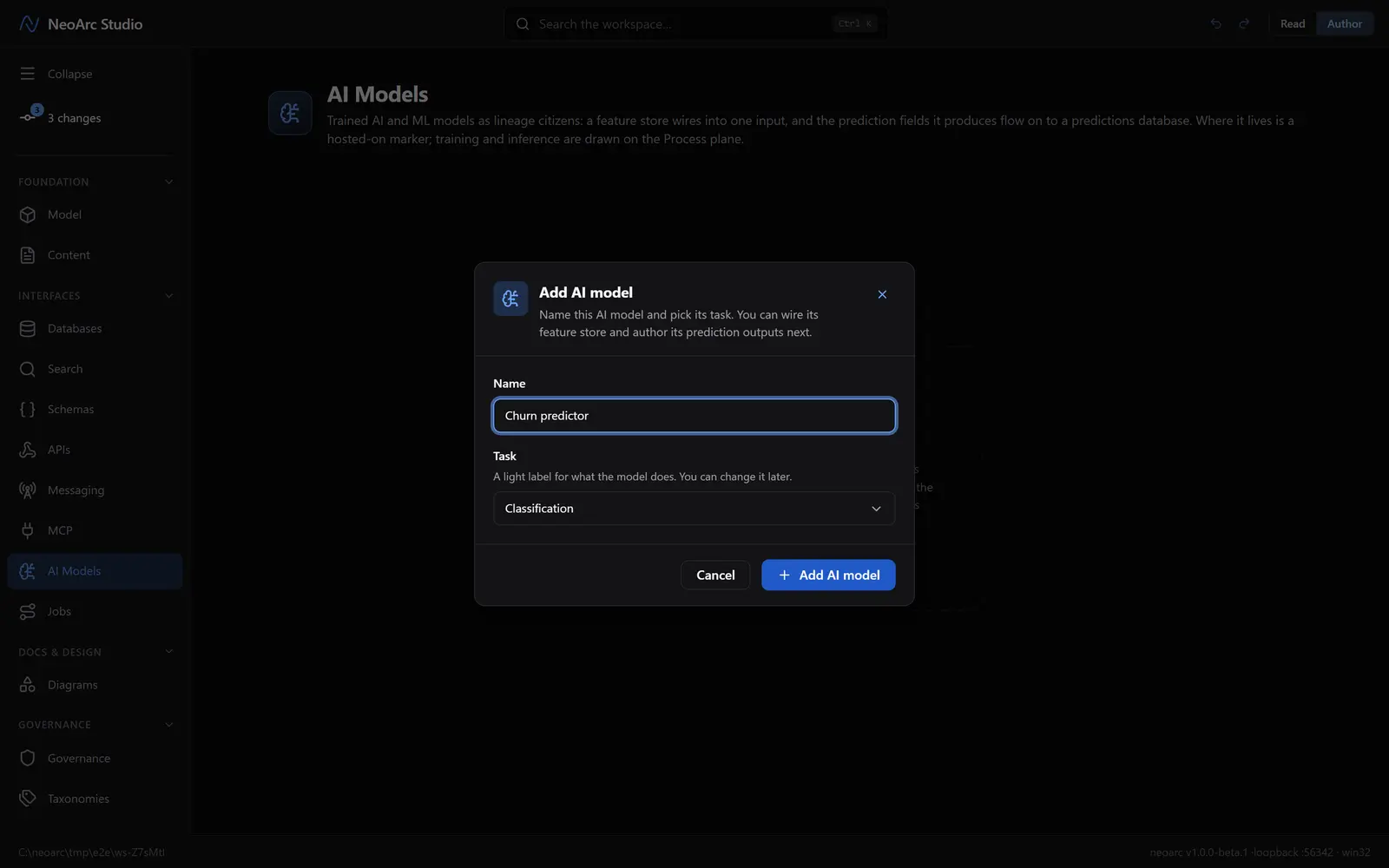
Open AI Models in the left sidebar (under Interfaces), and make sure the top-right toggle is on Author. Click Add AI model, name it Churn predictor, pick a task (Classification), and confirm.
Feed it, and declare what it predicts
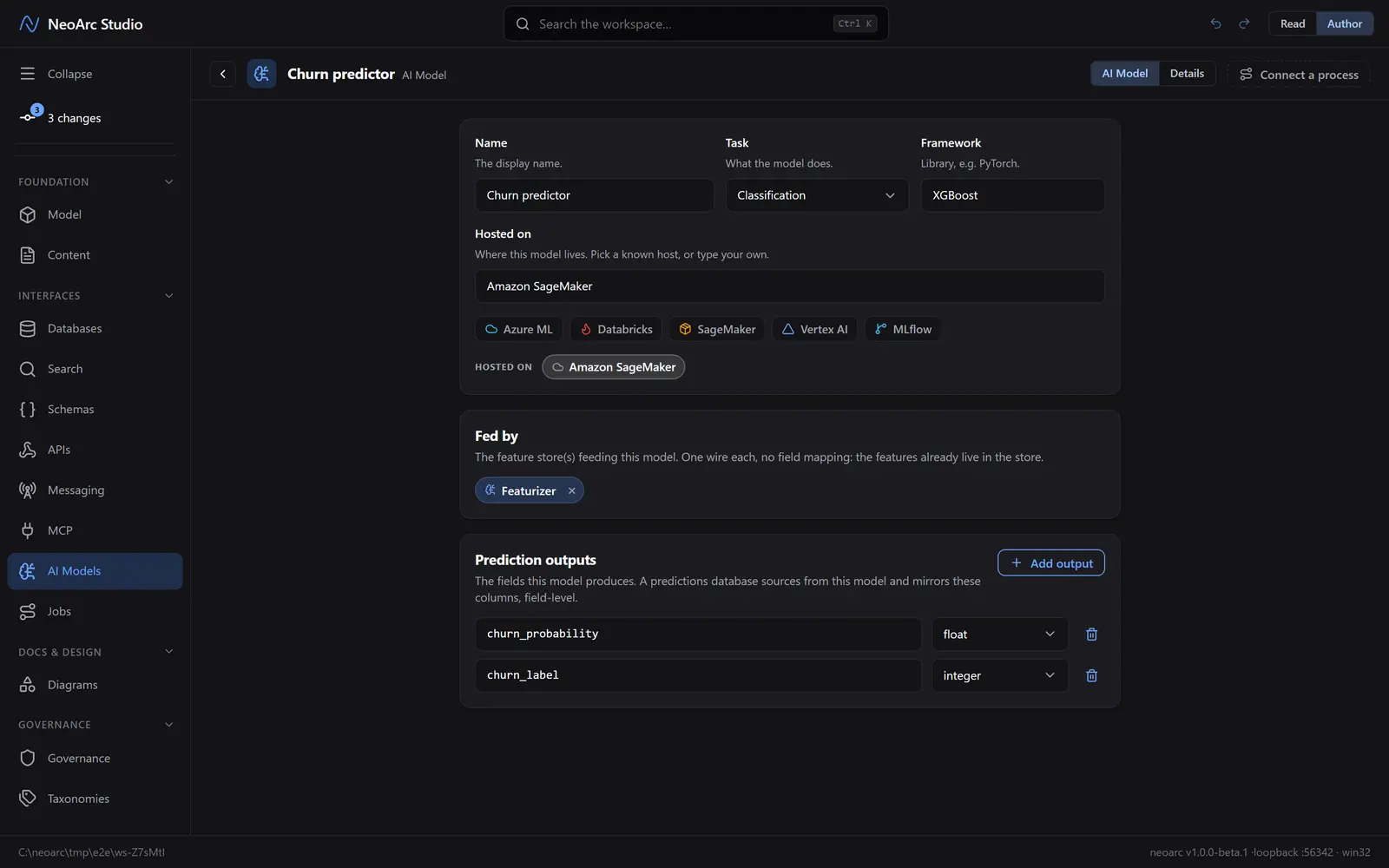
This screen is where you draw the lineage. At the top, set the Framework (XGBoost) and Hosted on (type a host such as Amazon SageMaker, or pick a known one like SageMaker); the host is a marker, not a deployment. Under Fed by, click Add feature store and pick Featurizer. A feature store attaches as one wire with no field mapping, because the features already live in the store (wire in more than one if the model draws on several). Then under Prediction outputs, click Add output and add the fields the model produces (churn_probability as a float, churn_label as an integer). These are the out-edge a predictions database mirrors, field by field.
Read it back
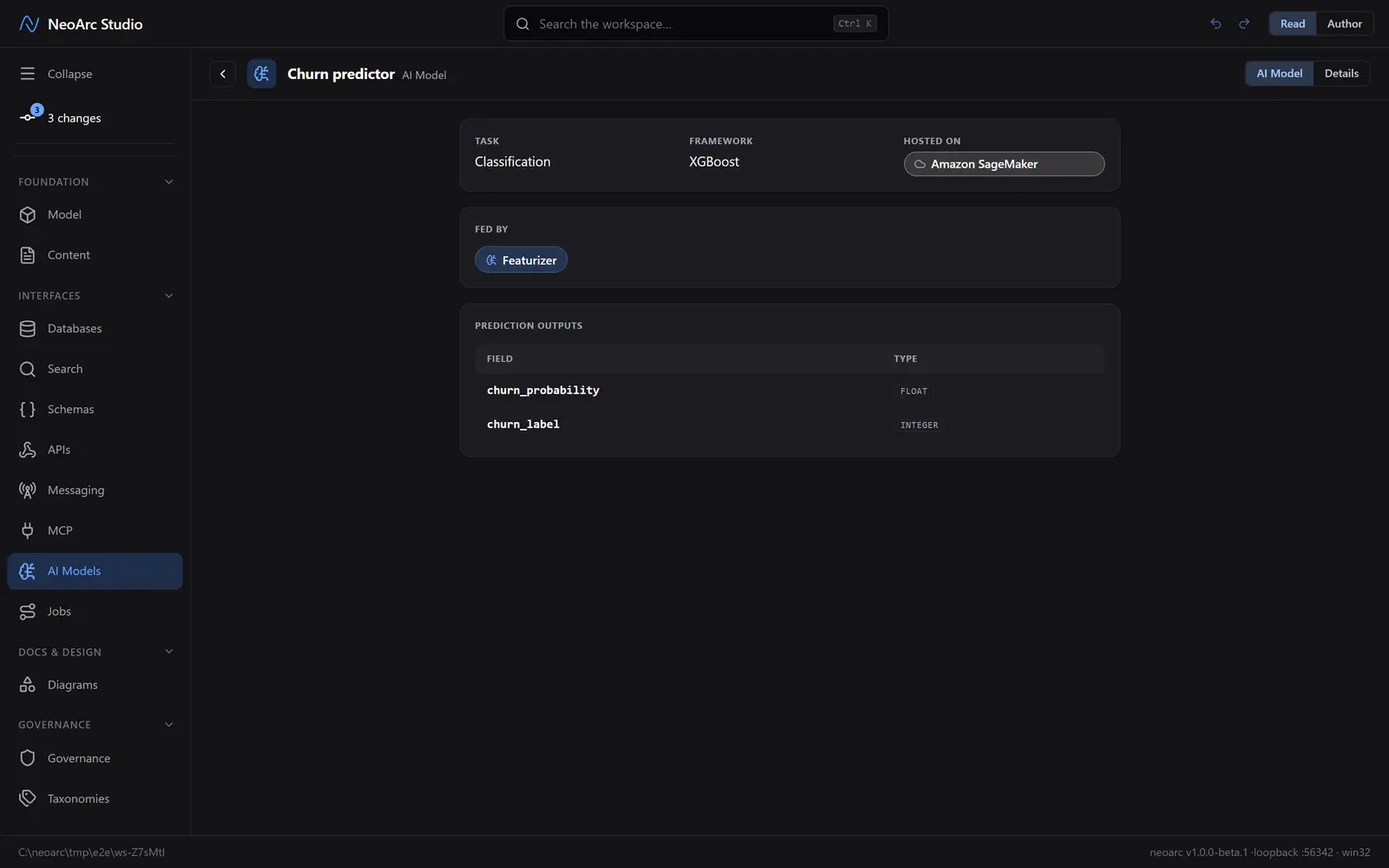
Switch the top-right Read/Author toggle to Read. You get a clean summary: the task, framework, and host up top, the feature store it is fed by, and the prediction outputs as a typed table.
What next
- Project a predictions database and source it from this model, so its columns mirror these outputs with lineage back to here.
- Draw the training and inference as processes on the Jobs plane, then bind the steps to this model.
- Open the [architecture map](../../01-foundations/04-trace-lineage) to see the model sitting in the flow: feature store in, predictions out.