 Xtrable
A topic in NeoArc is an async contract with two halves: the message shape, and the delivery guarantees around it. What makes it distinctive is where the shape comes from. A payload need not be a bespoke schema; it can reference any source and carry that source's lineage. An inbound event from an external system enters as a provider; an internal event references a model entity or a database table. Here you design an inbound payment.received topic shaped by a provider's event.
Before you start
You need an external system registered as a provider, carrying the event shape it sends. You register one on the Model screen: open Providers, choose Add provider, and import its schema (OpenAPI, JSON Schema, Protobuf, and more). Here we use Stripe, whose import brings a PaymentReceived event (paymentId, amount, currency, customerEmail).
Create the projection
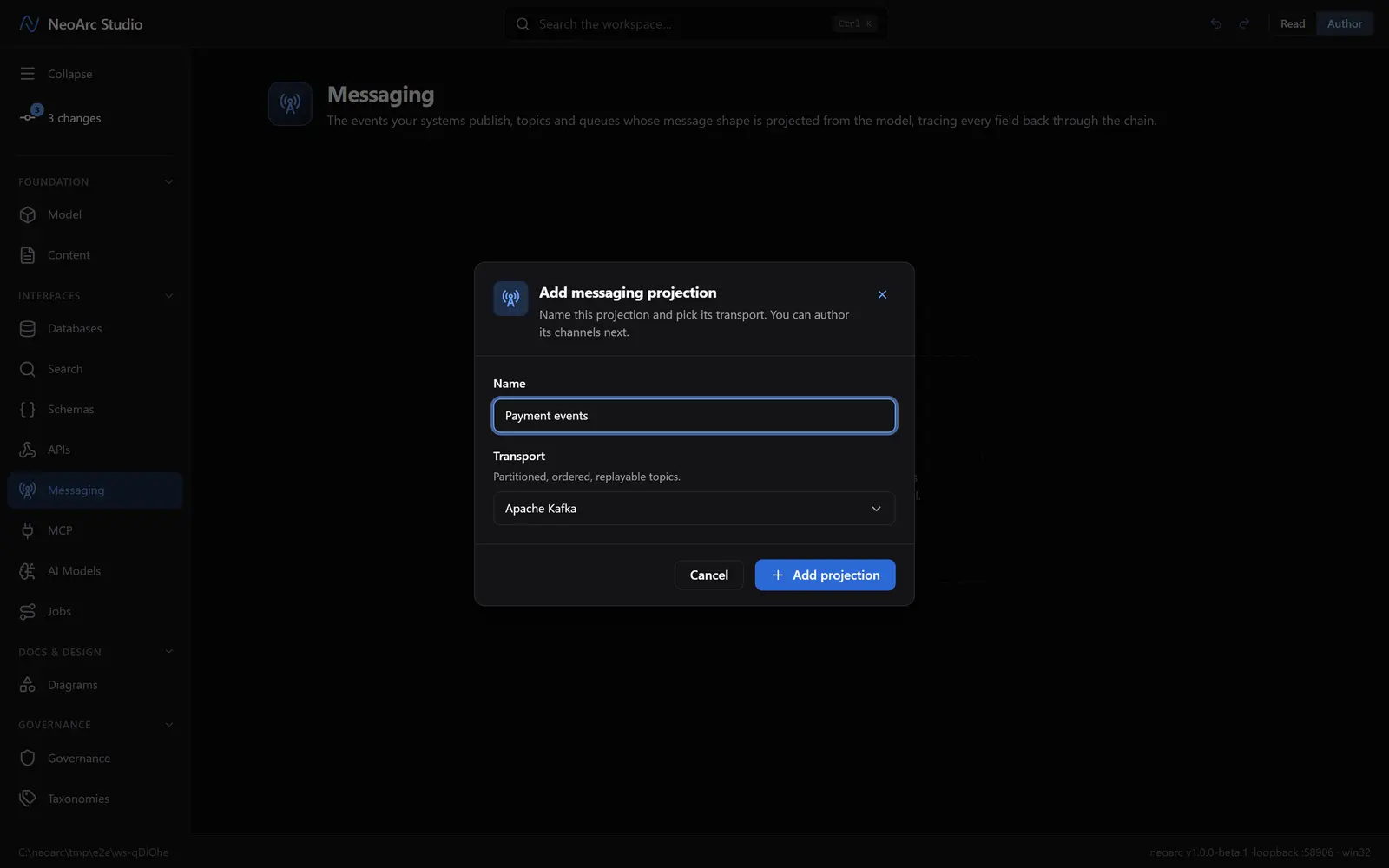
Open Messaging in the left sidebar (under Interfaces), and make sure the top-right toggle is on Author. Click Add projection and name it Payment events and pick a transport such as Apache Kafka. A projection groups the topics for one bus or system. The transport is recorded on the contract; you set the delivery guarantees yourself, below. Confirm with Add projection.
Add a topic
Click Add your first event and name it payment.received. An event is one topic or queue, with its own headers and payload.
Point the payload at the inbound event
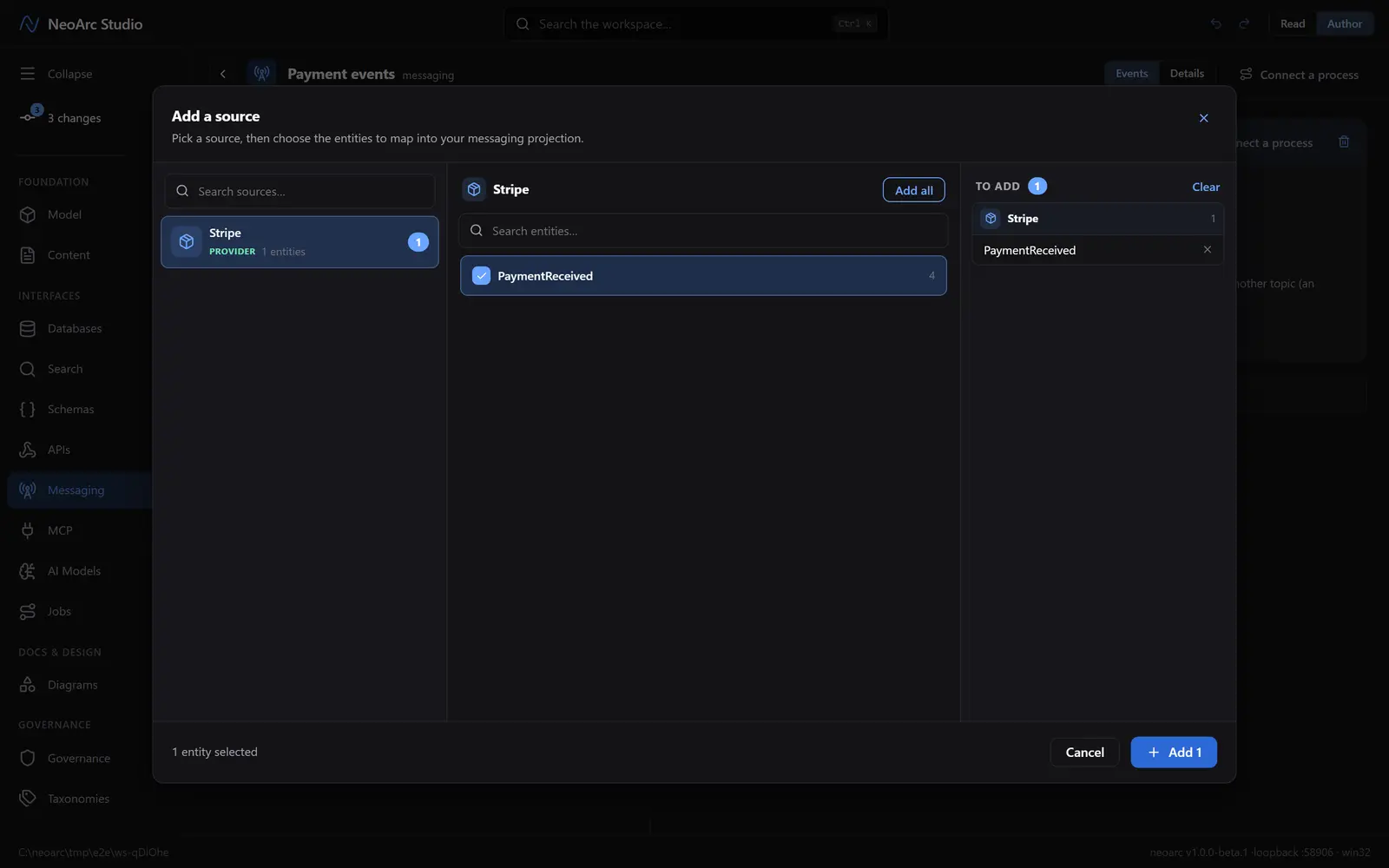
Under Payload, switch to Reference, then click Choose a source. A payload can reference a schema, a model entity, a database table, a provider, or another topic. This is an inbound external event, so pick the provider: in the picker, select Stripe, tick its PaymentReceived event, and confirm with Add 1.
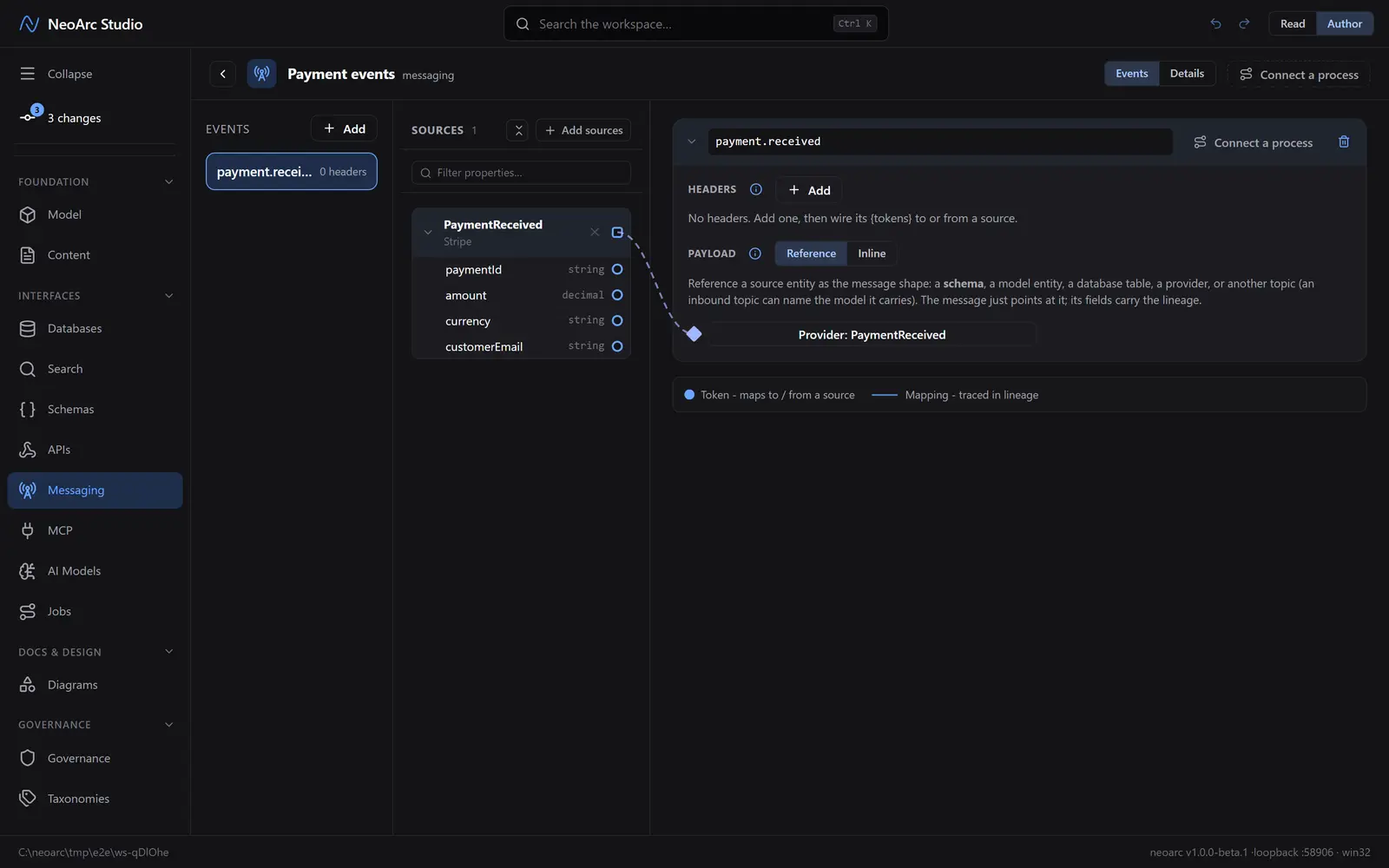
The topic now carries PaymentReceived as its shape, shown on the payload as Provider: PaymentReceived. The message points at it, and the referenced fields carry the lineage.
Set the delivery contract
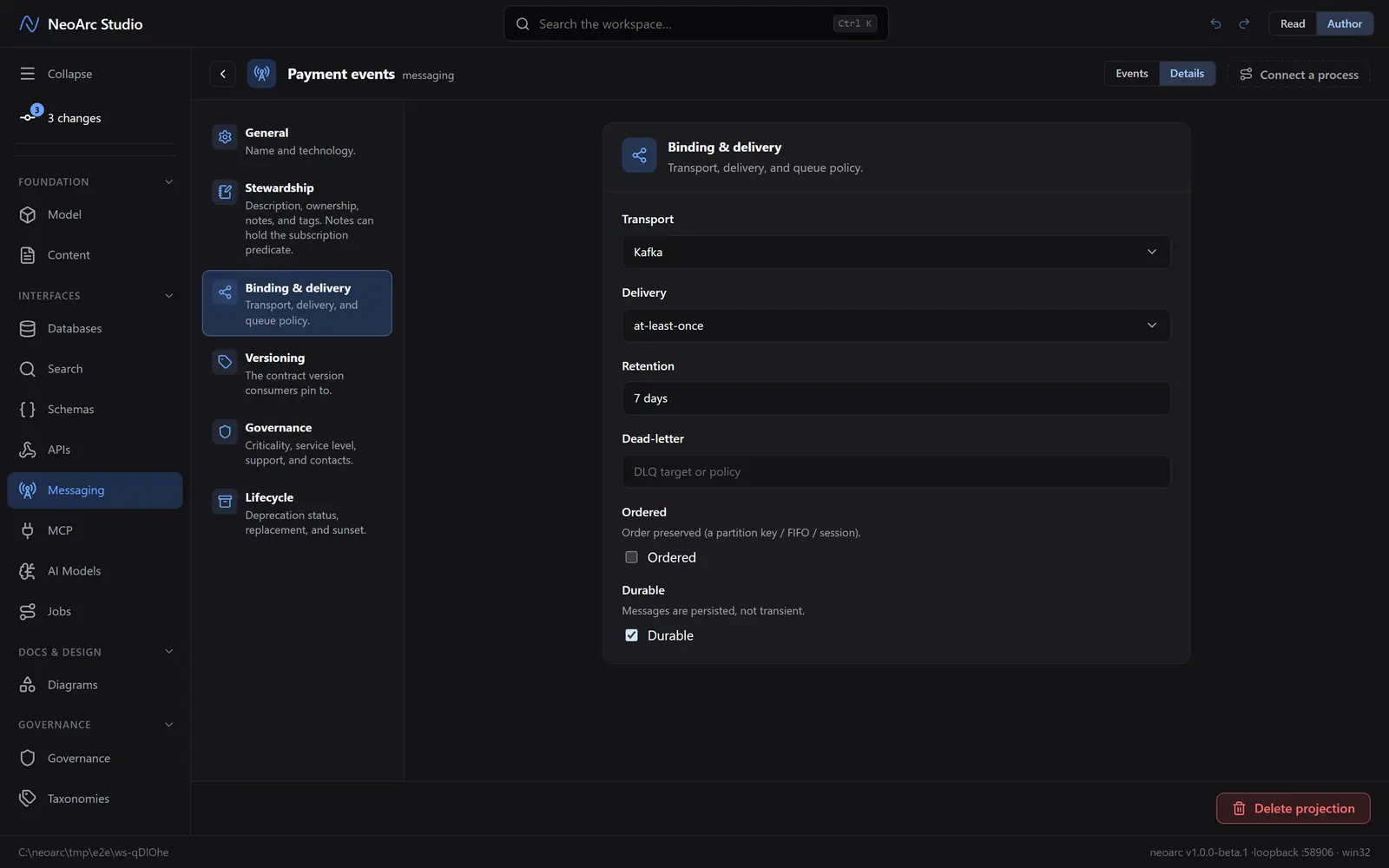
Switch to the Details tab and open Binding & delivery. This is the async half of the contract: the transport, the delivery guarantee (at-least-once, and so on), retention, dead-letter, ordering, and durability. Set a retention of 7 days and mark it Durable.
Read it back
Back on Events, switch the top-right Read/Author toggle to Read. Read view shows the headers and payload with no wiring: the provider shape sits as a chip naming the referenced event. To trace each field to its origin, open the provider.
What next
- Add a header and wire its {tokens} to or from a source field.
- Design an internal event: reference a model entity or a database table as the payload instead of a provider.
- Reference another topic to chain an inbound event into a derived one.
- Record the subscription predicate (for example deliver where region = 'EU') in the projection's Stewardship notes.