 Xtrable
An MCP server in NeoArc is a projection built for an agent to call: the tools it can call, the resources it can read, and the prompts you publish. The distinctive part is that you design it against your model. A resource, or a tool's structured output, references one of your schemas, so what you expose to an agent stays tied to your model. There is no token wiring: you reference the schema, and its lineage comes with it.
Before you start
You need a schema to expose, from [Design a schema](../01-schemas-and-apis/01-design-a-schema). Here we use a Customer Schema with id, email, and name.
Add a server
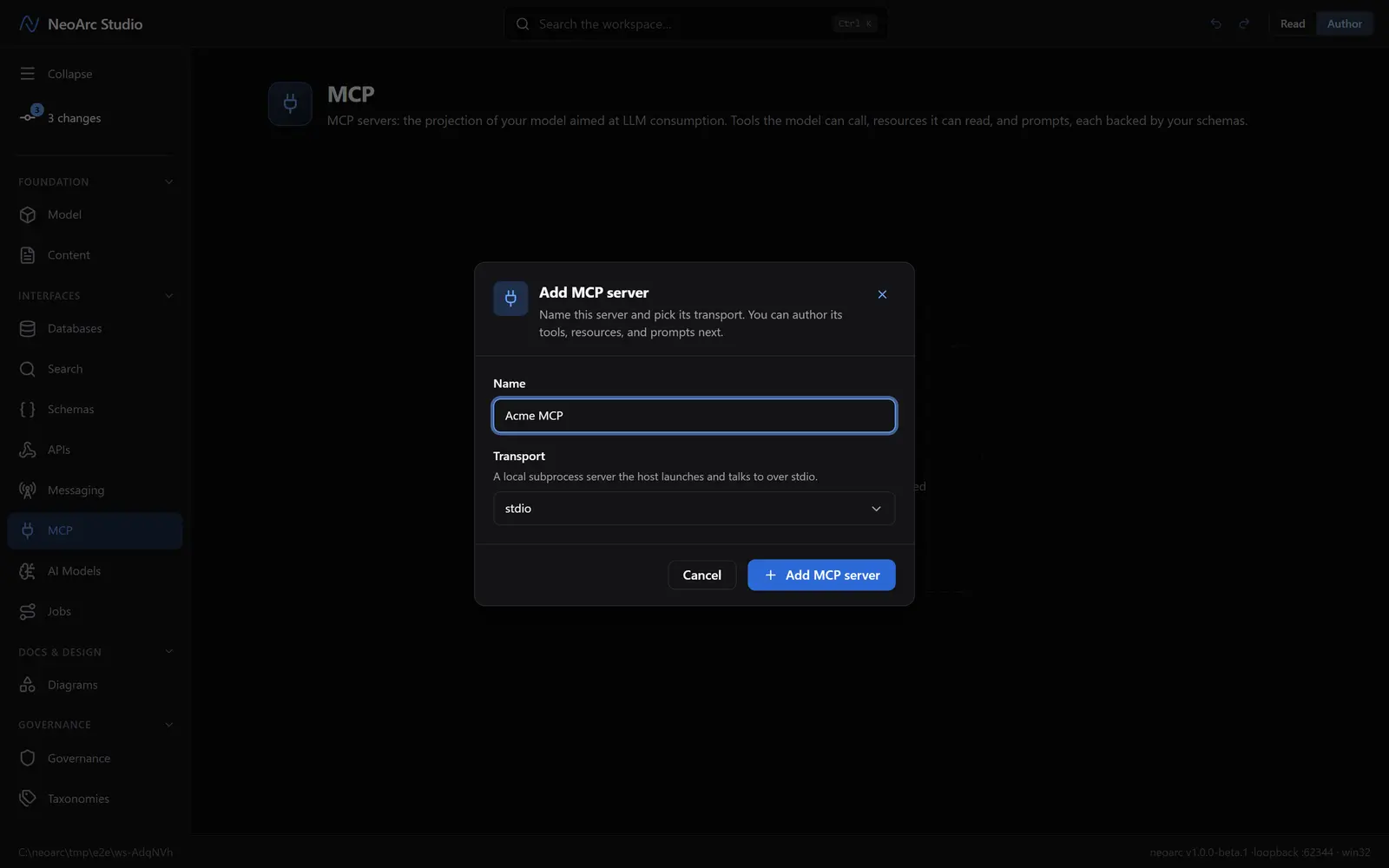
Open MCP in the left sidebar (under Interfaces), and make sure the top-right toggle is on Author. Click Add MCP server and name it Acme MCP and pick a transport: stdio for a local subprocess, or Streamable HTTP for a remote server. Click Add MCP server.
Add a tool
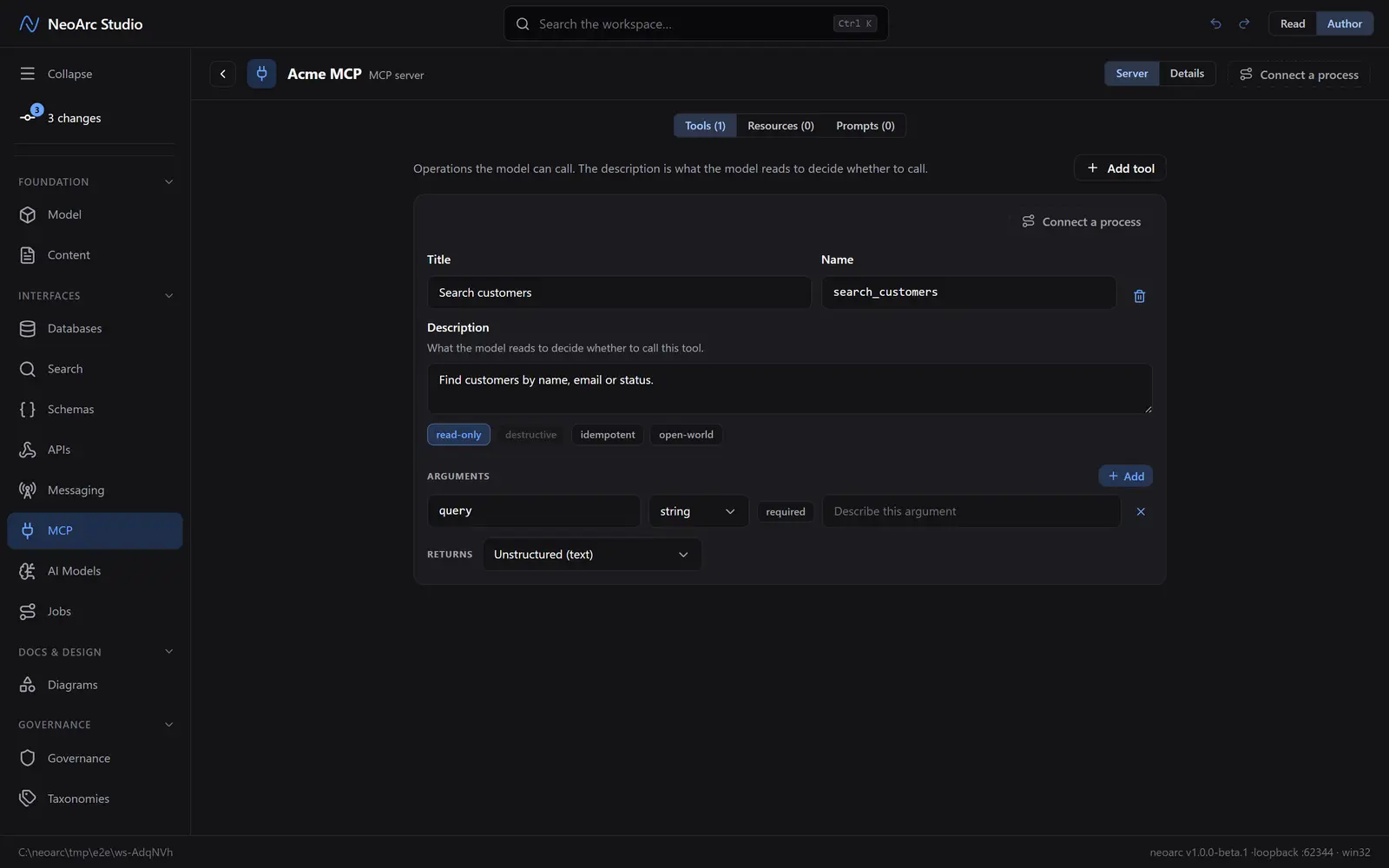
A tool is a typed operation the model can call. On the Server face, the Tools tab, click Add tool. Give it a title (Search customers); the name fills in as search_customers, the id the model calls it by. The description is what the model reads to decide whether to call it, so write it for that reader. Under Arguments, click Add and rename the new argument to query. Set the safety annotations (read-only is on by default, and a read-only tool cannot be destructive), and choose what the tool returns.
Add a schema-backed resource
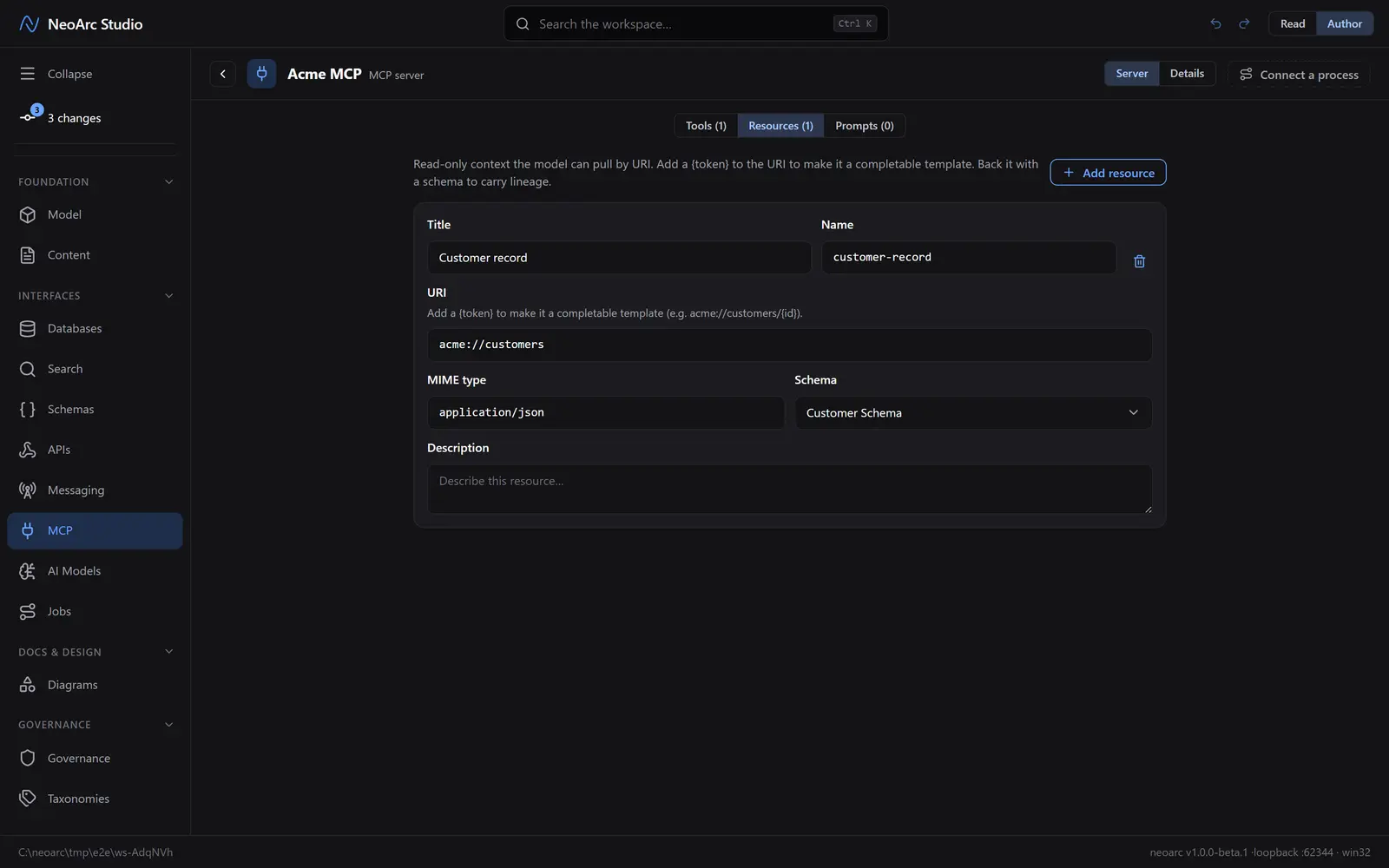
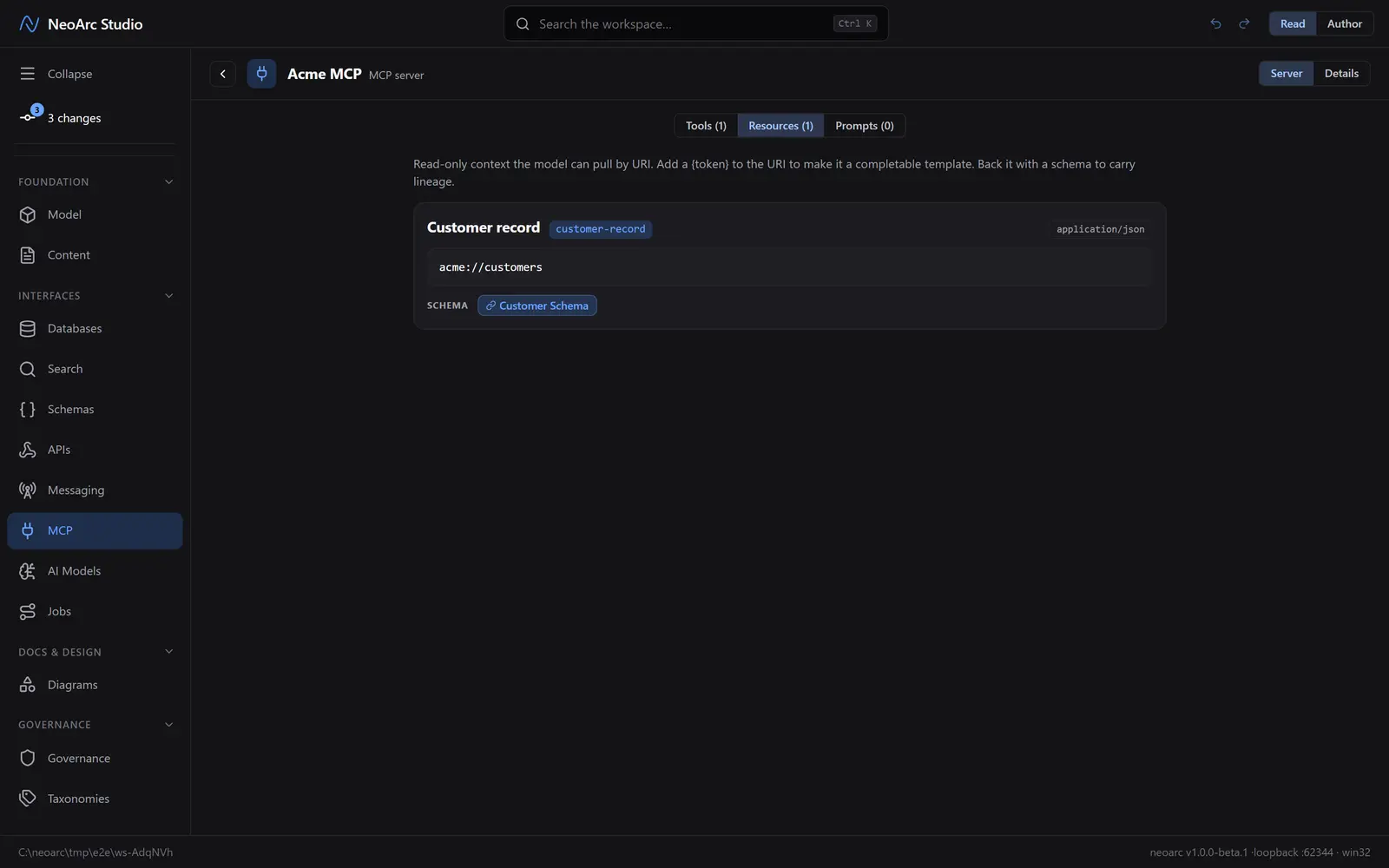
A resource is read-only context the model pulls by URI. On the Resources tab, click Add resource and give it a title (Customer record); the name fills in as customer-record. Add a URI (acme://customers). Under Schema, back it with your Customer Schema. Instead of redescribing the shape by hand, the resource points at your schema.
Advertise capabilities
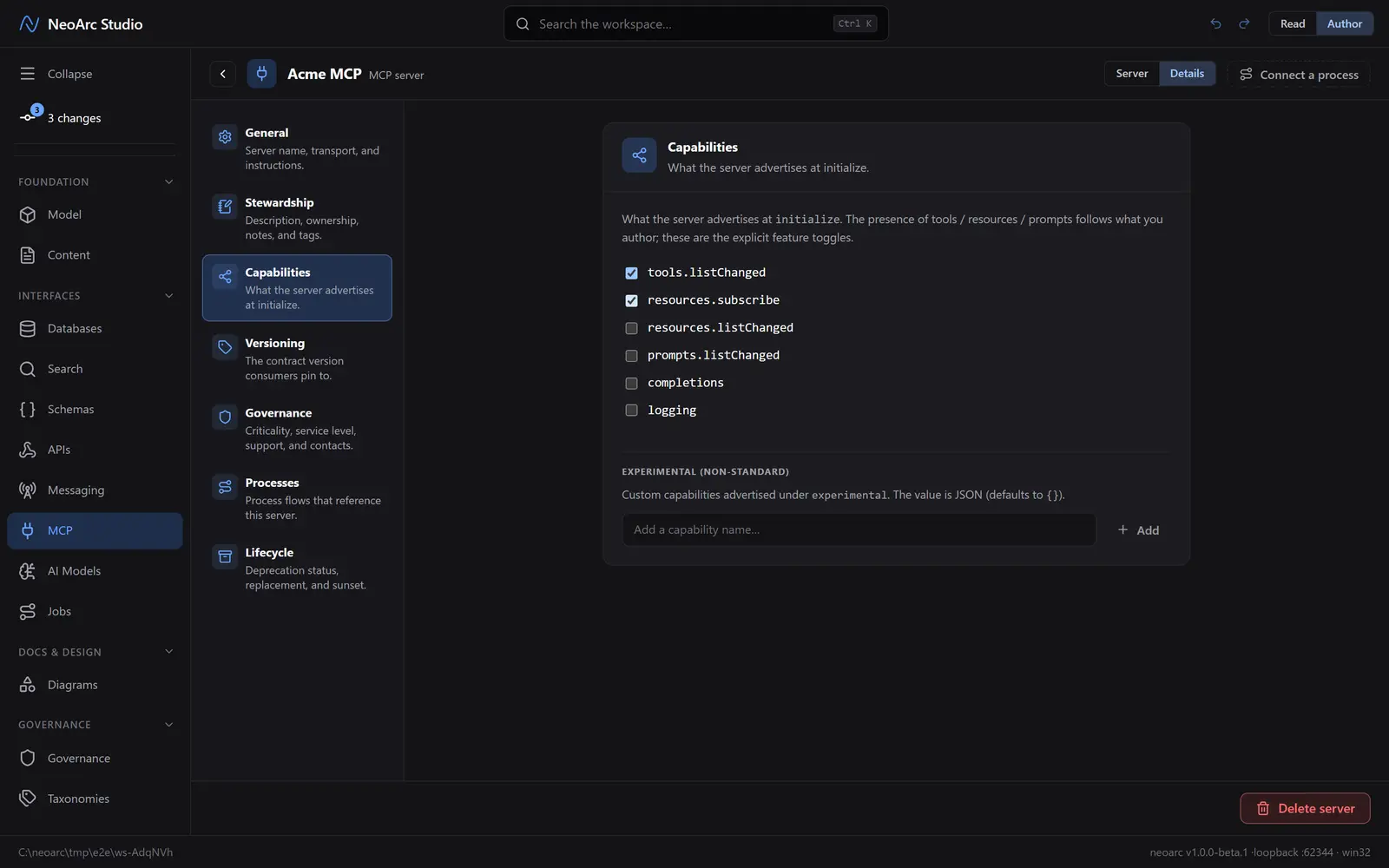
Switch to the Details tab, and in the section list on the left choose Capabilities. These are the feature toggles the server advertises at initialize, separate from the tools and resources themselves. Tick tools.listChanged and resources.subscribe to declare that this server pushes list updates and supports resource subscriptions.
Read it back
Back on the Server tab, switch the Read/Author toggle to Read. Each primitive reads as a clean catalogue: the resource shows its URI and a Customer Schema chip you can open to trace the shape to its origin.
What next
- Return a schema from a tool's structured output, for the same lineage on what the tool sends back.
- Add a {token} to a resource URI to make it a completable template (acme://customers/{id}).
- Publish a prompt: a named, user-invokable template.
- Write server instructions for the agent under Details > General (for example, prefer resources for read-only context).