 Xtrable
A feature group is a set of features keyed on a model entity, timestamped so training joins stay point-in-time-correct. It serves two stores at once: offline for training, online for low-latency serving. The feature-store editor lays out that structure. Here you design a feature_group of user features.
Before you start
Open Databases in the left sidebar (under Interfaces) and make sure the top-right toggle is on Author.
Create a feature store
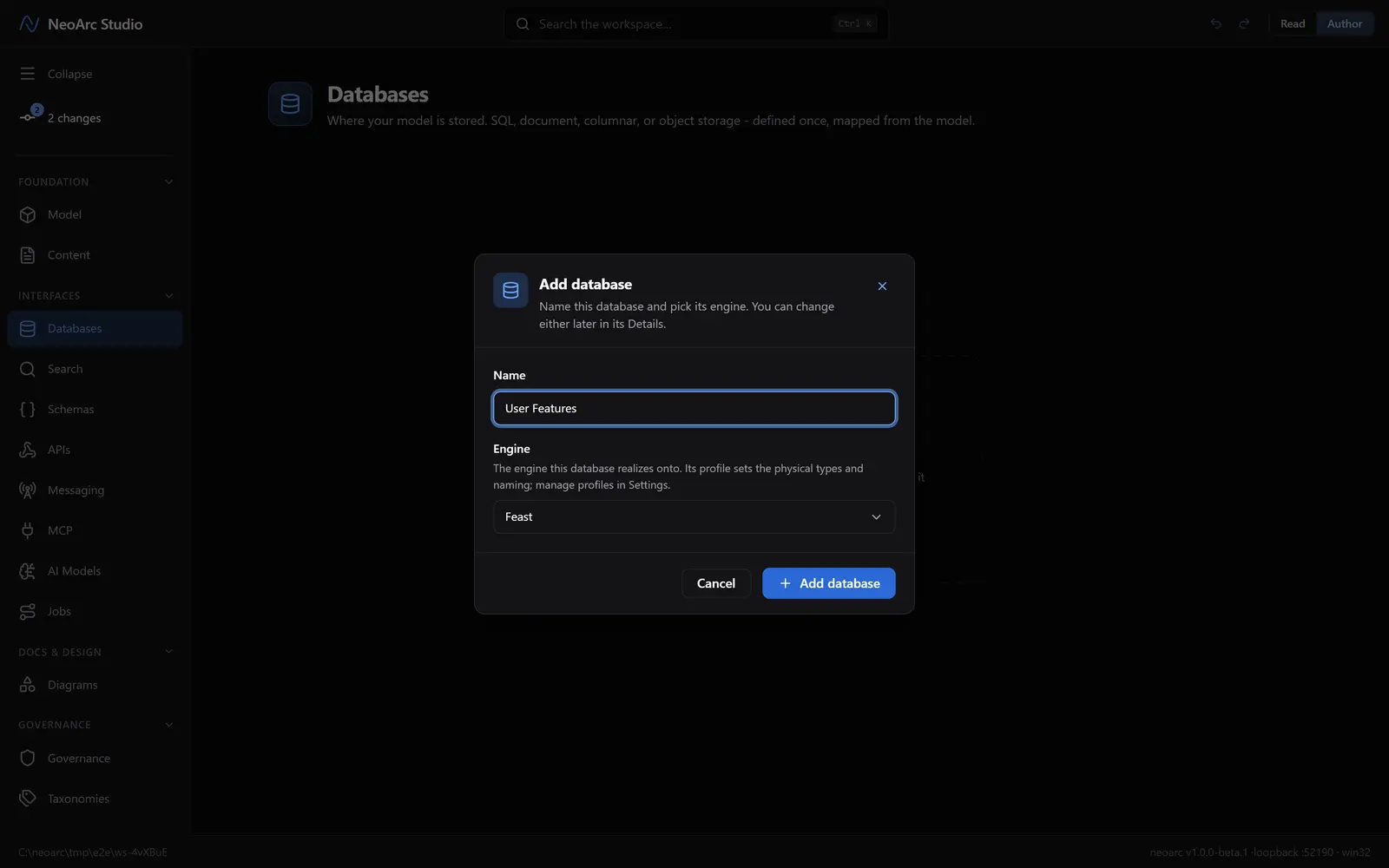
In the Databases panel, click Add database (or Add in the panel header). Name it User Features and pick a feature-store engine, say Feast. Click Add database.
Design the feature group
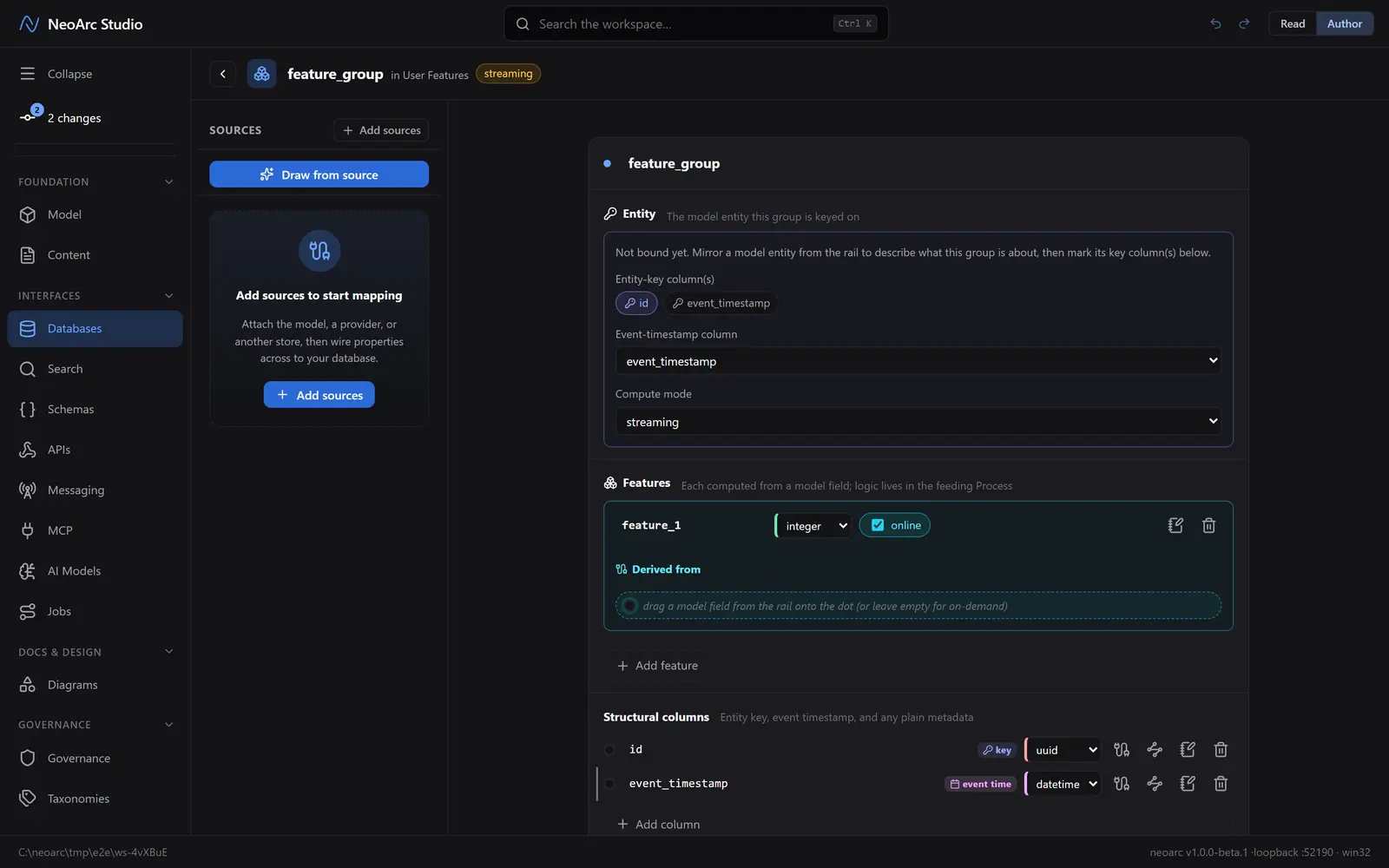
Click Add your first feature group; it seeds the entity-key column (id), the event_timestamp column, and one online feature. In the Entity section, set the Compute mode (batch, streaming, on-demand); to give the group a real identity, mirror a model entity onto it (see What next), then mark which columns are its key. For each feature, set its value type and whether it is served online. A feature is computed from a model field; the logic lives in the feeding process.
Read it back
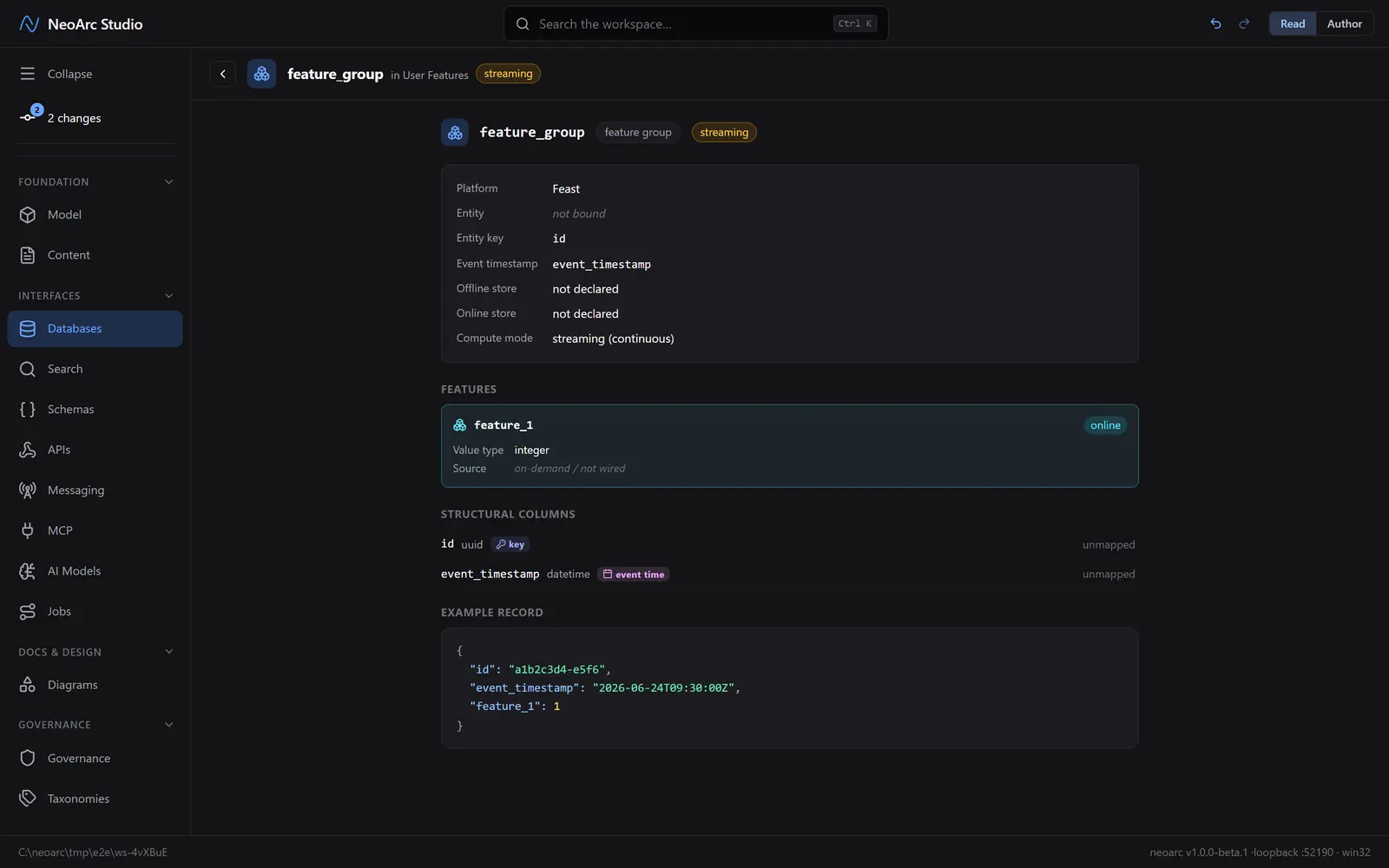
Switch the top-right toggle to Read. The group reads as its entity key, its event timestamp, and its features, each marked online or offline.
What next
- Mirror a model entity onto the group to bind its entity key.
- Drag a model field onto a feature's Derived from dot to wire its lineage.
- Turn a feature offline-only if it is for training rather than serving.
- A trained model consumes these features: see [Add a trained AI model](../../05-add-a-trained-ai-model).