 Xtrable
A vector collection centres on one or more named vector fields, each carrying its own dimensions, distance metric, and index, over a payload of filterable scalar metadata. NeoArc's vector editor designs that directly, including where the embedding comes from. Here you design an embedding collection.
Before you start
Open Databases in the left sidebar (under Interfaces) and make sure the top-right toggle is on Author.
Create a vector database
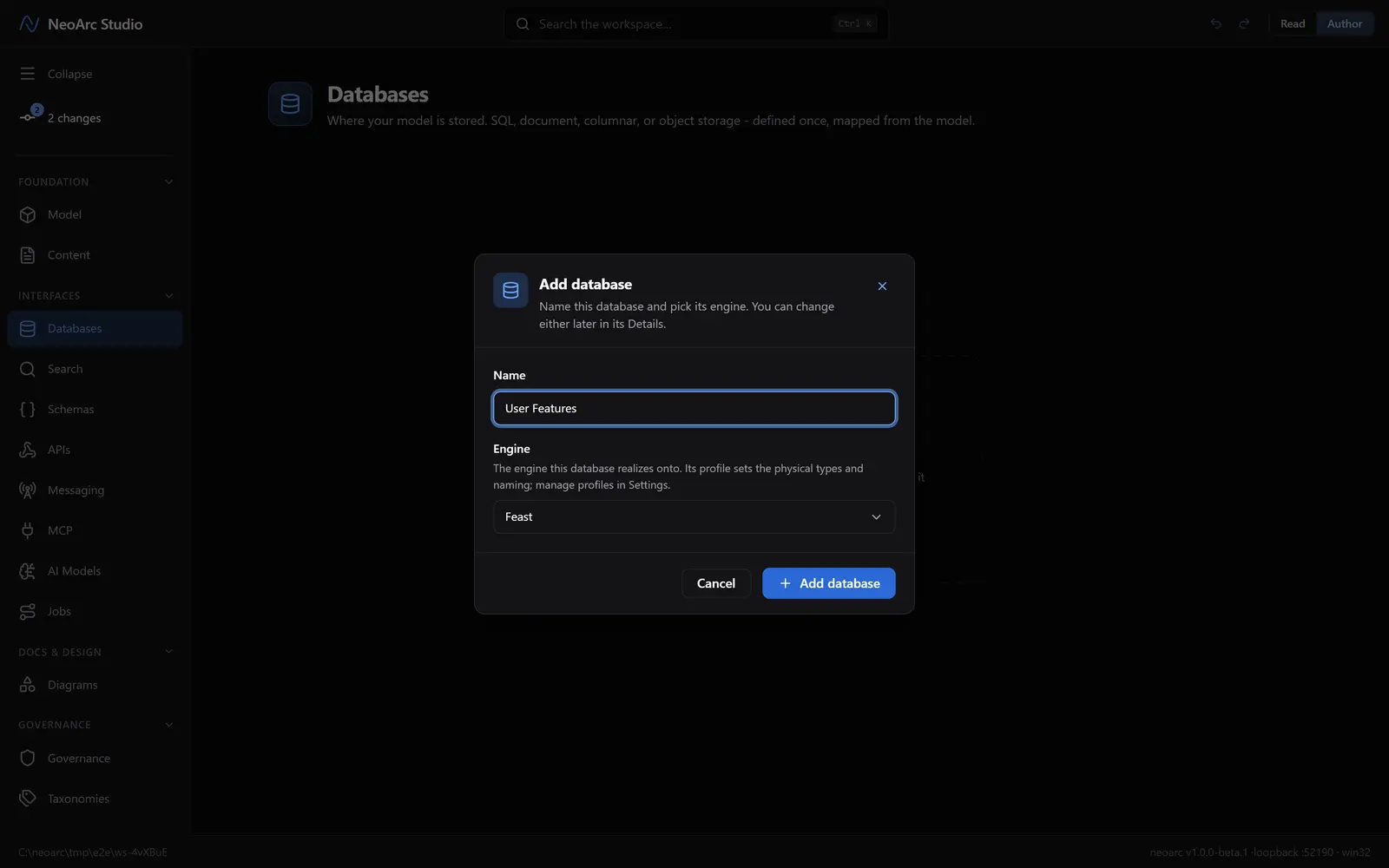
In the Databases panel, click Add database (or Add in the panel header). Name it Embeddings and pick a vector engine, say Pinecone. Click Add database.
Design the vector field
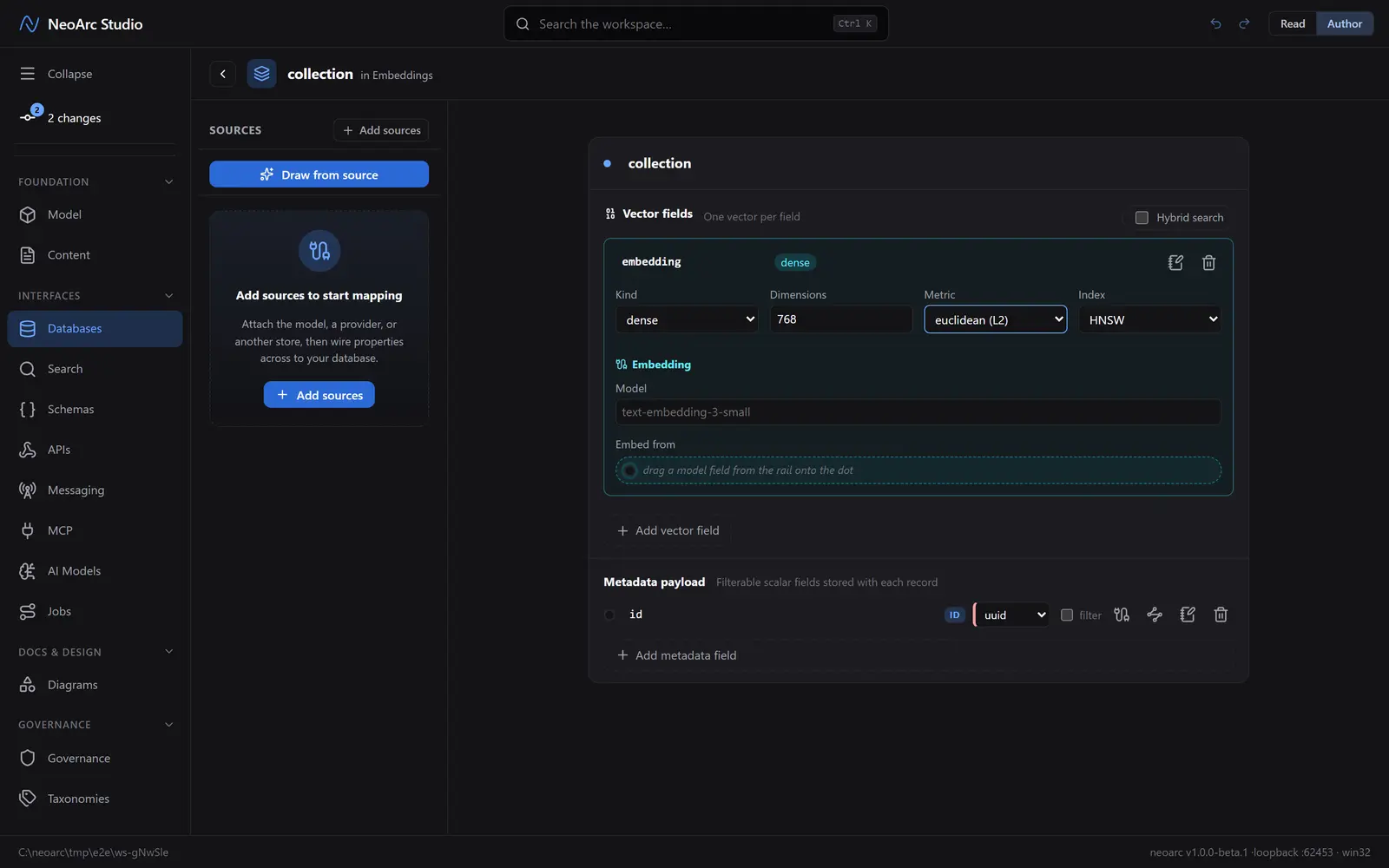
Click Add your first collection; it seeds an id key and a default dense vector field. Set its Dimensions (say 768), Metric (cosine, euclidean, inner product, and more), and Index (HNSW and so on). The Embed from dot records which model field the embedding comes from, so it keeps its lineage; Model names the embedding model. Filterable scalars live in the metadata payload below.
Read it back
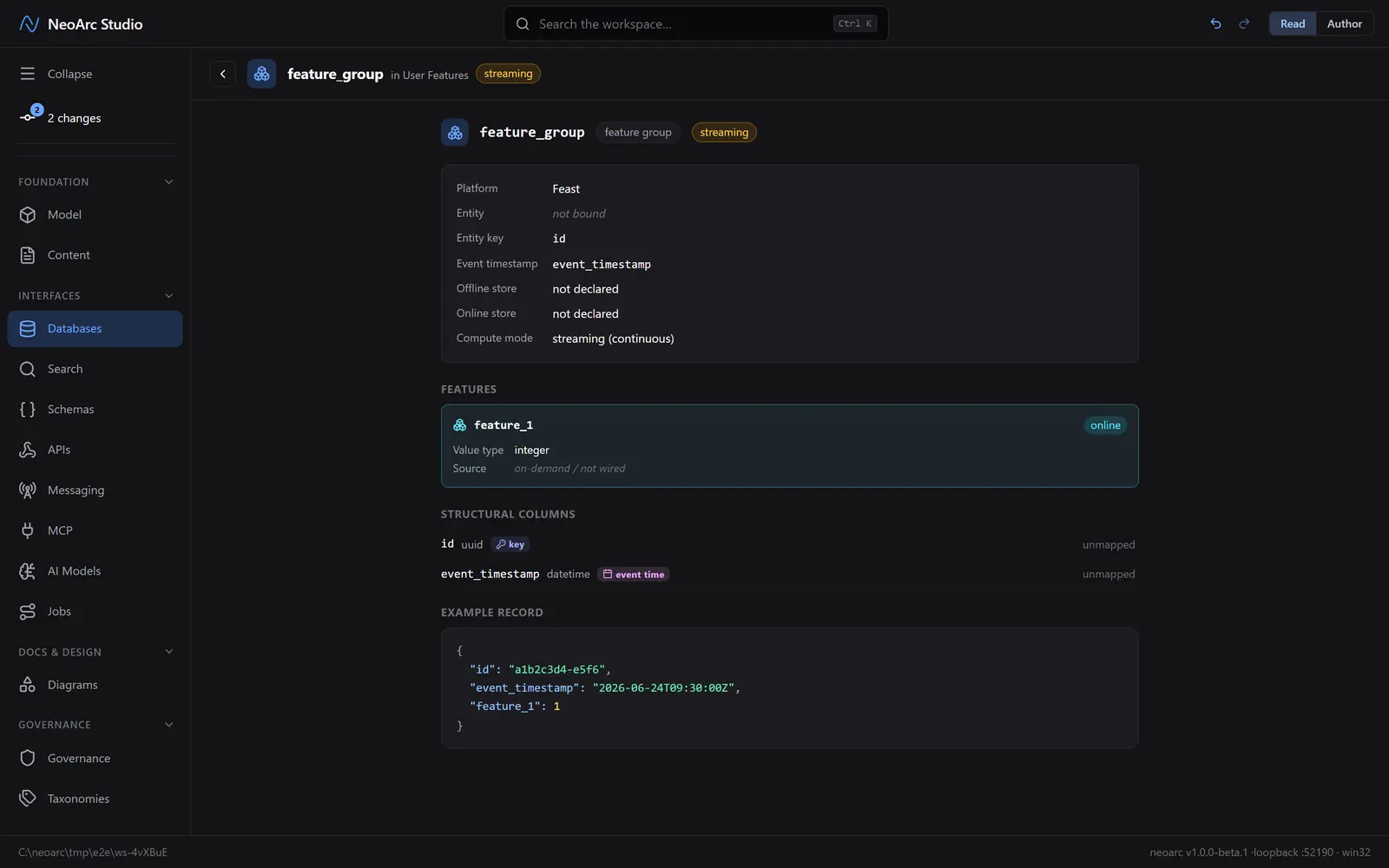
Switch the top-right toggle to Read. The collection reads as its vector fields plus the metadata payload, with an example record.
What next
- Turn on Hybrid search to pair the dense vector with a sparse one.
- Add a second named vector field (engines like Qdrant carry several per record).
- Drag a model text field onto the Embed from dot to wire the embedding source.
- Add the metadata fields you will filter on.