 Xtrable
Most of NeoArc is about designing forward. This is the reverse: bring an API you already run into NeoArc, whole, without hand-modelling it. You answer a short interview, NeoArc writes a prompt for your stack, and you run that prompt with your own model in your repo. The model reads the real artefacts (the database, the OpenAPI, the data layer) and produces a package of JSON files. Drop them back in and NeoArc imports the lot in one pass, with the lineage wired across every layer: model to database column, column to schema field, field to API token.
Before you start
Nothing to build first. You need your existing system to hand and a coding model or agent that can read the repo and reach the running database and its API definition (the prompt introspects the database, so source code alone is not enough). Open the Model screen and set the top-right toggle to Author.
Answer the interview
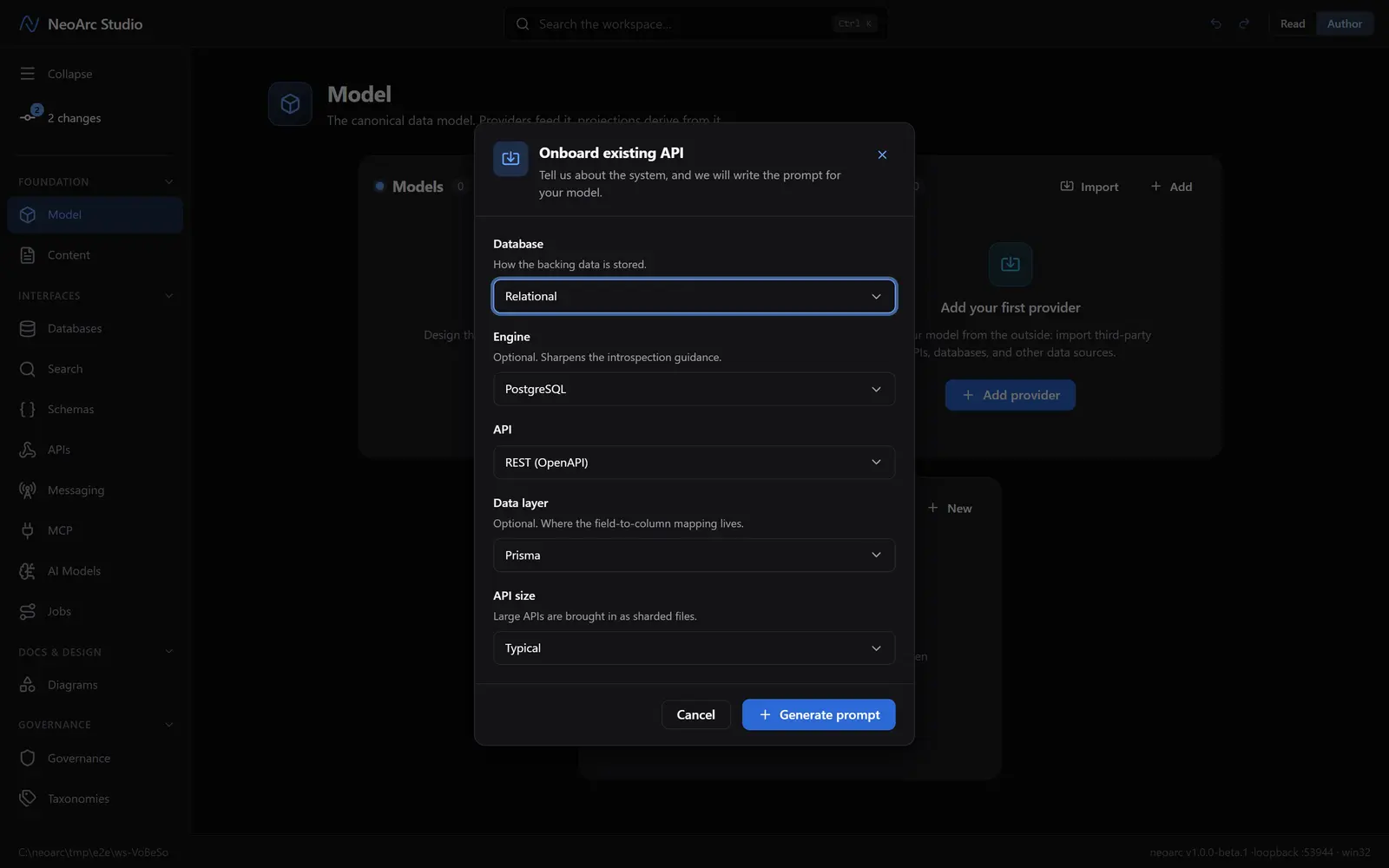
In the Models panel header, beside Import, click Onboard API; the Onboard existing API dialog opens. The interview tailors the prompt: pick the Database kind and, optionally, the Engine; the API paradigm; your Data layer (optional, the ORM where the field-to-column mapping lives); and the API size. Click Generate prompt.
Run the prompt with your own model
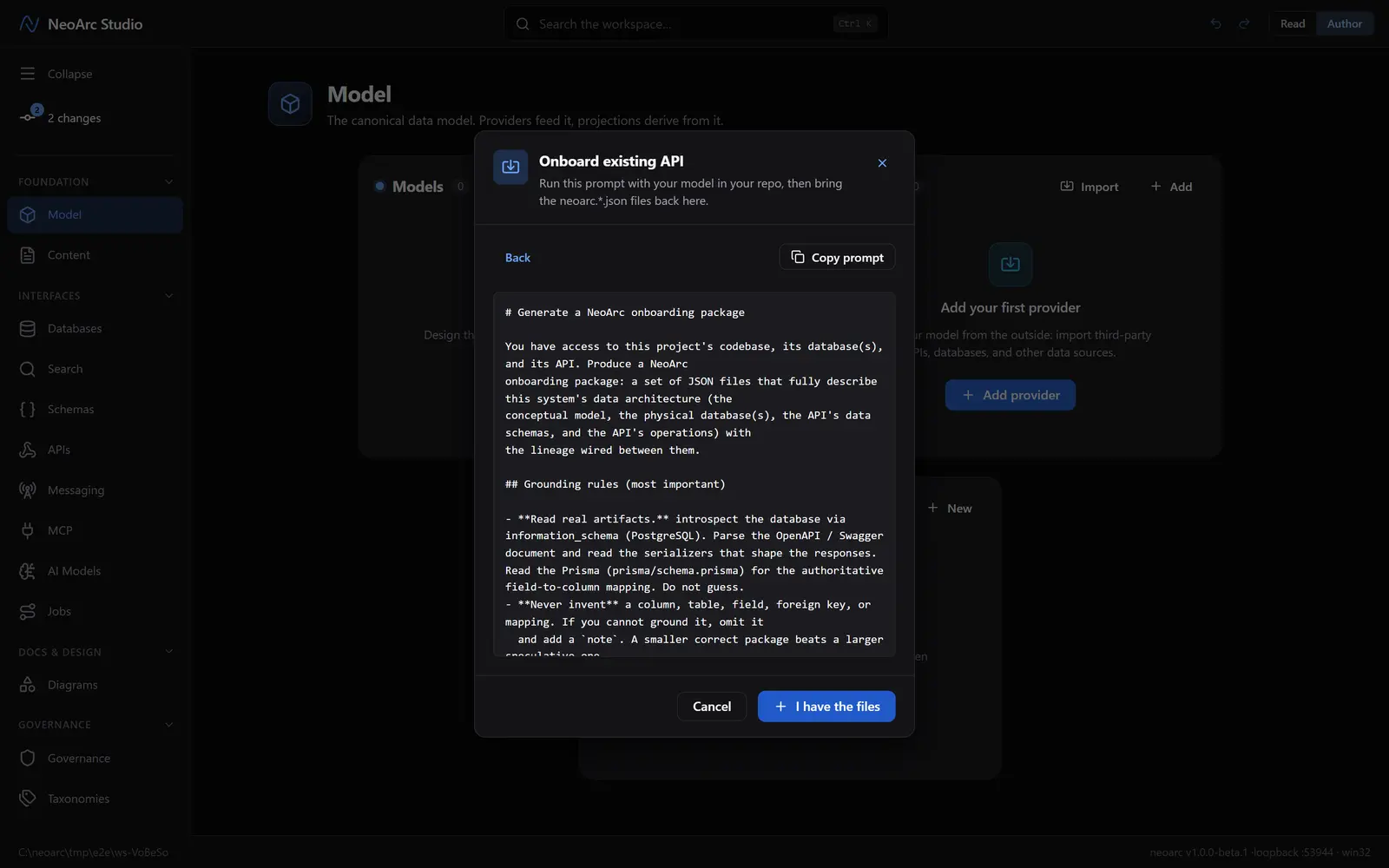
NeoArc writes a prompt built for your exact stack. It tells your model to read real artefacts (introspect the database, parse the OpenAPI, read the ORM for the authoritative mapping) and never to invent a column or a wire it cannot ground. Copy prompt and run it with your model in your repo. Your agent writes the neoarc.*.json files into your repo; take the time it needs, then come back and click I have the files.
Bring the package back
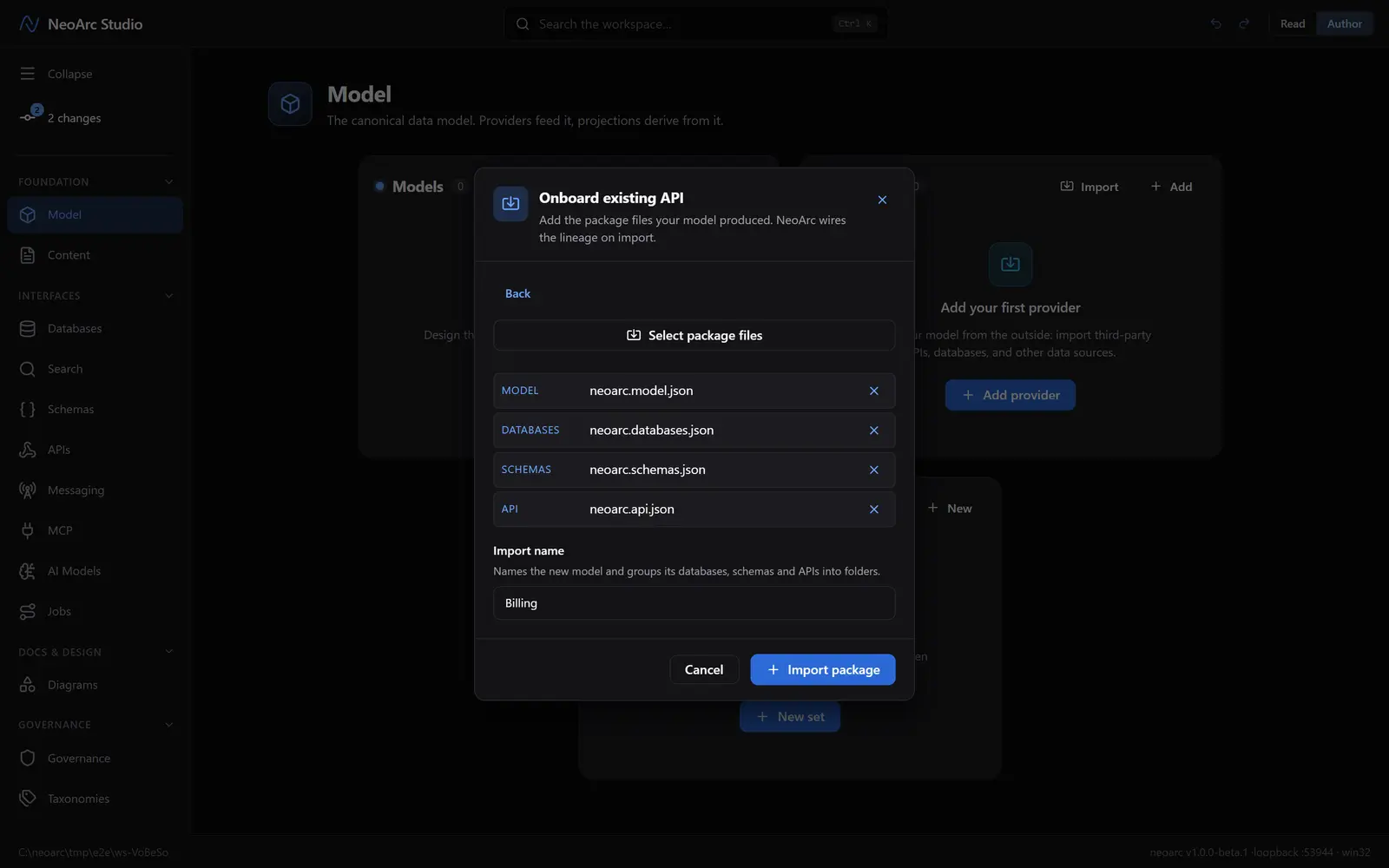
Click Select package files and choose the neoarc.*.json files your model wrote. NeoArc labels each by its part (model, databases, schemas, api) and seeds the Import name from the package. Click Import package. A bad package is rejected whole, so you never get a half-import.
See it wired
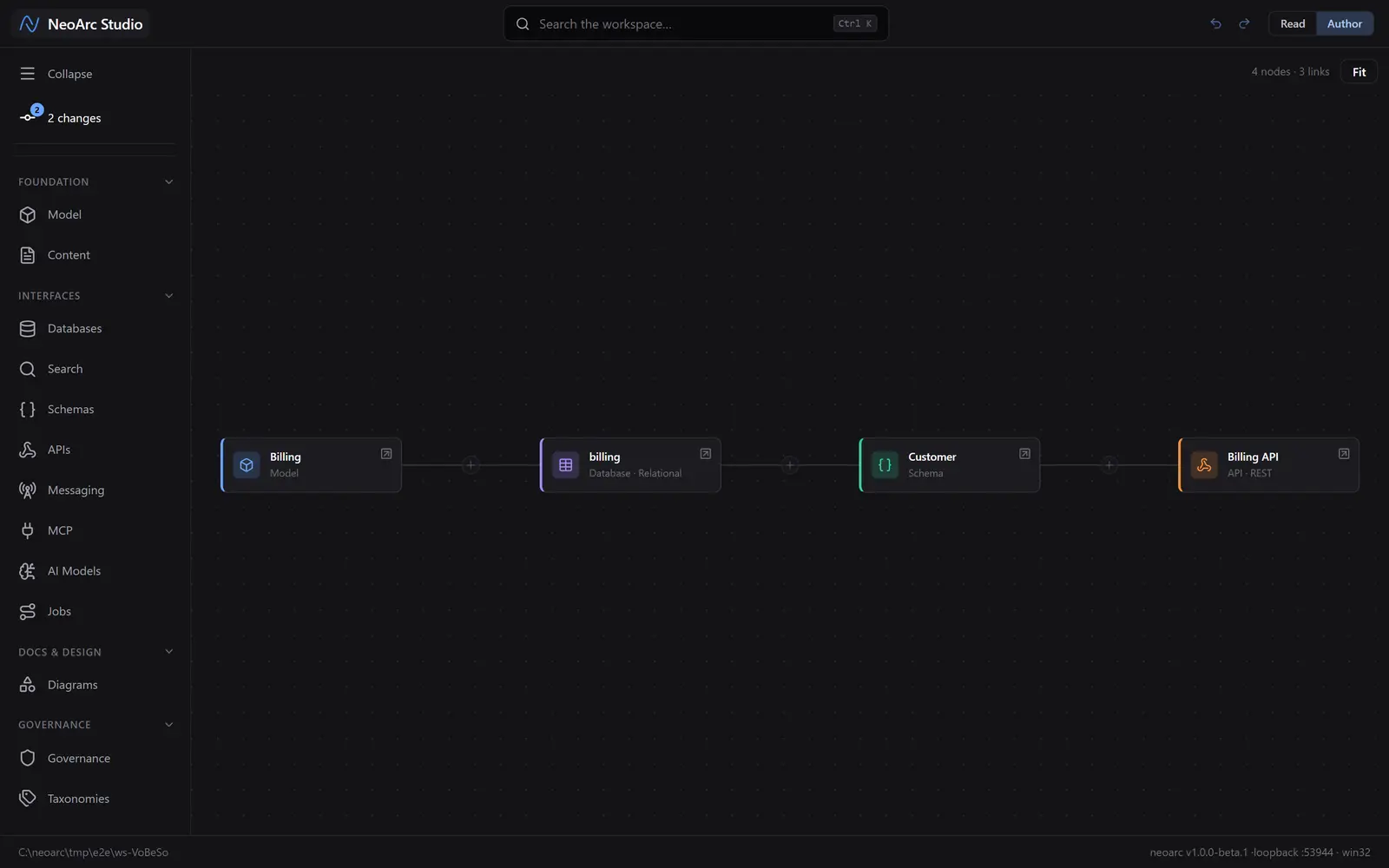
Click NeoArc Studio at the top left to open the [architecture map](../../01-foundations/04-trace-lineage). The whole system is there in one pass: the Billing model, the billing database, the Customer schema, and the Billing API, chained left to right with the lineage already wired between them. No layer was drawn by hand.
What next
- Open any of the imported projections (its database, schema, or API) to read the wired lineage, and spot the coverage gaps where the package could not ground a field.
- When the real system changes, re-run the prompt and import again, choosing Update your model: matching ids are kept, so the lineage survives, and anything dropped from the new package is removed (the import is authoritative).
- Now design changes against the onboarded model, and the change checkpoint shows what each edit touches downstream.