 Xtrable
A GraphQL API is another projection of your model: you design the fields, point each at a schema, and the SDL and lineage come with it. Same model, a different contract. Here you build a customer query that returns your CustomerResponse schema.
Before you start
You need the CustomerResponse schema from [Design a schema](../01-design-a-schema). It will be the return type of your query.
Add a GraphQL API
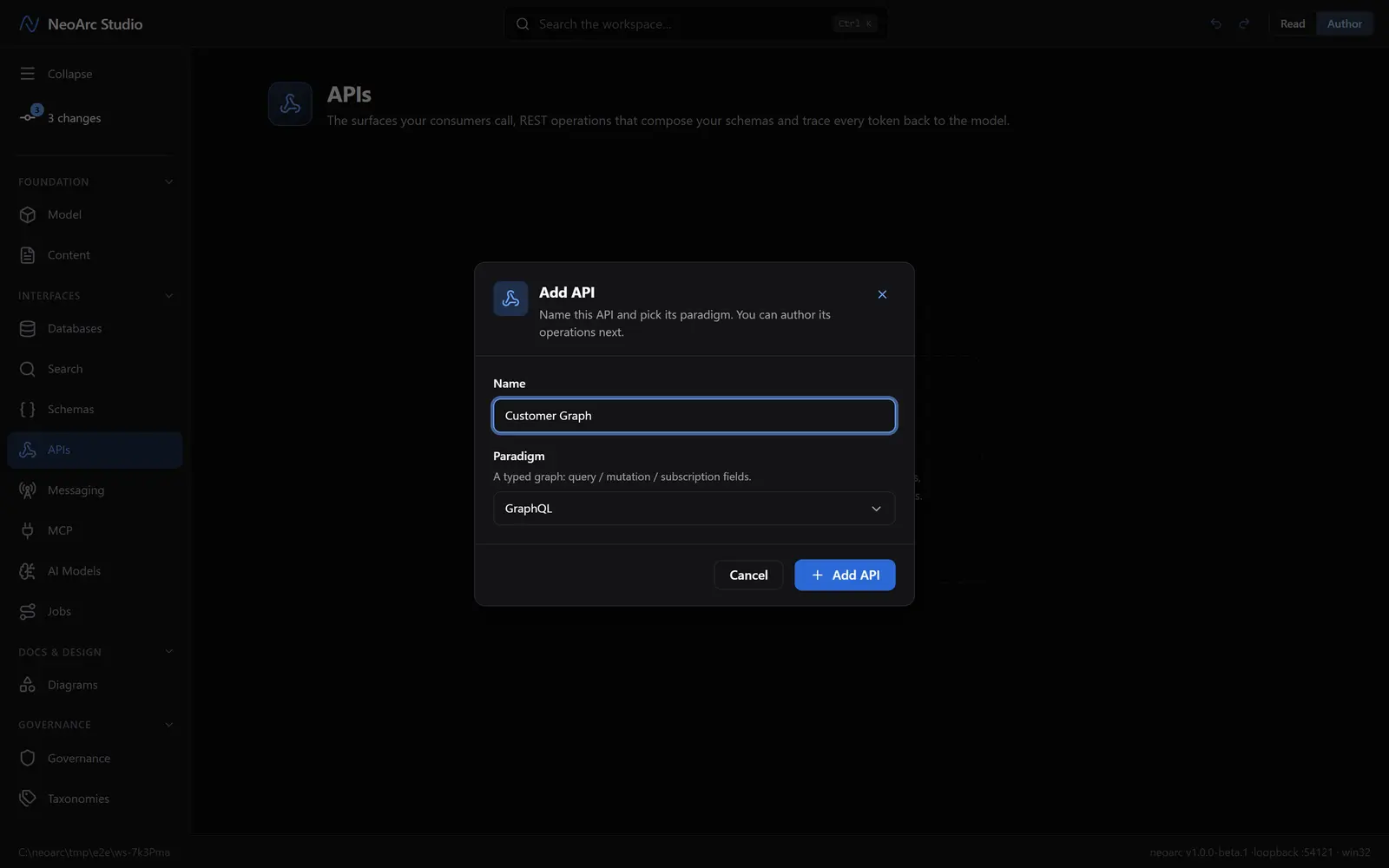
Open APIs in the left sidebar (under Interfaces), and make sure the top-right toggle is on Author. On the empty APIs page, click Add API, name it Customer Graph, and set Paradigm to GraphQL.
Add a query field
You land on the empty Customer Graph page. Click Add field at the top to open a new field (it defaults to a query), then build its signature:
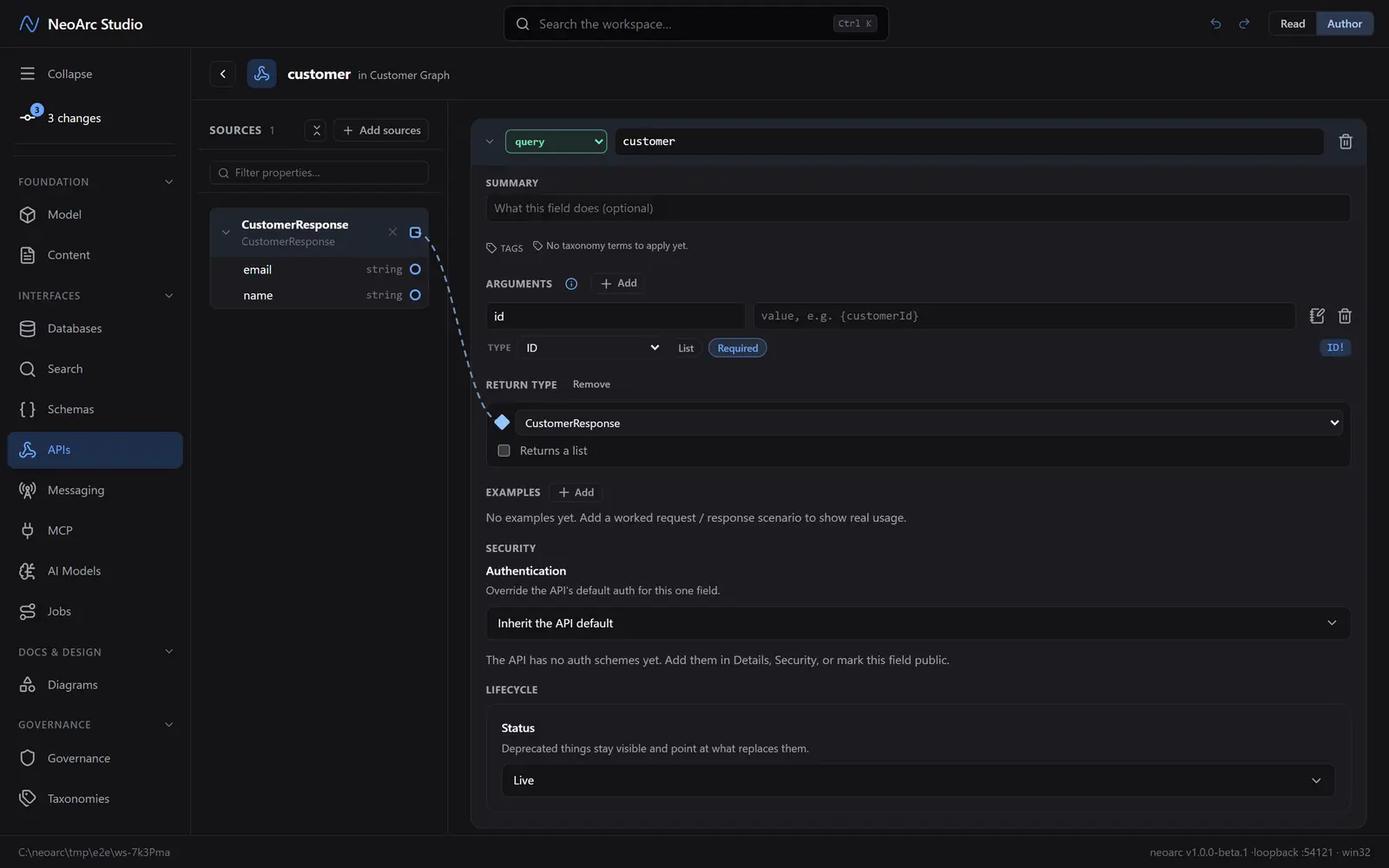
1. In the box beside the query dropdown, type customer.
2. Under ARGUMENTS, click Add. Name it id, set TYPE to ID, and click Required (it becomes ID!). Leave the value box empty for now (you can wire a token to it later).
3. Under RETURN TYPE, pick CustomerResponse from the dropdown. It is already listed, and picking it adds the schema to the SOURCES panel and draws a dashed wire for you.
Ignore the other sections (summary, examples, security), they are optional here.
See the SDL
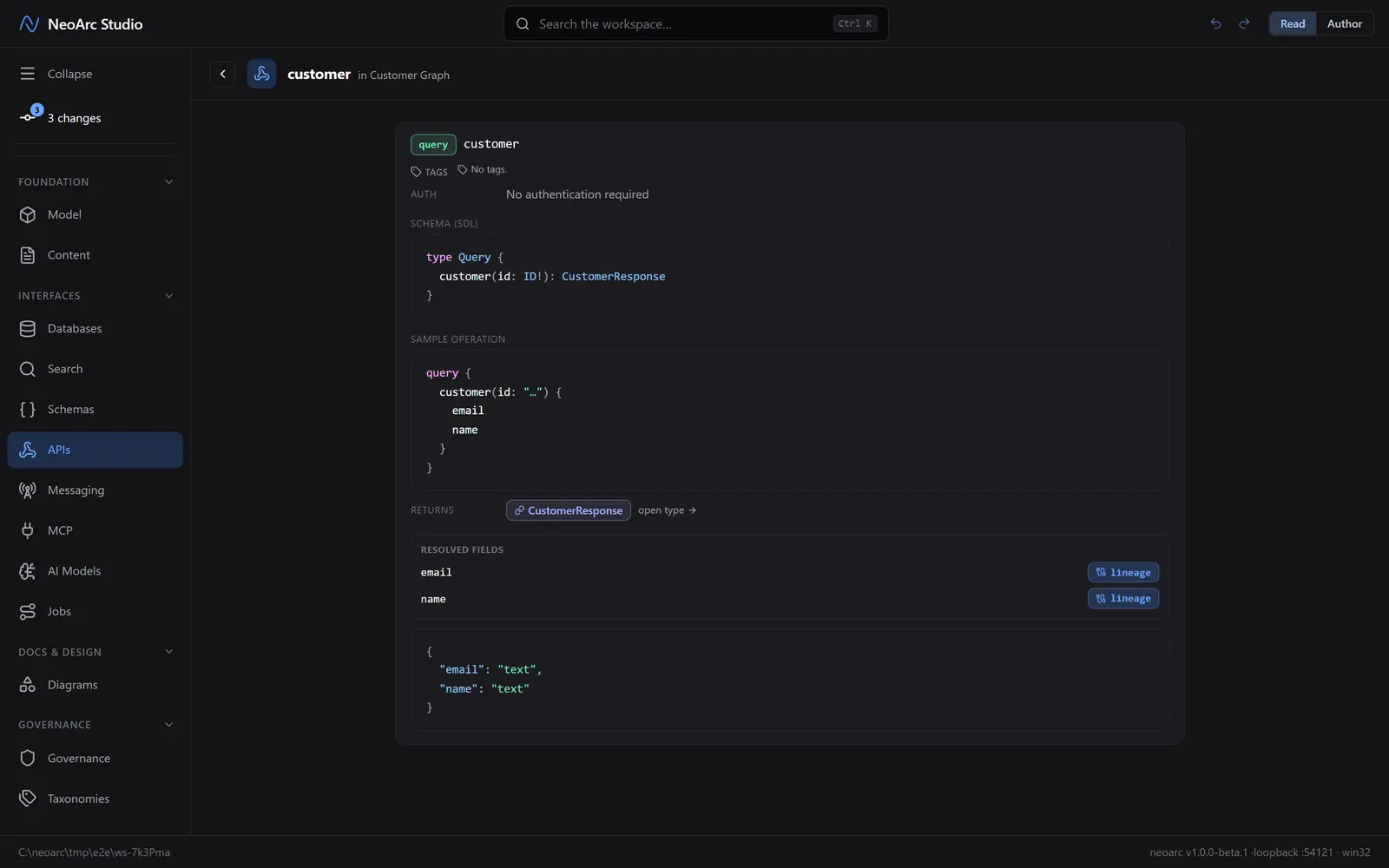
Switch the top-right toggle to Read. NeoArc renders the field as GraphQL: the SDL signature (type Query { customer(id: ID!): CustomerResponse }), a sample operation, and the resolved return fields, each with a lineage button back to its source.
What next
- Switch a field's kind to mutation or subscription; each gets its own group and SDL type.
- Wire an argument's token (like {customerId}) to a source so it carries lineage, the same way you wired schema fields.
- The SDL stays in sync with this design, so your GraphQL contract never drifts from the model.