 Xtrable
In NeoArc a REST API is a projection of your model: you design its operations and point each at the schemas it exchanges, so the contract stays tied to the model and the OpenAPI stays in sync. Here you design a POST /customers that returns your CustomerResponse schema.
Before you start
You need the Ordering model and the CustomerResponse schema from [Design a schema](../01-design-a-schema). That schema is the shape this endpoint is typed to return.
Add an API
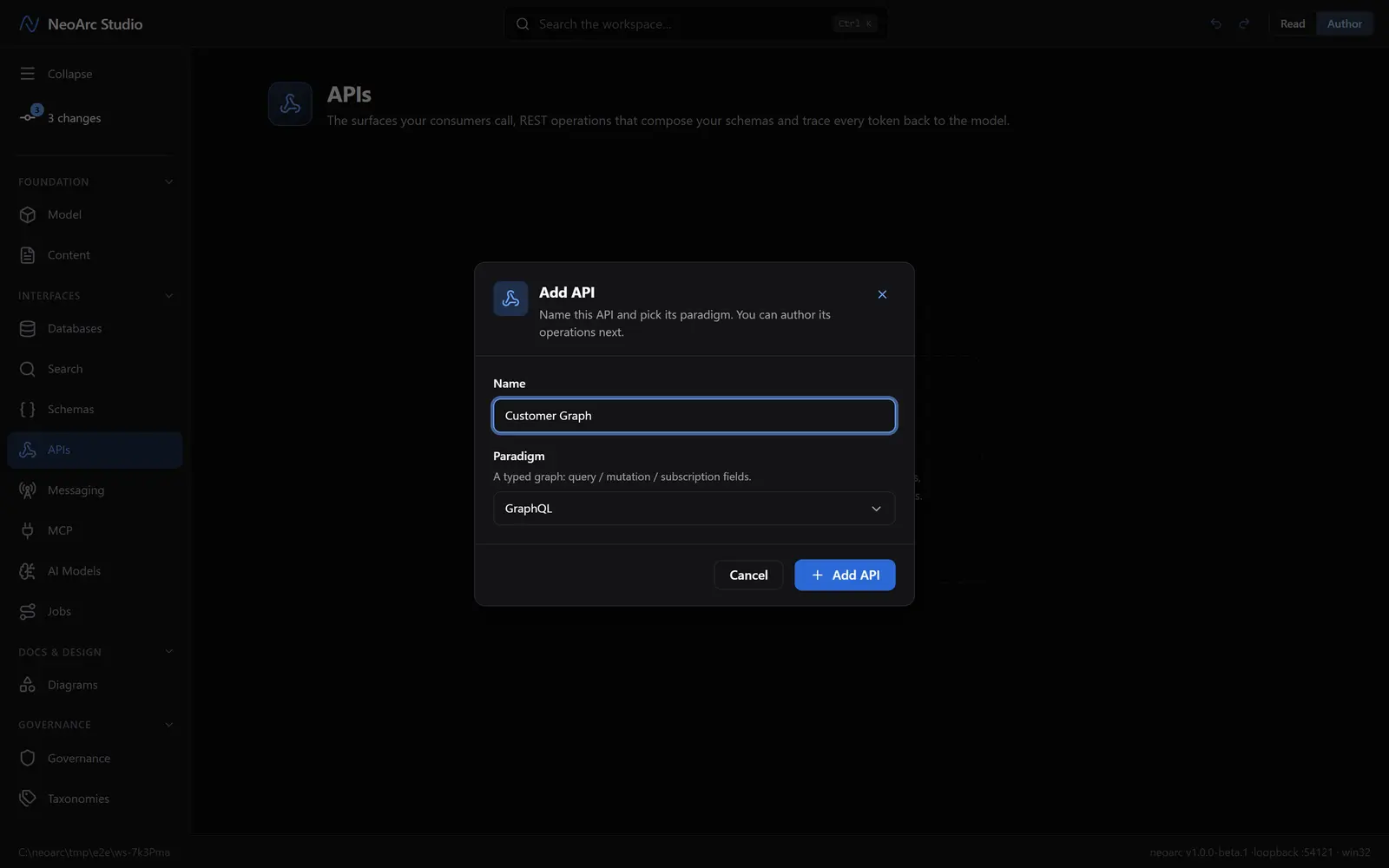
Open APIs in the left sidebar (under Interfaces), and make sure the top-right toggle is on Author. On the empty APIs page, click Add API (the button in the centre) and name it Customer API. It defaults to REST.
Add an endpoint
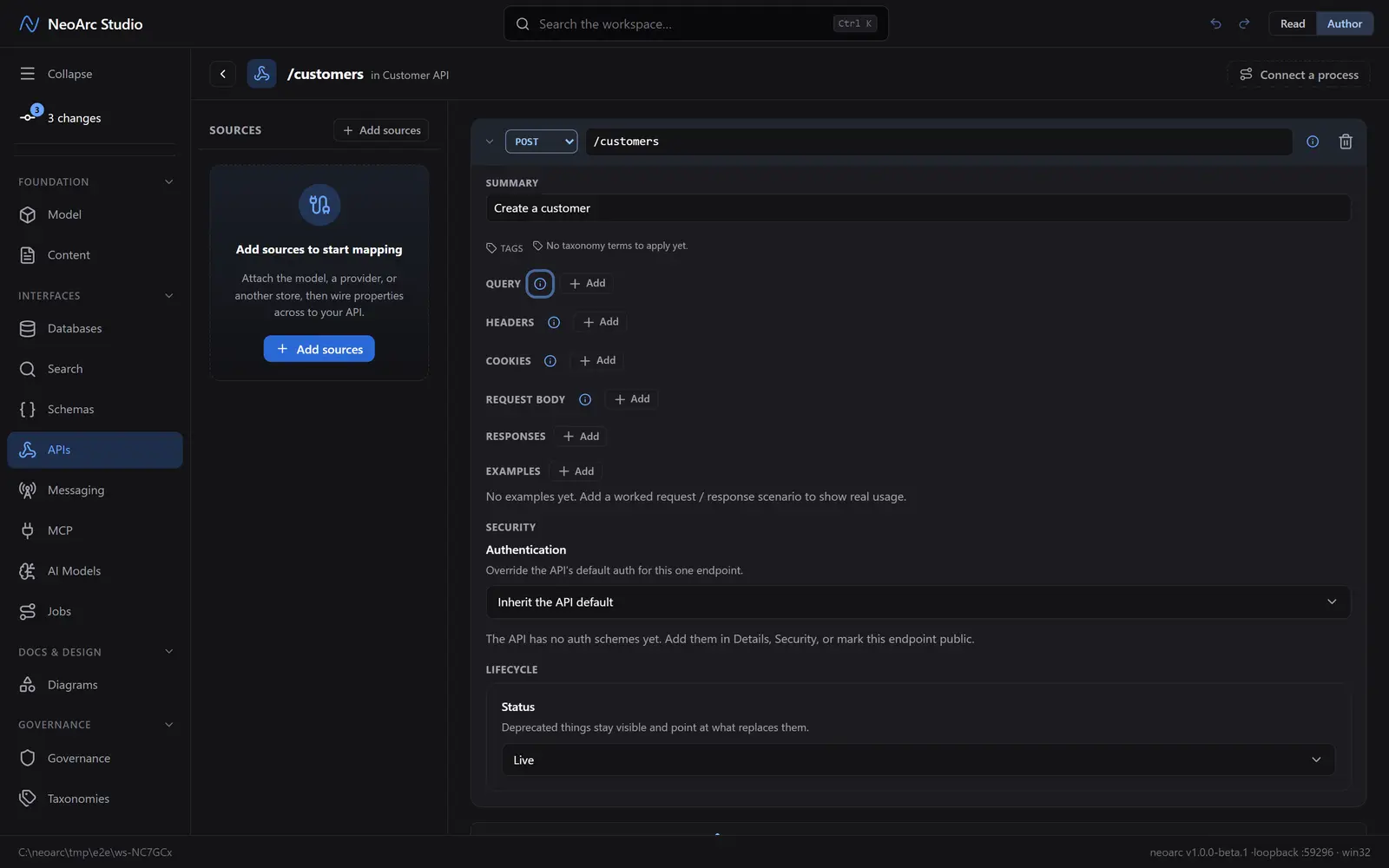
You land on the new API's page. Click Add endpoint at the top to open a fresh operation, then set:
1. Method: POST (the dropdown on the left).
2. Path: /customers.
3. Summary: Create a customer.
Return your schema
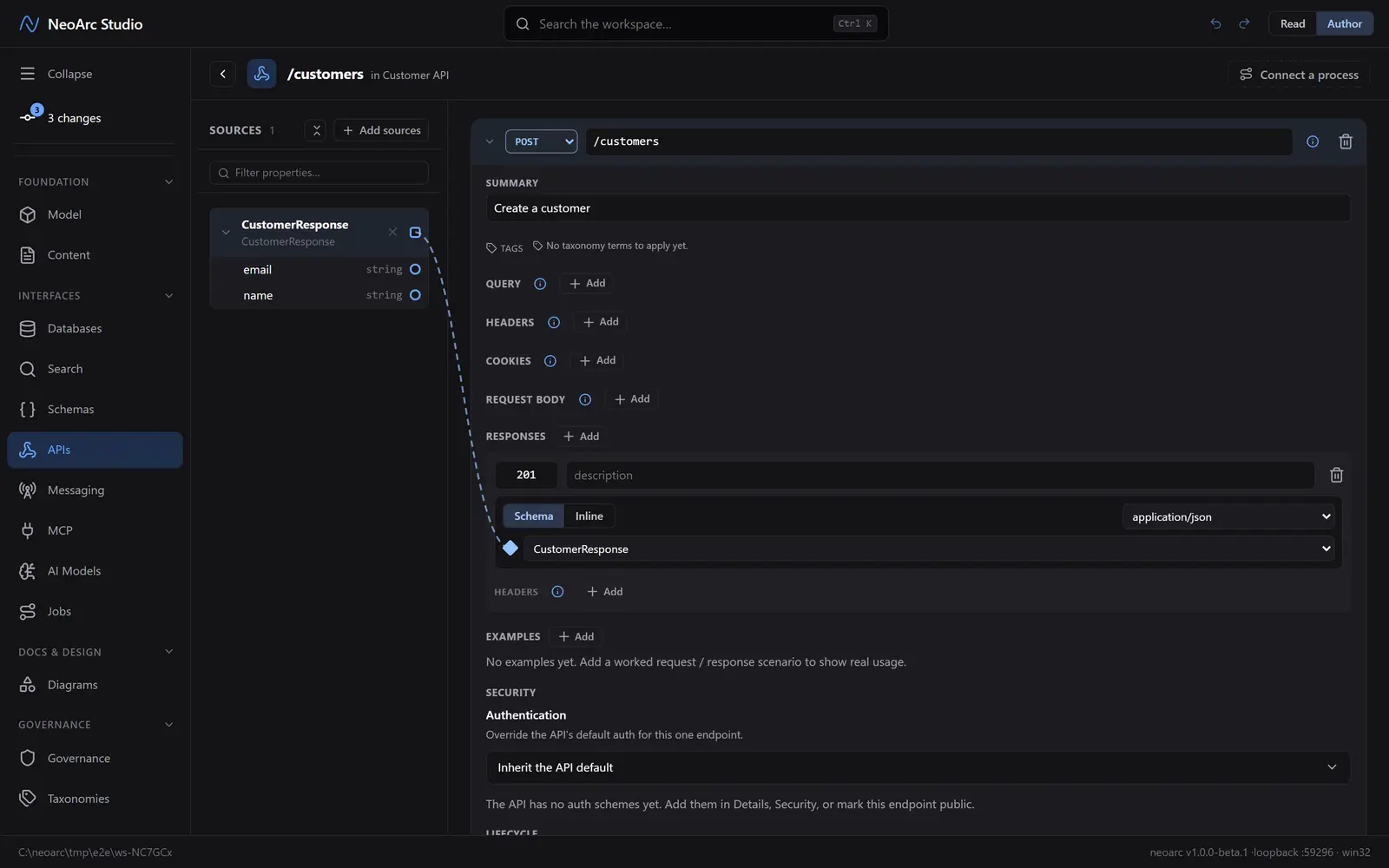
Now say what the endpoint returns. Under RESPONSES, click Add. A response block appears:
1. In the small status box, set 201.
2. Keep the body on the Schema tab (not Inline).
3. Pick CustomerResponse from the schema dropdown.
A dashed wire links the schema to the response, and CustomerResponse appears in the SOURCES panel on the left. The operation is now typed to return exactly that shape.
See the contract
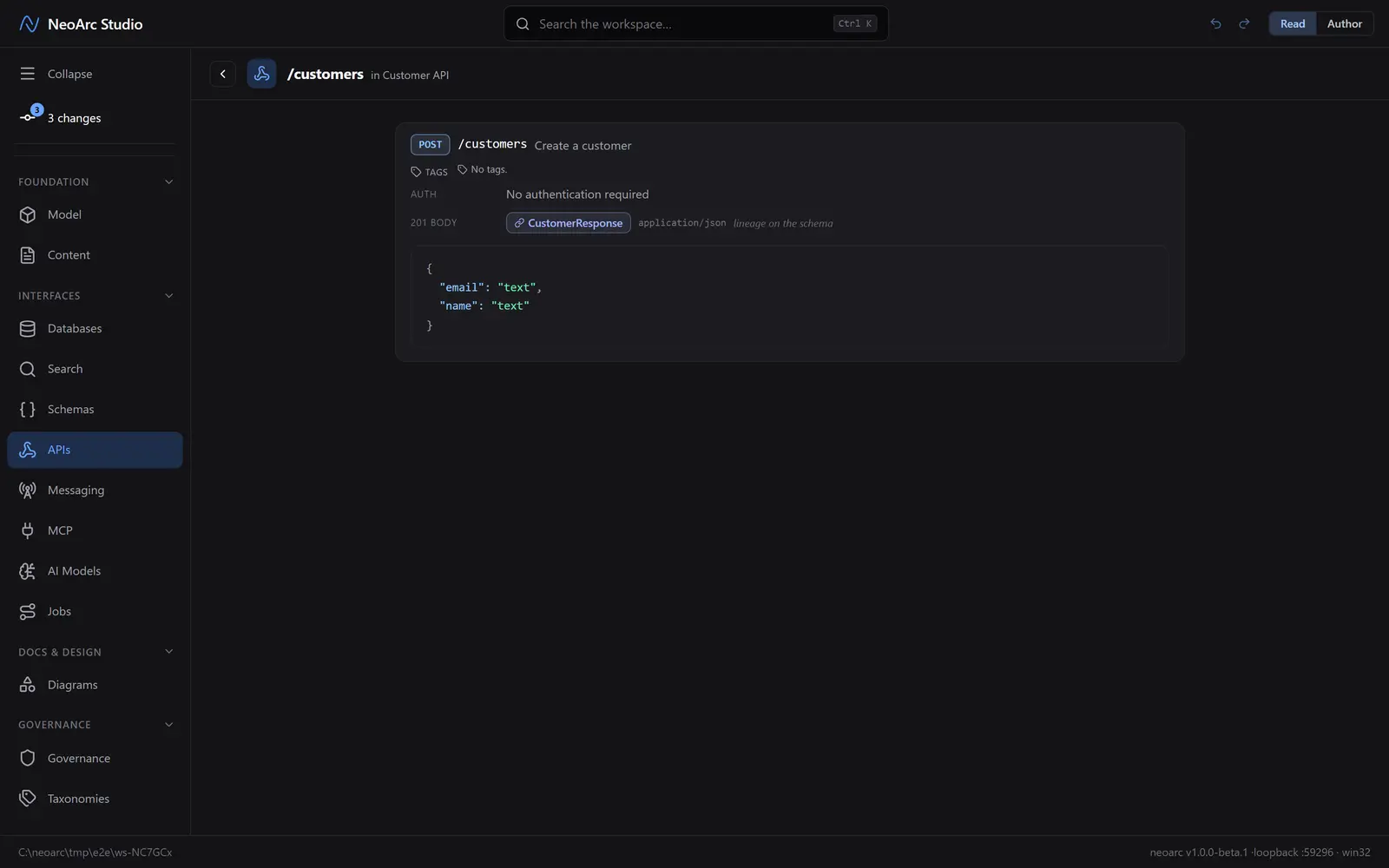
Switch the top-right toggle to Read. The endpoint reads as a clean contract: POST /customers, its auth, and a 201 body that renders the CustomerResponse shape as a worked JSON example, with a note that lineage runs through to the schema (and on to the model behind it).
What next
- NeoArc keeps a committed OpenAPI document (open-api/<slug>/…json and .yml) in sync with this design automatically. Open it from the Open API button in the header.
- Add authentication schemes, query parameters, or a request body the same way.
- Design the same model as a [GraphQL API](../03-design-a-graphql-api) instead of, or alongside, REST.